Nobody talks about EPG the way they should.
You’ll find a hundred articles explaining what an Electronic Programme Guide is — the digital TV schedule, the channel listings, the “Netflix-style” browsing experience for live television. But what you rarely find is someone explaining why your IPTV EPG setup keeps breaking at 8 PM on a Saturday, precisely when three households ring you simultaneously asking why their guide is blank.
That’s the article you’re reading now.
This is written for people already in the trenches — resellers managing dozens of active lines, panel operators juggling credit allocations, and households who’ve paid for a service and expect it to work like a proper television. Whether your IPTV EPG setup has never loaded correctly or it worked fine last month and collapsed after a server migration, the answers are here.
What Your IPTV EPG Setup Is Actually Doing Behind the Screen
Most users assume the programme guide is just cosmetic — a nice-to-have that shows what’s on. Technically, it’s far more structural than that.
An IPTV EPG setup pulls XML or XMLTV-formatted schedule data from a remote source, usually a URL provided by your panel or middleware system. That data maps channel IDs to broadcast times, programme titles, and descriptions. When your player — whether that’s a Smart TV app, Android box, or dedicated IPTV application — loads up, it fetches that XMLTV feed and renders it alongside your channel list.
The problem is that three things have to align simultaneously:
- The channel IDs in your M3U playlist must match the IDs in the EPG source
- The EPG URL must be accessible, uncached, and returning valid XML
- Your player must be configured to refresh at the correct interval
If any one of these breaks, you get a blank guide. No error message. Just nothing — and a very unhappy subscriber.
Pro Tip: The EPG URL is not the same as your M3U URL. They are two separate feeds. IPTV Resellers who hand clients a playlist URL and tell them “paste this in both boxes” are causing their own support tickets.
The Three IPTV EPG Setup Formats You Need to Know
Not all EPG sources are equal, and not all players support the same format. Before troubleshooting anything, identify which format your panel outputs.
XMLTV is the universal standard — a compressed or uncompressed XML file with channel tags, programme blocks, start/stop timestamps, and optional metadata like episode numbers and ratings. It’s supported by virtually every serious IPTV application.
JTV is a legacy Russian format occasionally found in Eastern European-targeted panels. If you’re running a panel aimed at UK or EU markets, you’ll almost never encounter this. If you do, your player needs to explicitly support JTV or it will silently fail.
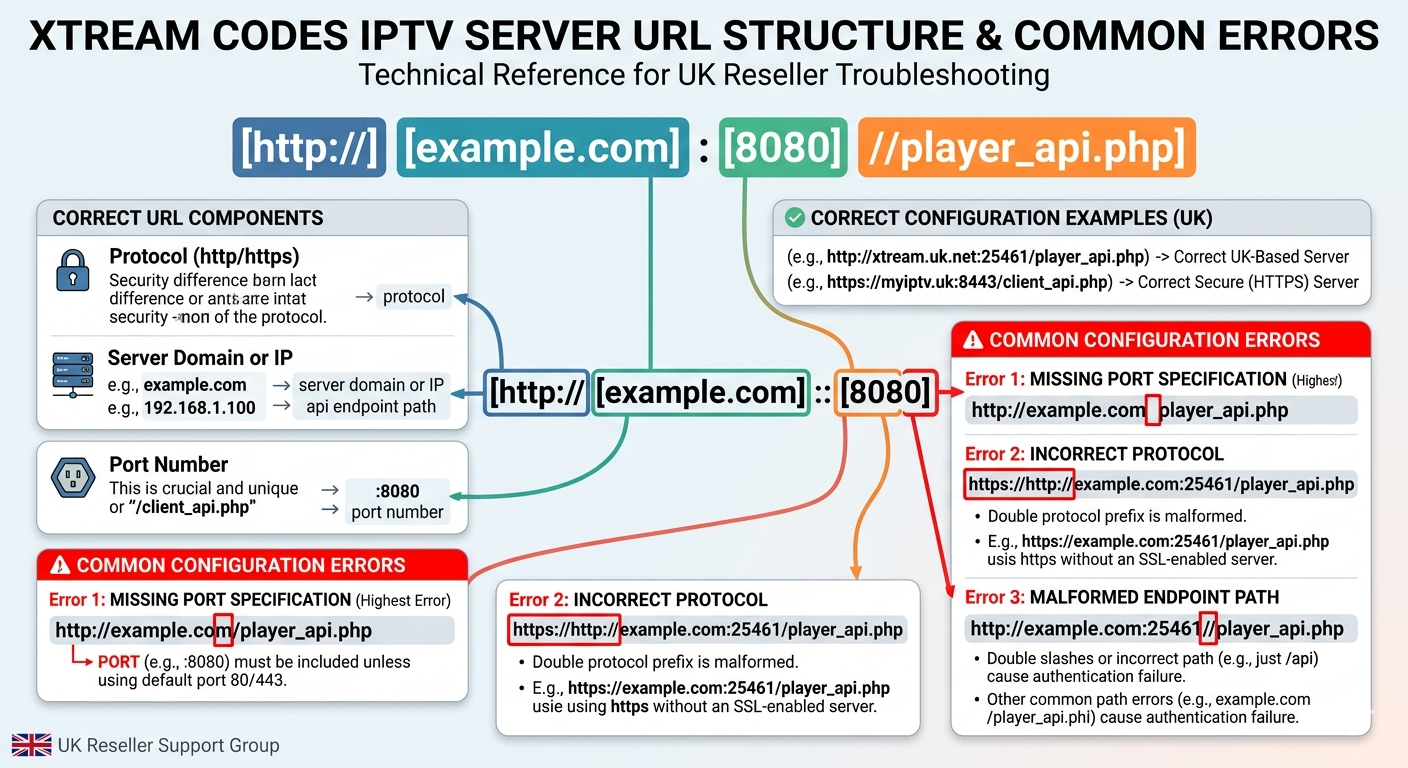
Xtream Codes API EPG is built directly into panel systems that use the XC architecture. When a client connects via XC login credentials rather than an M3U URL, the EPG is fetched through API calls, not a separate URL. This is why some apps show a full guide automatically — and why others still show nothing despite the panel having EPG data loaded.
| EPG Format | Delivery Method | Common Player Support | Best For |
|---|---|---|---|
| XMLTV (URL) | External URL | Universal | M3U-based setups |
| XC API EPG | Panel API call | XC-compatible apps only | Xtream login setups |
| JTV | File-based | Limited (legacy) | Eastern EU markets |
| Local XMLTV | Uploaded file | Most apps | Offline/manual setups |
Why IPTV EPG Setup Fails at Scale — The Reseller Reality
Here’s something panel sellers rarely admit: EPG infrastructure is frequently the first thing that collapses under load.
When you have 50 active subscribers, the EPG URL gets hit 50 times at startup. Across a day of device restarts, sleep cycles, and app refreshes, that’s potentially hundreds of requests to a single XML endpoint. If your panel provider hasn’t built caching into that endpoint — and many budget providers haven’t — you get request pile-up, slow responses, and clients reporting “the guide takes forever to load.”
Multiply that by 500 lines and the EPG server becomes a bottleneck that affects perceived stream quality, even when the actual video feed is fine.
Signs your EPG source is under infrastructure stress:
- Guide loads 3–5 minutes after streams start
- Programme info appears for some channels but not others
- Guide works correctly at 6 AM but is blank by 7 PM
- Refreshing the EPG manually in settings temporarily fixes it
The root cause is almost always either a throttled endpoint, a server that lacks load balancing on the XML delivery layer, or a panel that regenerates the XMLTV file on every request rather than serving a cached version.
Pro Tip: Ask your upstream supplier specifically whether their EPG endpoint is cached or dynamically generated. “Dynamically generated” on a shared server means you’re one busy evening away from blank guides across your entire client base.
Matching Channel IDs: The Hidden Fault Line in Every IPTV EPG Setup
This is where most resellers lose hours of their lives.
XMLTV files assign each channel a unique ID — a string like channel.bbc.one.uk or simply 1234. Your M3U playlist assigns each stream a tvg-id tag. For the guide to populate, those two values must be identical, character for character.
The problem is that panel providers and EPG sources don’t always agree on naming conventions. One source might use BBC1 while another uses bbc-one or BBCOne.UK. When there’s a mismatch, the player silently fails to map the programme data to the channel. The stream plays fine. The guide shows nothing.
How to diagnose a channel ID mismatch:
- Open your M3U file in a text editor and find the
tvg-idvalue for a broken channel - Download your EPG XML file and search for that exact string
- If it doesn’t appear, the IDs don’t match — you need to either edit the M3U or switch to an EPG source that matches your panel’s naming
Some advanced players like TiviMate on Android allow you to remap EPG channel IDs manually without editing raw files. If you’re supporting clients on varied devices, this is worth knowing — it solves a class of problems that otherwise generates endless back-and-forth support messages.
Refresh Intervals and Why Getting This Wrong Breaks Everything
An IPTV EPG setup isn’t a one-time configuration. The guide data needs to refresh periodically — typically every 24 hours — to stay accurate. Most players have a refresh interval setting, often defaulting to 24 or 48 hours.
The problem appears in two directions.
Too infrequent: A client who set up six months ago and never touched the settings might have an EPG cache from before your panel migrated to a new EPG source. Their guide shows old data, wrong times, or nothing at all for newer channels. The fix is manual — force a refresh in the app settings.
Too frequent: Some clients, trying to fix blank guide issues, set refresh intervals to one or two hours. On large panels, this creates unnecessary load on the EPG server and can get the client’s IP throttled or temporarily blocked by the provider’s infrastructure. Ironically, aggressive refreshing makes EPG reliability worse.
Pro Tip: 24-hour refresh is the sweet spot for most household setups. For your panel’s server infrastructure, stagger client refreshes if you have any control over that — a thousand devices all refreshing at midnight creates a demand spike that a poorly provisioned EPG server won’t handle gracefully.
Device-Specific IPTV EPG Setup: What Works Where
The same IPTV EPG setup that works perfectly on one device can behave completely differently on another. This isn’t a myth — it’s an architecture reality that every reseller eventually confronts.
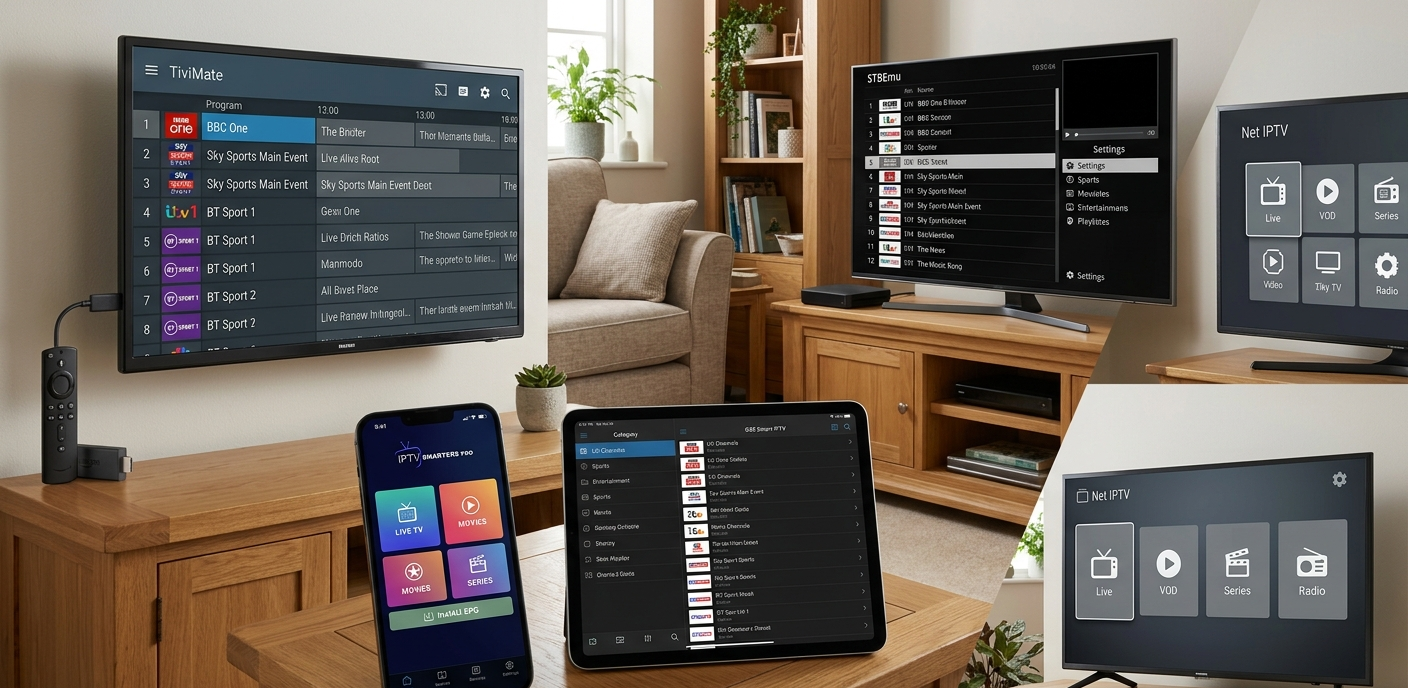
Smart TVs (Samsung/LG built-in apps): Most native Smart TV IPTV apps have limited EPG support. They’ll accept an XMLTV URL but may only display 24–48 hours of data regardless of what the feed contains. Guide data may also render slowly due to the weaker processors in some Smart TV app environments.
Android-based boxes and sticks: This is where IPTV EPG setup is most configurable. Apps like TiviMate, IPTV Smarters Pro, and GSE Smart IPTV give you granular control over EPG sources, refresh schedules, and channel mapping. These are also the most forgiving when there are minor ID mismatches, as many allow manual remapping.
iOS and iPadOS: EPG rendering on Apple devices depends heavily on the app. Some handle XMLTV URLs natively; others require the EPG to be embedded in the M3U as a separate x-tvg-url header. Clients on Apple devices who report missing guides often just need the EPG URL placed in the correct field for their specific app.
Amazon Fire Stick: Standard Android architecture under the hood, which means Android-compatible apps work. However, background refresh of EPG data can be disrupted by Fire OS battery optimisation, which kills background processes aggressively. Guide data may appear stale if the app hasn’t been in the foreground recently.
ISP Interference with EPG Sources in 2026
This is the angle most guides skip entirely, and it’s increasingly relevant.
EPG XML files are delivered over HTTP or HTTPS. In 2026, ISP-level blocking has become more sophisticated — not just targeting stream URLs, but also auxiliary services like EPG feeds. DNS poisoning and deep packet inspection have been used against IPTV infrastructure in several EU markets, and the effect on EPG delivery is exactly what you’d expect: the XMLTV URL returns nothing, the guide goes blank, and the streams keep playing.
From a subscriber’s perspective, “the guide stopped working” is indistinguishable from “the service is broken.” Churn risk spikes even when your actual stream infrastructure is fine.
What this means for resellers:
- Use EPG sources delivered over HTTPS, not plain HTTP — encrypted traffic is harder to inspect and selectively block
- Ensure your panel provider hosts EPG endpoints on IPs that are distinct from stream delivery infrastructure — co-hosting them means a single IP block affects both
- Consider whether your EPG URL uses a domain that has been subject to enforcement action — some older panel domains carry historical blocking risk
Pro Tip: If multiple clients across different ISPs report simultaneous EPG failure while streams work fine, suspect infrastructure-level blocking rather than a configuration issue. The fix is a panel-side URL change, not client-side troubleshooting.
Building an IPTV EPG Setup That Survives Panel Migrations
Resellers who’ve been in the game more than a year have almost certainly experienced a panel migration — their upstream provider moves servers, changes domain structure, or overhauls their middleware. The casualty list is always the same: M3U URLs break, EPG URLs break, and the client support queue fills up overnight.
The problem isn’t the migration itself. It’s that clients have hard-coded EPG URLs into their devices. When those URLs change, every single device needs manual reconfiguration.
Mitigation strategies worth implementing before the next migration:
- Use a custom domain you control as a redirect layer in front of your panel’s EPG URL. When the panel migrates, you update one DNS record rather than contacting every client.
- Document which EPG URL format each client type uses — M3U header, manual field, or XC API — so you can triage efficiently rather than treating every migration as a universal rebuild.
- For your highest-volume clients (resellers under you with 30+ lines), provide a written setup card showing exact EPG configuration steps for their device type. It reduces support burden when things change.
Panel migrations also frequently scramble channel ID mappings. A provider who moves from one middleware to another may change every tvg-id in the playlist. An EPG source that matched perfectly before the migration now matches nothing. This is one of the most disruptive — and least-documented — aspects of IPTV EPG setup management at scale.
Frequently Asked Questions
What is an IPTV EPG setup and why does it matter?
An IPTV EPG setup refers to the configuration of your Electronic Programme Guide — the channel schedule that shows what’s currently airing and what’s coming next. It matters because without it, subscribers navigate channels blindly. A well-configured EPG improves user retention and reduces support contacts. Technically, it pulls XMLTV-formatted data from a remote URL and maps it to your channel list.
Why is my IPTV EPG setup showing a blank guide even though streams are working?
Blank guides with working streams usually indicate one of three problems: the EPG URL is incorrect or unreachable, the channel IDs in your M3U don’t match the IDs in the EPG source, or the EPG cache in your app is outdated. Try forcing a manual refresh in your app’s settings first. If that fails, verify the EPG URL separately by pasting it into a browser to confirm it returns XML data.
How often should I refresh my IPTV EPG setup data?
Every 24 hours is the standard for household use. Refreshing more frequently — say, every hour — puts unnecessary load on the EPG server and can result in your IP being throttled, making the problem worse. Most IPTV apps default to 24-hour refresh. For panel operators managing large subscriber bases, staggering refresh times across your client base is advisable.
Can ISP blocking affect my IPTV EPG setup specifically?
Yes. In 2026, ISP-level enforcement increasingly targets auxiliary services including EPG endpoints, not just stream URLs. If streams are working but the guide is consistently blank across multiple clients on different devices, ISP-level DNS interference with the EPG URL is a plausible cause. Switching to HTTPS-delivered EPG sources and ensuring your EPG endpoint uses a different IP from your stream servers reduces this risk.
As a reseller, how do I manage IPTV EPG setup for clients on different devices?
Device variation is one of the most persistent reseller challenges. Build a device-specific setup guide for each major platform your clients use — Android, iOS, Fire Stick, Smart TV. Note exactly which field accepts the EPG URL and which format each app expects. Using a custom domain as a redirect layer for your EPG URL means you can update the destination without contacting clients when the panel migrates.
What is the difference between XMLTV and Xtream Codes EPG delivery?
XMLTV EPG is an external URL pointing to an XML schedule file — you paste this URL separately in your app’s EPG settings. Xtream Codes EPG is delivered automatically through the panel API when clients connect using XC login credentials. Apps that support XC logins receive guide data without a separate EPG URL. This is why some setups show a guide automatically and others require manual configuration.
Why does my IPTV EPG setup work on one device but not another?
Each app handles EPG differently. Some support XMLTV URLs natively; others need the URL embedded in the M3U file as an x-tvg-url header; XC-based apps pull EPG through the API. Additionally, some platforms like Amazon Fire Stick aggressively kill background processes, causing guide data to go stale. Identify which delivery method each app expects and configure accordingly rather than assuming a single setup works universally.
Is there a way to fix channel ID mismatches in IPTV EPG setup without editing raw files?
Yes. Apps like TiviMate on Android include an EPG channel mapping feature that lets you manually link channels to their EPG entries without touching M3U or XMLTV files. This is the most practical fix for clients who have minor ID mismatches. At the panel management level, choosing EPG sources that are specifically matched to your panel’s channel naming convention is the more scalable long-term solution.
Reseller Success Checklist: IPTV EPG Setup Done Right
Before onboarding any new client:
- Confirm whether their preferred app uses M3U+EPG URL, XC login, or embedded
x-tvg-urlformat - Verify your EPG URL is HTTPS, not HTTP
- Test that the XMLTV file loads in a browser and returns valid XML before sending to client
For your panel infrastructure:
- Confirm with your upstream that EPG endpoints are cached, not dynamically generated per request
- Ensure EPG delivery IP differs from stream delivery IP
- Set up a custom domain redirect for your EPG URL so panel migrations don’t require mass client reconfiguration
For ongoing management:
- Schedule a quarterly EPG audit — check channel ID mappings are still aligned after any panel update
- Keep a device-specific IPTV EPG setup reference card for the top 4 platforms your clients use
- Monitor support ticket patterns — a spike in “blank guide” reports often precedes a wider infrastructure issue worth escalating to your supplier
For scaling beyond 100 lines:
- Document your EPG format per client segment — don’t assume one setup serves all device types
- For resellers under you, provide a written IPTV EPG setup onboarding document so they’re not escalating first-line support issues upward
- Explore reseller panel options that offer dedicated EPG infrastructure rather than shared endpoints — it’s the difference between a guide that works at midnight on a Saturday and one that doesn’t
For reseller-grade panel options with proper EPG infrastructure built in, martcarto.shop is worth reviewing as a starting point for comparing what a well-provisioned setup looks like versus the budget alternatives that cut corners on XML delivery.