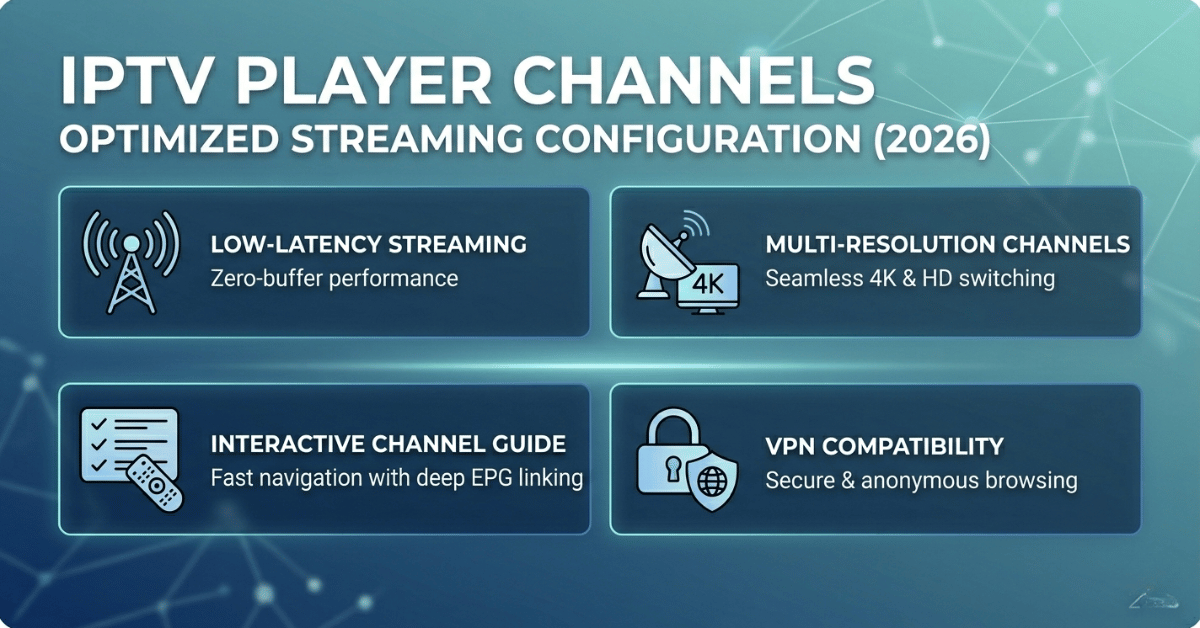
Nobody talks about the gap between having access to IPTV player channels and actually getting them to work without a fight. You can have 18,000 channels loaded into your playlist and still spend Friday night watching a pixelated spinning wheel while your family stares at you.
The difference between a setup that holds up and one that collapses under pressure isn’t the number of IPTV player channels you’ve subscribed to — it’s every decision made before the stream even hits your screen.
This guide skips the theory. It’s written for people who are either managing subscriptions for their household, handling a IPTV reseller panel, or somewhere in between and trying to figure out why things keep going wrong at the worst possible time.
How IPTV Player Channels Are Actually Delivered (Most People Get This Wrong)
Most subscribers assume IPTV player channels work like a download — you request a channel, it arrives, done. That’s not how it works.
Every channel you load is a live HTTP or HLS stream originating from a server, passing through a CDN layer or relay, hitting your router, and then rendering on your device. That chain has five or six potential failure points, and the player sitting on your phone or TV box is just the last one.
When buffering happens, people blame the player. When channels go missing, they blame the provider. Almost always, the real issue sits somewhere in the middle of that delivery chain — and it’s invisible unless you know what to look for.
Where IPTV player channels typically break down:
- Overloaded stream servers during peak broadcast windows
- DNS resolution failures caused by ISP-level interference
- M3U playlist files with dead or expired stream URLs
- Incorrect player settings (wrong buffer size, hardware decode off)
- Mismatched stream format — player expecting HLS, server sending RTMP
Pro Tip: If your IPTV player channels load fine at midnight but buffer constantly at 7pm, it’s almost certainly a server-load issue, not a player issue. A quality provider routes peak traffic through backup uplink servers automatically. If yours doesn’t, that’s your real problem.
Why the Player You Choose Changes Everything
There are dozens of IPTV players on the market. Most resellers and subscribers pick whichever one came up first in the app store. That single lazy decision causes more support headaches than almost anything else.
Different players handle the same IPTV player channels in dramatically different ways. One app might handle an HLS stream with hardware decode elegantly while another stutters and drops frames on the exact same URL. It’s not magic — it’s buffer management, codec support, and how aggressively the player retries on timeout.
| Player Feature | Budget/Free Apps | Performance-Grade Apps |
|---|---|---|
| Buffer management | Fixed, minimal | Adaptive, user-configurable |
| EPG loading | Slow, crashes on large XMLTVs | Handles 10,000+ entries |
| Hardware decode | Off by default or absent | Fully supported |
| Reconnect on drop | Manual only | Auto-retry built in |
| Multi-stream support | Single stream | PiP or multi-screen |
| Format support | HLS only | HLS, RTSP, RTMP, TS |
The format support column matters more than anything when you’re dealing with IPTV player channels that pull from mixed infrastructure. A reseller sourcing from multiple upstream providers often has playlists mixing HLS and TS streams in the same M3U — and a player that can’t handle both will silently fail on certain channels with no useful error.
The M3U Playlist Is Not Just a File — It’s Infrastructure
Treating the M3U playlist as a static document is one of the most common beginner errors in IPTV. Your IPTV player channels list is a live document. Every URL in it has an expiry logic attached, a server assignment, and sometimes a token that refreshes on authentication.
When a playlist goes stale — even partially — the symptom is specific: certain channels work, others show a black screen or instant error. It’s not random. The failing channels are the ones whose stream URLs have rotated or whose server assignment has changed since the playlist was last generated.
Reseller-specific M3U management checklist:
- Regenerate playlists after any panel migration or server change
- Deliver M3U URLs to subscribers rather than static files — so updates propagate automatically
- Audit dead streams weekly using a bulk URL checker before subscribers notice
- Separate VOD and live channels into distinct playlists if your panel allows it — it reduces EPG load dramatically
- Never let subscribers save the raw M3U file locally if you can avoid it
Pro Tip: Resellers who send subscribers a direct M3U URL (pointing to their panel’s dynamic output) cut support tickets by roughly 60% compared to those who export and attach static files. One server-side fix reaches everyone at once.
EPG: The Feature Most Resellers Break Without Realising
Electronic Programme Guide — EPG — is treated as a nice-to-have until subscribers start complaining that the guide is blank, wrong, or 3 days behind. Then it becomes urgent.
EPG data for IPTV player channels is pulled from an XMLTV source on a schedule. The player fetches it, parses it, matches channel IDs to your M3U entries, and renders the programme grid. Each of those steps can fail independently.
The most common silent EPG failures:
Channel ID mismatch — Your M3U references channel ID “uk-bbc1.uk” but the XMLTV source uses “BBC1.uk”. The data exists but never maps correctly, so the guide appears blank for that channel even though EPG data is being fetched fine.
Oversized XMLTV — Some providers dump 14-day EPG data for 10,000+ channels into a single file. Budget players choke on it, taking 4–6 minutes to load or crashing entirely. The fix is either a lighter XMLTV source or a player with proper async EPG loading.
Refresh timing — EPG data that refreshes every 24 hours will always lag on channels that update their programming on short notice. For sports and live events, this creates a mismatch between what’s showing in the guide and what’s actually streaming.
A properly configured EPG is one of the lowest-effort ways to increase perceived quality across your IPTV player channels without touching a single stream.
ISP-Level Blocking in 2026: What’s Changed and What Operators Are Doing About It
This is the part most surface-level guides avoid. ISP blocking of IPTV traffic has become substantially more sophisticated in the last 18 months. It is no longer purely DNS-based.
In 2026, major ISPs in the UK and EU have moved toward deep packet inspection (DPI) combined with AI-assisted traffic classification. The system identifies IPTV stream patterns — specifically the timing signatures of HLS chunk requests and the headers on RTMP connections — and rate-limits or drops them selectively. This affects IPTV player channels on affected networks even when the DNS resolves correctly and the server is fully operational.
What operators are doing in response:
- Moving streams through HTTPS tunnels (443) to blend with regular web traffic
- Rotating server IPs on a schedule to outpace blocklist updates
- Using backup uplink servers on distinct ASNs so a block on one network path doesn’t kill the service
- Migrating higher-risk channel categories to servers geographically outside enforcement zones
The reseller’s job is not to solve DPI — that’s upstream infrastructure. But resellers who understand it can manage customer expectations intelligently and direct subscribers to the right troubleshooting steps rather than issuing refunds for problems that will resolve on their own.
Pro Tip: If a subscriber reports that your IPTV player channels work fine on their mobile data but buffer or fail on their home broadband, ISP-level interference is almost certainly the diagnosis. The fix is usually a VPN on the home network, not a provider switch.
Load Balancing and Why Peak Hours Expose Weak Infrastructure
Most subscribers notice their IPTV player channels perform well at 2pm and become unreliable at 8pm. This pattern — reliable off-peak, degraded during prime time — is a direct symptom of inadequate load balancing on the provider’s infrastructure.
A provider running IPTV player channels without proper load distribution will stack all concurrent connections on the same server pool. Once that pool hits capacity, every additional subscriber beyond the threshold gets a degraded stream. The server doesn’t refuse the connection — it just delivers less bandwidth per stream.
Signs your provider lacks proper load infrastructure:
- Consistent evening buffering despite good daytime performance
- Simultaneous drops affecting multiple channels in the same category
- Slow channel switching during live sports events
- Buffer issues that clear up if you disconnect and reconnect quickly (you’re being re-assigned a server with headroom)
Premium infrastructure uses edge caching, where popular channels are pre-cached at multiple geographic nodes so that regional demand spikes don’t back-propagate to the origin server. This is the architecture that separates operators who scale from those who replace servers every few months and wonder why subscribers keep leaving.
Reseller Panel Management: The Operational Layer Most Guides Ignore
Subscribers interact with IPTV player channels. Resellers interact with panels. These are different problems and require different thinking.
A reseller’s panel is where credit allocation, connection limits, subscription expiry, and stream URL generation all happen. Poor panel management doesn’t just create subscriber problems — it creates liability. Issuing a connection with a 2-connection limit to a household that runs four devices simultaneously will generate support requests every week without fail.
Panel configuration decisions that prevent downstream chaos:
- Set connection limits based on household size, not cost-cutting
- Build 3–5 day expiry buffer into renewals so subscribers don’t go dark during payment delays
- Separate trial accounts to a distinct server pool — don’t let trials consume capacity from paying subscribers
- Monitor credit consumption against subscription count to spot unusual churn or usage patterns early
- Always maintain at least one fallback M3U URL per subscription that points to a secondary server
Pro Tip: Resellers who segment their subscribers by device type — Android boxes, Smart TVs, phones — can push device-optimised playlists with different buffer profiles per category. A single M3U for all devices is the lazy option and it shows in support volume.
Frequently Asked Questions
What are IPTV player channels and how do they differ from regular cable?
IPTV player channels are streamed over internet infrastructure rather than coaxial or satellite signals. This means content is delivered on-demand via HTTP or HLS protocols, which makes them more flexible but also dependent on server reliability and network conditions. Unlike cable, IPTV player channels can be accessed from any internet-connected device and updated remotely without hardware changes.
Why do my IPTV player channels buffer at night but work fine during the day?
Peak-hour buffering is almost always an infrastructure capacity issue, not a device or player problem. Server pools reach their concurrent connection ceiling during evening viewing windows, and each stream beyond that threshold receives reduced bandwidth. Providers with proper load balancing distribute this traffic across multiple servers or edge nodes — those without it simply degrade for every subscriber simultaneously.
How many connections do I need for a household using IPTV player channels?
For a typical household with two to four screens, a minimum of two to three simultaneous connections is practical. Factor in that smart TVs, phones, tablets, and set-top boxes may all be in use at different times. A one-connection subscription for a family home is a setup for constant disruption and unnecessary support tickets.
Can ISP blocking affect which IPTV player channels work on my connection?
Yes, and increasingly so in 2026. ISPs in the UK and EU are using traffic analysis and deep packet inspection to identify and throttle IPTV streams. If your channels work normally on mobile data but buffer or fail at home, your broadband provider is likely the variable. A VPN routed through a non-flagged server usually resolves this without requiring a provider change.
What should a reseller check if subscribers report IPTV player channels suddenly going blank?
Start with the M3U playlist — stream URLs rotate when servers change or tokens expire. Next, check whether the issue affects all subscribers or a subset, which indicates either a server-level fault or a panel-segment issue. Verify EPG sync separately. If only specific channel categories are affected, the problem is almost certainly upstream of your panel.
Is it worth paying more for a provider with backup uplink servers for IPTV player channels?
Categorically yes. A provider running a single uplink point is one enforcement action or hardware failure away from a complete outage. Backup uplinks on separate ASNs mean that when one route is blocked or degraded, traffic automatically fails over. For resellers whose business depends on service continuity, this isn’t optional infrastructure — it’s the baseline.
How often should resellers update or regenerate their IPTV player channels playlists?
For active subscribers, deliver a dynamic M3U URL rather than a static file — this regenerates automatically and stays current. For auditing purposes, run a dead-URL check across your full channel list weekly. After any panel migration or server change, regenerate and re-deliver playlists before subscribers notice the breakage themselves.
What player settings most affect IPTV player channels performance?
Hardware decode (enable it), buffer size (increase beyond default for stable but not VoD-style latency), reconnect on timeout (enable auto-retry), and EPG source configuration are the four settings that move the needle most. Most buffering complaints that get escalated to providers are actually resolved by correcting hardware decode settings on the player.
Reseller Execution Checklist: IPTV Player Channels
Use this before onboarding new subscribers or troubleshooting an escalation.
Infrastructure verification
- Confirm your upstream provider runs backup uplink servers on separate ASNs
- Test IPTV player channels performance at 7–9pm before committing to a panel
- Verify your panel supports dynamic M3U URL delivery (not static export only)
Subscriber setup
- Deliver dynamic M3U URLs, never static files
- Set connection limits that match actual household device count
- Include setup instructions specific to the subscriber’s device type
- Build expiry buffers of 3–5 days into all renewal schedules
Ongoing maintenance
- Run weekly dead-URL audits across your full IPTV player channels list
- Monitor EPG channel ID mapping after any playlist refresh
- Track support ticket patterns — repeated buffering complaints from the same region suggest ISP-level interference, not user error
- Segment trial accounts onto a separate server pool from paying subscribers
Scaling decisions
- Never exceed 80% panel capacity before sourcing additional credits
- Diversify across at least two upstream providers so a single ban doesn’t collapse your operation
For subscribers looking for a stable starting point, martcarto.shop offers reseller-ready panel access built for exactly this kind of operational setup — worth reviewing if you’re comparing credit-based panel structures.