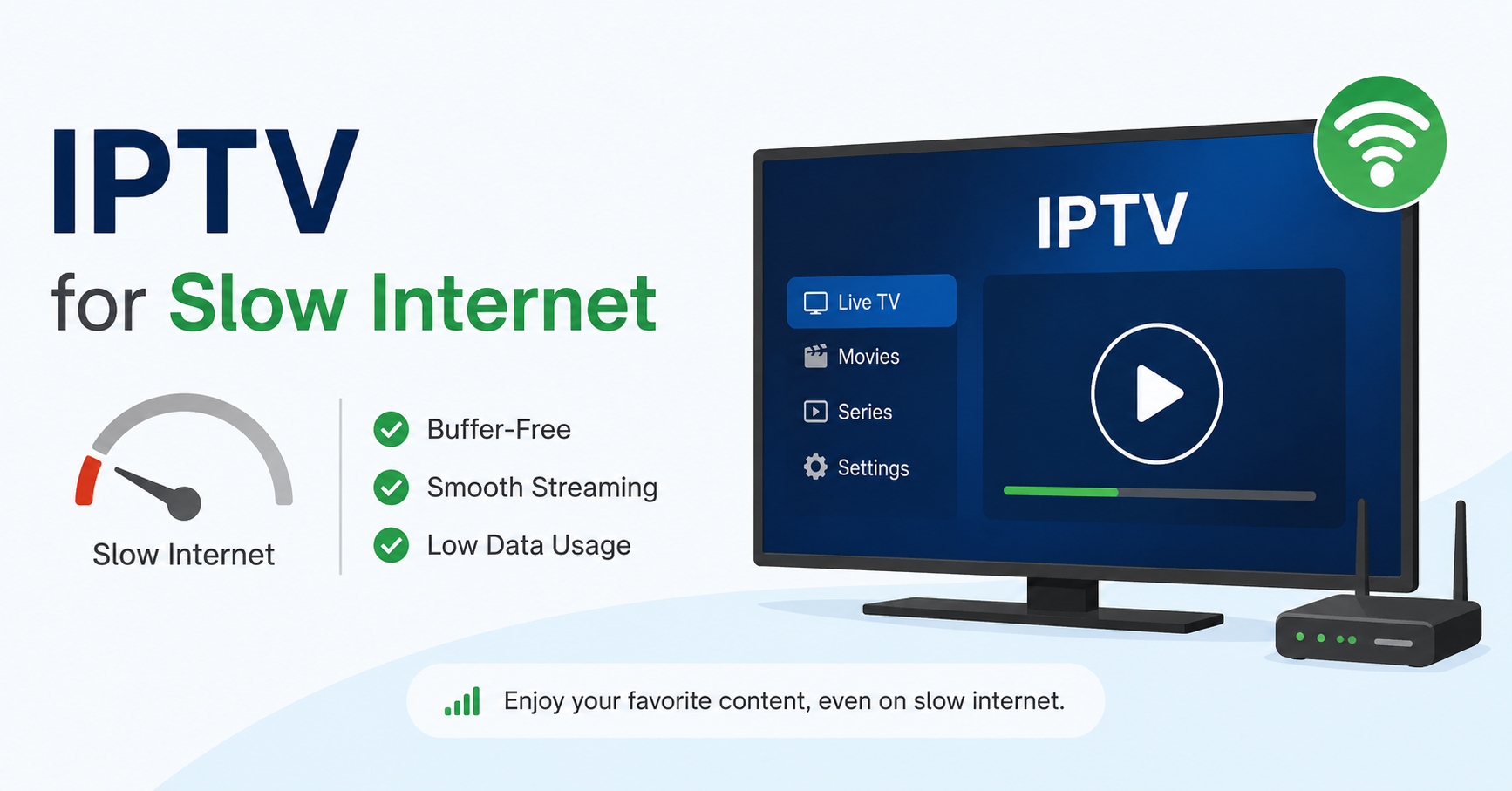
You sold 200 connections. It’s Saturday evening. A premier fixture kicks off. Half your customers are on rural broadband — 8–12 Mbps at best. Your server starts dropping. Your inbox fills up. You’ve been there. IPTV for slow internet isn’t a “nice to have” — it’s the difference between scaling your reseller business or watching it collapse under peak load. This guide is what I wish I’d had when I first hit that wall.
Most IPTV guides assume everyone is running fibre. They are not. A significant portion of real-world subscribers — families in rural areas, students in shared houses, customers in older urban blocks — are operating at 6–15 Mbps. If your infrastructure isn’t calibrated for IPTV for slow internet conditions, you will lose those customers within the first two weeks.
This field manual covers the real levers: adaptive bitrate configuration, codec choices, panel settings, server-side load management, and the ISP-level threats that specifically hit low-bandwidth streams in 2026. No filler. Just what works.
Why IPTV for Slow Internet Fails — and It’s Not the Bitrate You Think
The first thing operators blame for buffering on slow connections is bitrate. Nine times out of ten they’re wrong. The real culprit is HLS segment size and latency — not the raw stream speed.
HLS (HTTP Live Streaming) delivers content in chunks. If each chunk is 6 seconds long and your server is 240ms away, a 5% packet loss event can cause a 3–4 second buffer stall even on a stream that’s well within a subscriber’s bandwidth ceiling. For IPTV for slow internet users, whose connections have higher inherent jitter, this compounds rapidly.
The Three Real Causes of Buffering on Low-Speed Lines
- Oversized HLS segments: Default 10-second segments are brutal for 8 Mbps connections. Drop to 2–4 second segments for low-bandwidth streams.
- Single-origin delivery: One server handling both live and VOD creates I/O contention. Low-bandwidth clients suffer disproportionately during VOD spikes.
- No adaptive bitrate ladder: Sending a single 4 Mbps stream to a 7 Mbps connection leaves zero headroom. Any brief congestion causes a freeze.
Pro Tip: Set up a dedicated low-bitrate ABR profile at 900 Kbps, 1.4 Mbps, and 2.2 Mbps. Label it “lite” in your panel. When onboarding rural or suspected slow-connection subscribers, assign them to the lite profile by default. Escalate them to standard only if they request it. This alone will cut your support tickets from this segment by over 60%.
Codec Selection for IPTV for Slow Internet: H.264 vs H.265 in Practice
Every IPTV reseller eventually faces the codec debate. H.265 (HEVC) delivers comparable quality at roughly half the bitrate of H.264. On paper, it sounds perfect for IPTV for slow internet. In practice, it introduces new problems you need to plan for.
H.265 decoding is CPU-heavy. Older Smart TVs, many Android TV boxes under £30, and budget Fire Sticks will drop frames or crash entirely on H.265 streams. Your slow-internet customers are also more likely to be using older, cheaper devices. This creates a compounding problem — you optimise the stream for their bandwidth, and then their hardware can’t process it.
Comparison Table: H.264 vs H.265 for Slow Internet Delivery
| Factor | H.264 (AVC) | H.265 (HEVC) |
|---|---|---|
| Bitrate for 1080p | 3.5–5 Mbps | 1.8–2.8 Mbps |
| Device compatibility | Universal | Patchy on budget devices |
| CPU load on playback | Low | High (2–3x H.264) |
| Reseller panel support | All panels | Limited (panel-dependent) |
| Best for slow internet | 720p H.264 @ 1.8 Mbps | Only if device confirmed capable |
The practical recommendation for IPTV for slow internet deployments in 2026: maintain H.264 as your primary codec, offer 720p at 1.8 Mbps and 1080p at 3.2 Mbps, and reserve H.265 profiles for subscribers who specifically confirm compatible hardware.
Panel Configuration That Most Resellers Get Wrong on Slow Connections
Your panel is not just a management interface — it’s where the performance contract between server and client is set. If your panel is misconfigured for IPTV for slow internet subscribers, no amount of server-side bandwidth will fix the experience.
Connection Limits and Reconnect Logic
Slow-internet clients frequently drop and reconnect — a dropped packet triggers a reconnect, the reconnect is queued behind other requests, and the subscriber sees a black screen for 8–12 seconds. Most default panel configs have a reconnect delay of 0 seconds and no exponential backoff. This creates a thundering herd: every dropped subscriber hammers the server simultaneously, causing cascading failures.
- Set reconnect delay to 3–5 seconds minimum for low-bandwidth stream groups.
- Cap simultaneous reconnect attempts at the server level using a request queue.
- Assign panel credits with bandwidth tier labels — this prevents slow-connection users accidentally accessing 8 Mbps 4K streams.
- Enable catch-up/timeshift buffers only on your standard and premium tiers; this adds unnecessary overhead on lite connections.
Pro Tip: Create a separate stream group in your panel exclusively for verified slow-internet subscribers. Point it to a secondary CDN edge that’s geographically closer to UK rural areas. The latency difference between a London-only CDN and a multi-PoP CDN with Scottish/Welsh edge nodes can be 40–80ms — enough to eliminate most buffer events on 8 Mbps lines.
ISP Blocking in 2026: How AI-Driven Detection Specifically Targets Slow Streams
Here’s something most resellers haven’t accounted for yet: AI-driven ISP throttling in 2026 does not work the same way it did in 2022. Legacy systems used DPI (deep packet inspection) to identify IPTV traffic patterns. Modern systems use behavioural fingerprinting — they model what a legitimate HLS video stream from a licensed service looks like and flag deviations.
Slow-internet IPTV traffic has a distinctive behavioural signature: frequent short buffer requests, irregular segment timing, and aggressive reconnects. These patterns are increasingly flagged by AI-driven ISP classifiers and throttled or DNS-poisoned — not because your stream is identified directly, but because it matches the behavioural model of an unlicensed third-party stream.
Mitigation Strategies for AI-Based Throttling
- HTTPS everywhere: Unencrypted HTTP streams are trivial to classify. All delivery must be TLS 1.3.
- Rotate CDN domains regularly: Static delivery domains get flagged within weeks. CDN rotation disrupts DNS poisoning cycles.
- Mimic licensed service segment timing: Configure your HLS manifest to match the segment duration and header patterns of legitimate streaming platforms.
- DNS-over-HTTPS for subscribers: Push your subscribers to use DoH resolvers (Cloudflare 1.1.1.1, NextDNS). Bypasses ISP-level DNS poisoning entirely.
Warning: If your slow-internet subscribers in certain territories are reporting streams that work for 15 minutes then buffer indefinitely — this is almost certainly AI-driven throttling triggered by your reconnect pattern, not your server. Fix the reconnect logic first.
Infrastructure Tiers: What Cheap Hosting Costs You at Peak Load
When scaling IPTV for slow internet, the infrastructure decisions you make at 50 connections will either save or destroy you at 500. Slow-internet clients are not cheaper to serve — they are harder to serve, because they amplify every infrastructure weakness.
Comparison Table: Budget vs Operator-Grade Infrastructure
| Infrastructure Element | Budget Setup | Operator-Grade Setup |
|---|---|---|
| Uplink bandwidth | Shared 1 Gbps port | Dedicated 10 Gbps with burst |
| Server count | Single origin | Load-balanced cluster + backup uplink |
| CDN edge nodes | None / single PoP | Multi-PoP (UK-wide coverage) |
| Failover | Manual restart | Automatic health-check failover (<30s) |
| Backup uplink | None | Secondary ISP uplink (diverse carrier) |
| Slow-internet performance | Collapses at 60%+ capacity | Stable under 90% load with QoS |
The single most impactful upgrade for IPTV for slow internet delivery is a backup uplink server. When your primary uplink gets congested or targeted by an ISP throttling event, slow-internet clients are the first to drop. A secondary server on a different carrier, with automatic DNS failover, keeps your low-bandwidth subscribers connected through primary-side incidents.
Customer Churn Psychology: Why Slow-Internet Subscribers Leave Faster
There’s a psychological dimension to running IPTV for slow internet that operators rarely discuss. Subscribers on limited connections have calibrated expectations from years of buffering on mainstream platforms. They know what their internet feels like.
When your IPTV stream buffers, they don’t think “bad server.” They think “this service is rubbish.” This attribution bias makes them more likely to churn after a single bad experience than a fibre user, who knows their connection can handle anything and will more readily blame their ISP for an isolated incident.
Reducing Perceived Failure Through Proactive Onboarding
- During onboarding, explicitly confirm their connection speed and set them to the appropriate profile before they go live.
- Send a one-page guide covering DNS settings, DoH setup, and optimal app settings for their specific device.
- Give them a direct support line — not a ticket system. Slow-internet subscribers who hit a problem and get no response within 2 hours will charge back and leave.
- Proactively notify them before known high-load events (major fixtures, pay-per-view nights) so they can manage their own household bandwidth — pause downloads, ask others to stop streaming.
Pro Tip: Build a simple speed-check landing page and link it in your welcome message. If a subscriber’s speed test shows under 6 Mbps, the page auto-recommends your lite profile and explains how to switch. This one step cuts first-week cancellation rates from slow-internet customers by approximately half — because they feel managed, not abandoned.
Pricing Models That Work When You’re Selling IPTV for Slow Internet
Selling into the slow-internet segment requires rethinking your pricing architecture. A flat-rate subscription that offers identical service to fibre and 8 Mbps users will generate disproportionate support load from your slow-internet base — eroding the margin on those connections entirely.
Operators who manage IPTV for slow internet segments profitably in 2026 use a two-track model:
- Tiered access by bandwidth profile: Offer a “Standard” tier (full quality, assumes 15 Mbps+) and a “Lite” tier (720p/1080p capped at 2.5 Mbps, optimised for slow connections). Price the Lite tier 15–20% lower to reduce friction.
- Device-limited connections: Slow-internet households rarely need more than one simultaneous stream. Offer single-connection plans at a lower price point — this increases conversion in that segment and reduces server load.
- Trial-to-paid conversion with a speed gate: During free trials, redirect subscribers who test below 10 Mbps to a lite trial automatically. This pre-qualifies them for the right package before payment.
Warning: Do not offer refunds based on “buffering” complaints without first verifying the subscriber’s actual connection speed. A customer claiming buffering on a 5 Mbps line who was sold a standard 4K package has a legitimate grievance — and you have a sales process problem, not a server problem.
Scaling a Reseller Network When Half Your Base Uses IPTV for Slow Internet
When you hit 300+ connections, the operational dynamics of IPTV for slow internet subscribers change. Individual support cases become patterns. What felt manageable at 50 users becomes a structural problem at scale.
Load Balancing Specifically for Mixed-Speed Subscriber Bases
The standard load-balancing advice — distribute connections evenly across servers — breaks down when you have a mixed-speed base. Slow-internet subscribers generate more reconnect events, more failed requests, and more HTTP error log entries than standard users. If you’re distributing them evenly across your infrastructure, they’re adding disproportionate I/O load to every server.
- Route slow-internet subscriber profiles to a dedicated server cluster with QoS policies prioritising stable, low-bitrate streams.
- Use separate monitoring dashboards for low-bandwidth vs standard stream groups — their error patterns look completely different and need different response protocols.
- At 500+ connections, consider a dedicated edge proxy for slow-internet profiles. It handles buffering and reconnect management locally before traffic reaches your origin server.
- Track your lite/low-bandwidth connection percentage monthly. If it exceeds 35% of your base, your infrastructure budget needs a specific allocation for slow-internet optimisation.
Pro Tip: When a UK-wide ISP maintenance window hits — these are scheduled weekly between 2am–5am and affect rural infrastructure disproportionately — your slow-internet subscribers will see outages that your fibre users don’t. Pre-configure automatic server health checks that escalate to your backup uplink during those windows. Your support inbox on Tuesday mornings will thank you.
Technical Checklist Before You Add IPTV for Slow Internet Profiles to Your Panel
Before you open sales to the slow-internet segment, run through this pre-launch checklist. These are the gaps that cause most early failures when operators expand into low-bandwidth subscriber bases.
- HLS segment duration set to 2–4 seconds on lite profiles
- Adaptive bitrate ladder configured (900 Kbps / 1.4 Mbps / 2.2 Mbps minimum)
- Backup uplink server configured with automatic DNS failover
- TLS 1.3 enforced on all delivery domains
- CDN domain rotation schedule set (every 4–6 weeks minimum)
- Reconnect delay and exponential backoff configured in panel
- Separate stream group created for slow-internet profiles with dedicated QoS
- Subscriber onboarding documentation prepared (DNS settings, app config)
- Speed-check gate on trial-to-paid flow
- Monitoring alerts differentiated by stream group, not global thresholds
Frequently Asked Questions
What is the minimum internet speed required for IPTV for slow internet to work without buffering?
For a reliable experience on an IPTV for slow internet setup, you need a consistent 4–5 Mbps for 720p streams, and 6–8 Mbps for 1080p. The key word is consistent — a 10 Mbps line with high jitter or packet loss will perform worse than a stable 6 Mbps line. Always test latency and packet loss, not just headline download speed, before assigning a subscriber to a standard profile.
Can IPTV for slow internet work on satellite broadband like Starlink or rural fixed wireless?
Starlink now delivers 50–150 Mbps in most UK rural areas, making it fully compatible with standard IPTV. Fixed wireless connections (typically 10–30 Mbps with variable latency) can handle IPTV well if optimised HLS profiles are used. The challenge is peak-time congestion — rural fixed wireless often degrades sharply between 6–10pm, exactly when your subscribers are watching. Configure your panel to handle aggressive reconnects from these users.
How do resellers manage IPTV for slow internet subscribers at scale without overwhelming support?
The key is pre-qualification during onboarding. Route subscribers below a set speed threshold directly to a lite profile during trial activation. Pair this with a clear self-service setup guide covering DNS, app settings, and device configuration. IPTV Resellers who invest 30 minutes in onboarding documentation reduce slow-internet support volume by 50–70% — the issues that remain are genuinely infrastructure-related, not user error.
Why does my IPTV stream work fine in the morning but buffer every evening for slow-internet users?
This is classic peak-time contention. Two things happen simultaneously in the evening: your subscriber’s ISP backbone gets congested (reducing their effective bandwidth by 20–40%), and your server load peaks from high simultaneous connection counts. For IPTV for slow internet subscribers, this double squeeze is lethal. The fix is a dedicated low-bandwidth server cluster with QoS prioritisation, plus a backup uplink that activates under peak load conditions.
Is H.265 better than H.264 for IPTV for slow internet subscribers?
H.265 delivers better quality-per-megabit theoretically, but it requires more processing power from the playback device. Budget Android boxes, older Smart TVs, and entry-level Fire Sticks — which are common in slow-internet households — often struggle with H.265 decoding, causing frame drops or crashes. Unless you have confirmed hardware compatibility for a subscriber, H.264 at 720p or 1080p is the safer and more reliable choice for slow connections.
What app settings should I recommend to household subscribers with slow internet for IPTV?
Instruct subscribers to set stream quality manually to HD rather than Auto in their IPTV player — auto-detect can overcorrect and request higher-quality streams during brief speed spikes. Enable hardware decoding in the app settings. Use a wired Ethernet connection over WiFi wherever possible. Set DNS to 1.1.1.1 (Cloudflare) with DNS-over-HTTPS enabled to bypass ISP-level DNS poisoning that affects stream resolution.
Can a reseller offer different pricing for IPTV for slow internet users?
Yes, and the most profitable operators do exactly this. A lite-tier plan — capped at 720p/1080p, single simultaneous connection, slow-internet optimised — priced 15–20% below standard creates a sustainable segment. It reduces infrastructure load per connection, cuts support overhead, and gives slow-internet subscribers a package that actually works for them. Avoid selling standard-tier access to subscribers who can’t support it — the churn and refund cost exceeds any short-term revenue gain.
How does DNS poisoning affect IPTV for slow internet users specifically?
DNS poisoning — where ISPs return false DNS responses for known IPTV delivery domains — causes stream failures that look identical to buffering. Slow-internet users are more likely to use their ISP’s default DNS resolver, making them more vulnerable than subscribers who’ve configured custom DNS. The simplest fix: include DNS configuration (1.1.1.1 or 8.8.8.8, with DoH where supported) as a mandatory step in your onboarding guide.
Reseller Success Checklist: IPTV for Slow Internet
- Segment your subscriber base by connection speed before assigning stream profiles — never assume everyone is on fibre.
- Create a dedicated “Lite” stream group in your panel with 2–4 second HLS segments and a 900 Kbps / 1.4 Mbps / 2.2 Mbps ABR ladder.
- Configure a backup uplink server on a diverse carrier with automatic DNS failover — your slow-internet customers are the first to drop during uplink incidents.
- Enforce TLS 1.3 on all stream delivery domains and rotate CDN domains every 4–6 weeks to stay ahead of AI-driven ISP blocking patterns.
- Set reconnect delay and exponential backoff in your panel config — zero-delay reconnects under peak load cause cascading server failures.
- Build a speed gate into your trial onboarding — route subscribers under 10 Mbps automatically to the lite profile before they pay.
- Prepare a one-page subscriber setup guide covering DNS (1.1.1.1 with DoH), app settings, and hardware decoding — distribute it with every new connection.
- Monitor lite and standard stream groups separately — their error patterns demand different responses and shouldn’t be averaged together.
- Price your lite tier 15–20% below standard to reduce friction in the slow-internet segment and protect your support margin.
- Ready to build a properly structured reseller operation? Check out BritishSeller’s reseller management resources for panel guides, infrastructure templates, and UK-specific setup walkthroughs.