Most resellers obsess over credits, pricing, and customer acquisition. Meanwhile, the actual thing keeping their customers subscribed — or churning — is sitting in a rack somewhere, quietly throttling streams under load. The modular IPTV encoder isn’t a technicality. It’s the backbone of everything.
If you’ve ever watched your panel go red during a live sports event, lost three clients in one weekend to buffering complaints, or had an ISP block intercept your primary stream path — you already know what bad encoder architecture costs. This guide isn’t about theory. It’s about understanding what separates resellers who scale from those who stall.
The modular IPTV encoder sits at the origin point of your entire delivery chain. Everything downstream — your middleware, your M3U outputs, your customer’s EPG — depends on what happens there. Getting it wrong doesn’t just cause buffering. It causes churn, refund disputes, and dead panel accounts you can’t recover.
Let’s break down how to get it right.
What a Modular IPTV Encoder Actually Does (And Why “Cheap” Kills You)
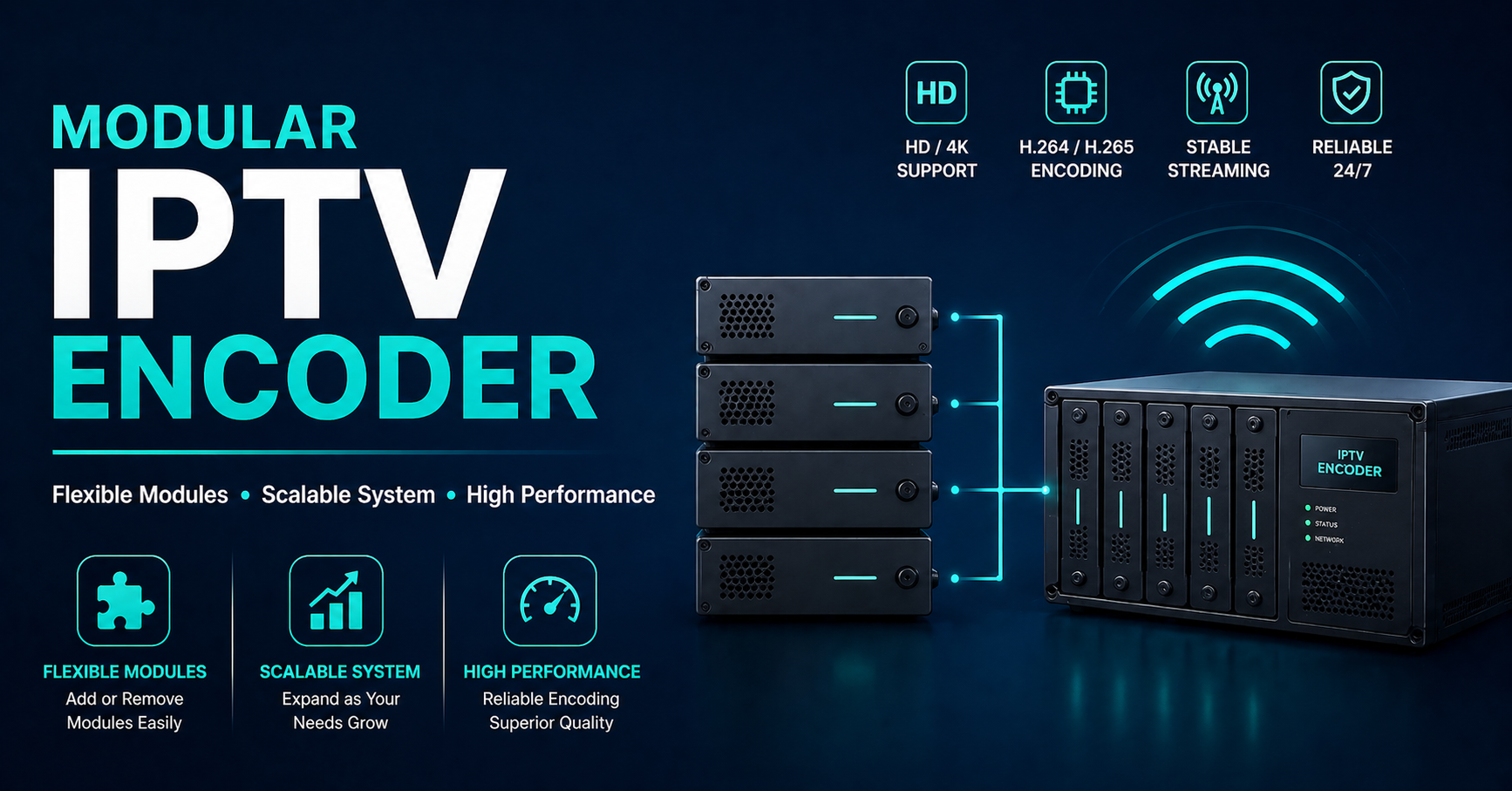
Strip away the marketing and a modular IPTV encoder does one thing: it takes a video input — from satellite, fiber, or IP feed — and outputs a stable, compressed stream your panel can distribute. The “modular” part is what matters commercially.
Unlike fixed encoders that lock you into a channel count at purchase, a modular system lets you expand capacity by adding cards or blades. You start with 8 channels, scale to 64, then 128 — without replacing hardware. That’s not a feature. That’s your entire growth model.
Where UK IPTV resellers get burned is confusing encoding quality with streaming panel performance. Your Xtream panel doesn’t encode anything — it distributes. If the encoded stream arriving at your server is unstable, compressed poorly, or missing keyframes, no amount of load balancing or CDN routing fixes it downstream. Garbage in, garbage out — at scale.
Pro Tip: Before diagnosing buffering complaints as a server issue, trace the problem upstream. A badly configured modular IPTV encoder outputting inconsistent bitrates will create buffering that looks exactly like server overload — and you’ll waste days chasing the wrong fix.
The 2026 ISP Blocking Problem and What Encoders Have to Do With It
ISP enforcement in 2026 operates differently than it did two years ago. Deep packet inspection has matured. AI-assisted traffic analysis now flags HLS streams by pattern — not just by destination IP. What this means operationally: your stream’s fingerprint matters as much as where it’s hosted.
A modular IPTV encoder with protocol flexibility gives you options. Outputs configured in RTSP, HLS, or MPEG-TS carry different traffic signatures. Resellers running exclusively on one output protocol are easier to fingerprint and block. Those rotating or segmenting outputs across protocols — particularly when combined with encrypted tunnels — present a harder target for automated blocking systems.
DNS poisoning is increasingly deployed against fixed stream endpoints. If your encoder is outputting to a static CDN node with no redundancy, a single DNS intercept event can kill your entire customer base simultaneously.
What smart infrastructure looks like in 2026:
- Encoder outputs routed to at least two geographically separate ingest points
- Protocol variation between H.264 and H.265 outputs depending on channel priority
- Primary and backup uplink servers activated automatically on failover
- Encoder health monitoring with automated alerts before customers notice
The resellers who survive enforcement waves aren’t the ones with the cheapest panels. They’re the ones who built redundancy into the signal chain before they needed it.
Cheap vs. Premium: The Infrastructure Comparison You Need to See
This is where abstract advice becomes concrete decision-making. Most resellers land on cheap encoder hardware because the upfront cost difference looks significant. It isn’t — once you factor in what downtime actually costs.
| Feature | Budget Encoder | Premium Modular IPTV Encoder |
|---|---|---|
| Channel Expandability | Fixed (no scaling) | Modular blade expansion |
| Output Protocols | HLS only | HLS, RTSP, MPEG-TS, UDP |
| Redundancy | None | Dual PSU, failover output |
| Encoding Quality | Variable bitrate unstable | CBR/VBR configurable per channel |
| H.265/HEVC Support | Rare | Standard |
| ISP Evasion Flexibility | None | Protocol switching capability |
| Uptime Under Load | Degrades at 70%+ capacity | Stable to 95%+ capacity |
| Backup Uplink Integration | Manual | Automated failover |
The performance gap isn’t visible when you have 20 subscribers. It becomes catastrophic when you have 200 and a major sports fixture hits simultaneously.
H.265 Encoding and Why Your HLS Latency Problem Starts at the Source
There’s a persistent myth in IPTV reseller communities that latency is a CDN or server problem. Sometimes it is. More often, it originates at the modular IPTV encoder — specifically in how the signal is being transcoded before it ever touches your distribution infrastructure.
H.265 (HEVC) encoding delivers the same visual quality as H.264 at roughly half the bitrate. For resellers, this has a direct operational impact: lower bitrate outputs reduce server bandwidth consumption, reduce the likelihood of ISP throttling based on volume thresholds, and allow more concurrent streams per server without degrading quality.
The catch is encoding overhead. H.265 demands significantly more processing power at the encoder level. Underpowered modular IPTV encoder hardware running H.265 at scale will introduce encoding latency that appears as stream delay or stuttering — not buffering in the traditional sense, but a progressive desync that’s difficult to diagnose without monitoring the encoder output directly.
Channel priority approach used by experienced resellers:
- Premium sports and live events: H.265, highest bitrate allocation, dedicated encoder blade
- Standard VOD and entertainment: H.264, managed bitrate, shared blade capacity
- Backup/overflow channels: H.264 low-bitrate, routed through secondary uplink
Pro Tip: Never run your modular IPTV encoder above 80% processing capacity during peak hours. Build headroom into your blade configuration before you think you need it — live sports events will hit that ceiling faster than any lab test predicts.
Panel Credits Mean Nothing If Your Encoder Architecture Is Broken
Resellers coming from pure panel-credit models sometimes treat encoder infrastructure as an upstream problem — someone else’s responsibility. That logic works until you’re operating your own streams or sourcing feeds directly. At that point, the modular IPTV encoder becomes your operational core, not an afterthought.
Here’s the churn psychology worth understanding: customers don’t distinguish between a panel outage, a server overload, and an encoding failure. All three produce the same experience — a black screen or spinning buffer indicator. All three result in the same behavior — support tickets, refund requests, and eventually cancellation.
What separates high-retention resellers from high-churn ones is how quickly they can diagnose and isolate the failure layer. Resellers with proper encoder monitoring infrastructure can identify an encoding fault within minutes and route affected channels to backup. Resellers without it spend hours troubleshooting server-side while the actual problem is sitting untouched at the encode layer.
Encoder health indicators every reseller should monitor in real-time:
- Output bitrate stability per channel (flag drops below threshold)
- Packet loss on encoder-to-server uplink
- Encoder CPU/blade temperature under load
- Input signal integrity (especially for satellite-fed modular IPTV encoder setups)
Scaling From 50 to 500 Subscribers: What Changes at the Encoder Level
The move from a small reseller operation to a mid-scale one breaks in predictable ways. Load balancing gets discussed constantly. What gets discussed less is that load balancing only works if the source material — the encoded stream — is clean and stable enough to distribute.
At 50 subscribers, a single modular IPTV encoder blade handling 16–32 channels may be sufficient. Failures are survivable. At 500 subscribers across multiple concurrent live events, a single encoder failure becomes a business-threatening event.
Scaling encoder infrastructure isn’t just about adding blades. It’s about architectural redundancy at every step:
Primary encoder cluster — handles all live and premium channels at full quality Secondary encoder cluster — mirrors critical channels, activates on primary failure Backup uplink servers — separate physical paths to prevent single-network dependency Monitoring layer — automated failover triggers, not manual intervention
The resellers who fail at scale are almost always the ones who scaled their subscriber count without scaling their encoder architecture to match. Panel capacity is easy to increase. Infrastructure redundancy requires deliberate investment before the crisis, not after.
Pro Tip: When evaluating a modular IPTV encoder chassis for scale, look past the channel count spec and check the backplane bandwidth. A chassis with 64 channel capacity but a congested backplane will throttle under simultaneous HD/4K load. The bottleneck won’t appear in a simple channel count test.
Backup Uplink Servers: The Piece Most Resellers Skip Until It’s Too Late
Ask any operator who’s been through a major downtime event what they’d do differently. Almost universally, the answer involves backup infrastructure they didn’t have in place.
The backup uplink server is the bridge between your modular IPTV encoder and your distribution infrastructure. Primary uplink goes down — ISP fault, routing issue, DDoS event — a properly configured backup uplink takes over in seconds. Without it, the gap between failure and restoration is measured in hours, not minutes.
What makes this particularly relevant in 2026 is that ISP-level disruptions are increasingly targeted rather than accidental. A reseller running high-volume streams through a single uplink path on a single ISP is a visible target. Dual-uplink configuration using separate ISP providers significantly reduces the blast radius of any single blocking event.
The modular IPTV encoder should be configured to output to both uplinks simultaneously in normal operation — not only switching to backup on failure. This maintains active path verification and prevents the cold-start latency that occurs when a backup path hasn’t been used recently.
The Encoder Decisions That Determine Your Reseller Ceiling
There’s a ceiling built into every reseller operation, and most people hit it without understanding why. It’s not their pricing. It’s not their panel. It’s the infrastructure decisions they made early — particularly around encoding — that create a hard limit on how many subscribers they can serve reliably.
The modular IPTV encoder is the decision that compounds. A scalable, protocol-flexible, redundancy-capable encoder architecture gives you room to grow without rebuilding. A fixed, single-protocol, no-redundancy setup requires a complete infrastructure overhaul the moment your subscriber count crosses a threshold — and that overhaul almost always happens during a crisis, not at a convenient time.
Evaluating a modular IPTV encoder investment checklist:
- Does it support H.265 natively, or only through software transcoding?
- Can blades be hot-swapped without service interruption?
- Does it support dual output paths for backup uplink integration?
- What’s the maximum processing headroom before performance degrades?
- Does it carry any form of SLA or enterprise support tier?
The answers to those questions determine not just what you can operate today — but how far your operation can realistically scale.
Reseller Success Checklist: Encoder Infrastructure Edition
No fluff. Execute these or accept the consequences.
Immediate (This Week)
- Audit your current encoder output for bitrate stability — not just whether it works, but whether it’s consistent under load
- Verify your modular IPTV encoder is not running above 75% processing capacity during peak hours
- Confirm you have at least one backup uplink path configured and tested
Short-Term (This Month)
- Implement per-channel monitoring with automated alerts on bitrate drops
- Separate premium live content onto dedicated encoder blades — never share with VOD channels
- Document your failover procedure so it can be executed by anyone on your team, not just you
Infrastructure (Next Quarter)
- Build toward dual-cluster encoder redundancy if your subscriber count is above 200
- Evaluate H.265 migration for your highest-traffic channels to reduce bandwidth overhead
- Test backup uplink failover under realistic load — not just ping tests
Ongoing
- Monitor ISP blocking patterns in your primary markets and adjust protocol outputs accordingly
- Review encoder hardware temperature logs monthly — thermal throttling is a silent performance killer
- Treat your modular IPTV encoder infrastructure as the product — everything else is distribution
The UK IPTV resellers who are still operating profitably in 2026 share one characteristic: they stopped treating encoding as a commodity decision and started treating it as their core operational infrastructure. The modular IPTV encoder doesn’t make headlines in reseller forums. It just quietly determines who scales and who stalls.