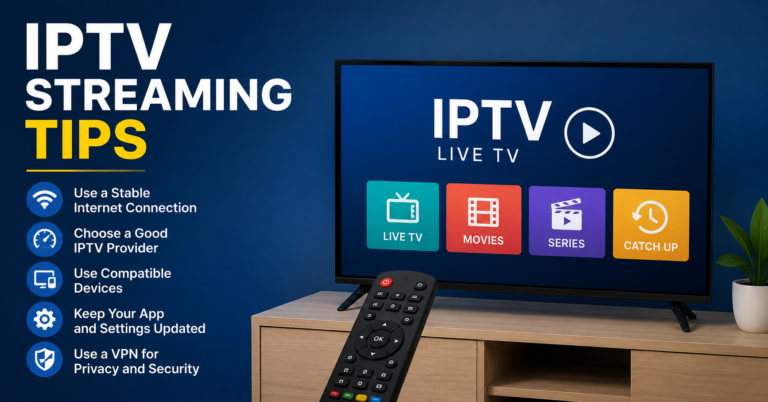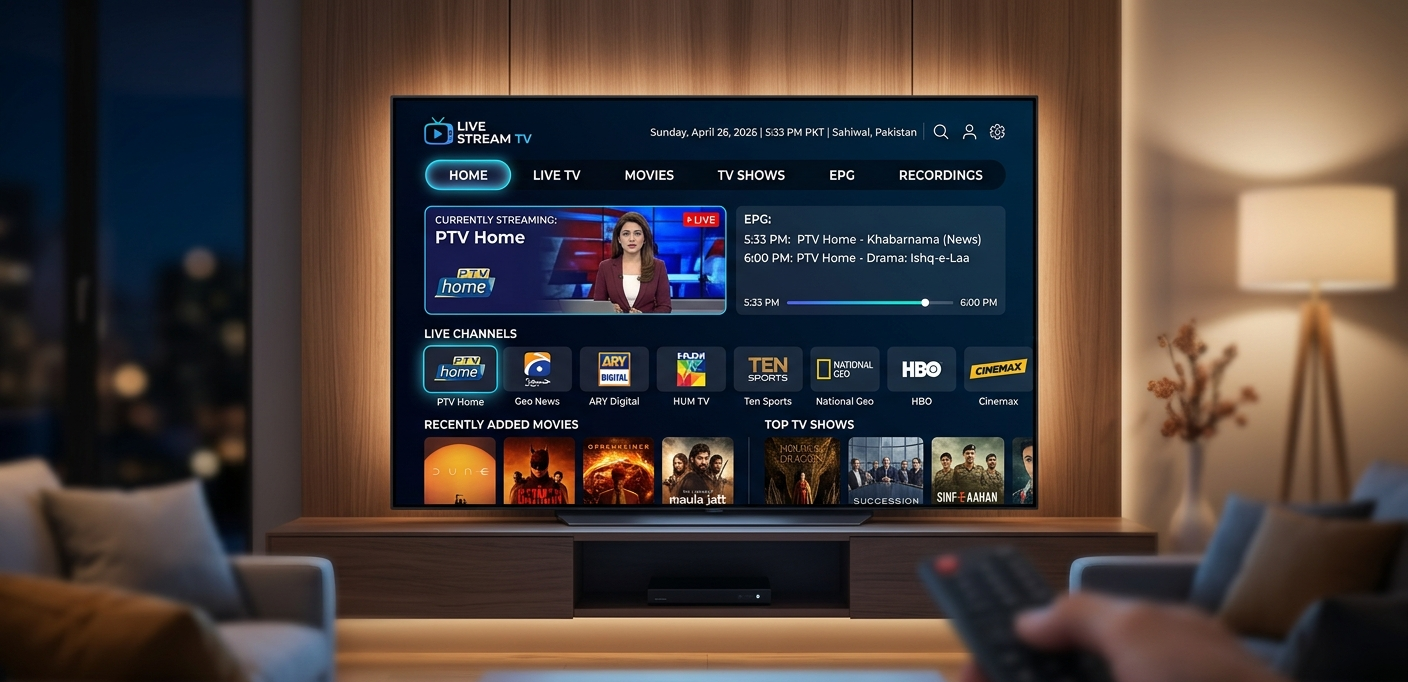
IPTV app comparison overview showing TiviMate, IPTV Smarters Pro, GSE Smart IPTV, STBEmu, and Net IPTV interfaces on different UK subscriber devices including Fire TV stick, iPhone, Samsung smart TV, and Android TV box

IPTV App Guide for UK Resellers: What to Recommend, What to Avoid in 2026

It was a Friday evening and I had eleven WhatsApp messages waiting — all from different subscribers, all with variations of the same problem. The IPTV app I’d been recommending to new subscribers had pushed an automatic update that broke the Xtream Codes connection handling. Streams that had worked perfectly for months were now refusing to load. The app’s developer forum was flooded with identical reports. A fix was “being investigated.”

Eleven subscribers. Friday evening. No fix available.

I spent the next two hours walking each subscriber through switching to an alternative app — credentials in hand, step-by-step instructions via WhatsApp, one device type at a time. By 10pm, everyone was back online. The streams themselves had never been the problem. My panel was fine. My provider was fine. The single point of failure had been a third-party app update I had no control over and no advance warning about.

That evening cost me two hours of my Friday and nearly cost me four subscribers who’d run out of patience before I reached them. It also taught me something I’ve never forgotten: the IPTV app you recommend to subscribers is a dependency in your business that deserves the same level of evaluation as your panel choice. Get it wrong and you’re exposed to failure modes entirely outside your control.

This guide is everything I’ve learned since then about making the right app recommendations for every subscriber scenario in the UK market.

Table of Contents

  1. Why IPTV App Recommendations Define Your Subscriber Experience
  2. Understanding App Connection Types Before Recommending Anything
  3. TiviMate: The Premium Android Experience
  4. IPTV Smarters Pro: Cross-Platform Reliability
  5. GSE Smart IPTV: The Apple Ecosystem Choice
  6. Net IPTV: The Smart TV Native App
  7. STBEmu and STBEmu Pro: MAG Experience Without MAG Hardware
  8. Perfect Player: The Customisable Alternative
  9. Comparing Apps Head-to-Head: What Actually Matters
  10. Device-Specific App Recommendations for UK Subscribers
  11. App Update Risks and How to Protect Your Business
  12. Common App Problems and Rapid Diagnosis
  13. Honest Recommendation
IPTV app comparison overview showing TiviMate, IPTV Smarters Pro, GSE Smart IPTV, STBEmu, and Net IPTV interfaces on different UK subscriber devices including Fire TV stick, iPhone, Samsung smart TV, and Android TV box

Why IPTV App Recommendations Define Your Subscriber Experience

Here’s the uncomfortable truth that took me longer than it should have to fully accept: your subscribers don’t experience your panel. They don’t experience your provider’s CDN architecture or your anti-freeze system or your carefully negotiated credit pricing. They experience the app on their device. That app is the totality of what they perceive as “the service.”

A world-class panel delivering flawless streams through a poorly configured or wrong-category IPTV app produces exactly the same subscriber complaint as a genuinely poor stream. From where the subscriber sits, something is broken. They don’t know whether the problem is the app, the stream, the panel, or their broadband — and they don’t care. They just know the football isn’t working and they’re messaging you about it.

This reality has two implications for resellers. First, app selection and onboarding is as important to subscriber satisfaction as panel selection. Second, the ability to rapidly diagnose whether a subscriber problem is app-side or stream-side is one of the most valuable support skills you can develop — because it saves both your time and your subscriber’s patience.

The resellers I know who run the most operationally efficient businesses — lowest support volume per subscriber, highest retention rates, fewest refund requests — all share one characteristic: they’ve standardised their app recommendations by device type, built proper onboarding guides for each, and can diagnose app problems in minutes rather than hours.

That’s what this guide enables you to do.

Pro Tip: Before recommending any IPTV app to subscribers, personally test it on the specific device type your subscriber is using — not just on your own setup. Apps that perform identically on a Fire TV stick 4K and a first-generation Fire TV stick are rare. Resolution support, buffer management, and UI performance all vary significantly between device generations, and the app that’s your go-to recommendation on your own hardware may be frustrating for a subscriber on older equipment.

Understanding App Connection Types Before Recommending Anything

Every IPTV app recommendation should start from connection type compatibility — because this determines which apps are even viable for a given subscriber’s setup, before any quality or feature comparison comes into play.

Xtream Codes (XC API) is the connection protocol used by all major modern IPTV panels. It requires three pieces of information — server URL, username, password — and provides the richest feature set: live TV, EPG, VOD, and catch-up all delivered through a single authenticated connection. Apps that support Xtream Codes natively include TiviMate, IPTV Smarters Pro, GSE Smart IPTV, and Perfect Player. This is the connection type to recommend for the majority of subscribers on app-based devices.

M3U playlist URL is a simpler connection method using a single URL that points to a text file listing stream URLs and channel metadata. It’s easier to set up for technically basic subscribers but offers less dynamic functionality — EPG requires a separate URL, VOD organisation is less sophisticated, and the panel has less visibility into M3U connections for management purposes. Most major apps support M3U alongside Xtream Codes.

Portal URL (MAG protocol) is the connection method used by physical MAG set-top boxes and STBEmu. The app presents the device’s MAC address to a portal URL and receives its channel list through a set-top box style interface. This is specific to STBEmu on Android devices and physical MAG hardware — not applicable to other app-based setups.

Knowing which connection type your panel supports for which features — and which apps implement each type most reliably — is the foundation of every useful app recommendation you’ll ever make.

TiviMate: The Premium Android Experience

If there’s a single IPTV app recommendation I’ve made more consistently than any other over the past four years, it’s TiviMate for Android-based devices. The gap between TiviMate and its closest competitors in the Android category is wide enough that “just use TiviMate” has become my default response to any Android device app question.

The EPG implementation alone justifies the recommendation. Multi-day programme guide display, catch-up support, series recording functionality, and smooth channel switching with minimal delay — all implemented at a level of polish that makes the app feel like a premium product rather than a functional tool. During Premier League fixtures, the EPG accuracy and navigation speed matter concretely: subscribers should be able to find what they’re looking for without wrestling with a clunky interface.

The Xtream Codes integration is the most feature-complete of any Android IPTV app. Multiple playlist support — useful for subscribers who want to organise different content categories separately — works reliably without the connection instability that sometimes affects other apps managing multiple sources.

Buffer management is TiviMate’s most practically important differentiator. The app’s internal buffer handling is more aggressive and effective than IPTV Smarters Pro, which means that on marginal connections — WiFi with some interference, for instance, or a connection that’s good but not perfect — TiviMate often delivers clean playback where other apps buffer. This is the variable that most directly affects subscriber satisfaction and most rarely gets discussed in app comparisons.

The cost reality: TiviMate Companion — the app that unlocks TiviMate’s full feature set — costs approximately £3.99 as a one-time purchase from the Google Play Store. This needs to be communicated to subscribers during onboarding so they’re not surprised when the free version prompts for upgrade. In my experience, subscribers who’ve been told about the cost upfront and understand what it unlocks pay without complaint. Those who discover it unexpectedly after setup occasionally push back.

Device compatibility: Amazon Fire TV (all generations), Android TV boxes, Android phones and tablets, Google TV devices. Not available on iOS, Apple TV, or Samsung/LG smart TVs natively.

IPTV Smarters Pro: Cross-Platform Reliability

IPTV Smarters Pro holds its position in the UK reseller toolkit for one primary reason: it’s the best-supported free Xtream Codes client available across both Android and iOS platforms. When a subscriber is on an iPhone or iPad and needs a capable IPTV app, Smarters Pro is where the conversation starts.

The interface is functional rather than elegant — it gets the job done without the visual refinement of TiviMate, and the category navigation requires more taps to reach the same content. For technically confident subscribers, this is a minor inconvenience. For less technically confident subscribers, particularly those transitioning from traditional television, the navigation can feel unintuitive until they learn it.

EPG support in Smarters Pro is solid for everyday use. The programme guide displays accurate data when the panel’s EPG feed is well-maintained, handles standard UK channel scheduling correctly, and supports multi-day forward viewing. Where it falls short of TiviMate is in the EPG interface design — the layout is less immediately navigable and the transition between live viewing and EPG browsing is less smooth.

The multi-screen support — watching one stream while browsing the channel list — works in Smarters Pro but with less polish than TiviMate. For subscribers who regularly use this feature, the difference is noticeable. For subscribers who don’t, it’s irrelevant.

Practical recommendation: Use Smarters Pro as your primary recommendation for iOS subscribers and as the secondary alternative for Android subscribers who can’t or won’t pay for TiviMate. For Android Fire TV subscribers specifically, TiviMate should remain the first recommendation unless there’s a specific reason it doesn’t work for their setup.

Device compatibility: Android, iOS (iPhone and iPad), Amazon Fire TV, web browser. Available on Google Play Store and Apple App Store.

Pro Tip: When supporting subscribers on IPTV Smarters Pro, the most common configuration mistake is using M3U URL instead of Xtream Codes when the panel supports XC. Smarters Pro handles both, but the Xtream Codes connection provides better EPG integration, catch-up access, and VOD organisation. Always check which connection type a subscriber is using before troubleshooting anything else — switching from M3U to XC in Smarters Pro resolves a surprising number of EPG and VOD complaints without any other changes.

GSE Smart IPTV: The Apple Ecosystem Choice

GSE Smart IPTV’s primary strength is genuine cross-platform consistency across the Apple device ecosystem — iPhone, iPad, and Apple TV — which makes it the logical recommendation for households heavily invested in Apple hardware.

The Apple TV version in particular fills a significant gap in the IPTV app landscape. Apple TV is a premium device used by a meaningful portion of UK subscribers, and the number of capable IPTV apps available on tvOS is limited. GSE’s Apple TV implementation is the most feature-complete option available for that platform, supporting Xtream Codes, M3U, and EPG with a remote-control-optimised interface.

For iPhone and iPad subscribers, GSE and IPTV Smarters Pro are broadly comparable in capability with slightly different interface approaches. GSE’s interface is marginally more intuitive for navigation but slightly less polished in EPG display. The choice between them for iOS subscribers often comes down to personal preference — I typically recommend Smarters Pro first and GSE as the alternative if Smarters doesn’t suit a particular subscriber.

The M3U implementation in GSE is notably strong — handling large playlist files reliably and supporting custom EPG URL configuration with less friction than some competitors. For subscribers who specifically need or prefer M3U connections, GSE handles this better than most alternatives.

Device compatibility: iOS (iPhone, iPad), Apple TV (tvOS), Android, Amazon Fire TV. Genuinely the best cross-Apple-ecosystem option available.

Net IPTV: The Smart TV Native App

Net IPTV occupies a specific niche in the UK reseller app landscape: it’s one of the few capable IPTV applications available directly on Samsung and LG smart TV platforms as an alternative to Smart IPTV.

Where Smart IPTV uses MAC address-based activation, Net IPTV supports M3U playlist URLs and Xtream Codes connections — which means it can be set up using standard credential-based credentials rather than requiring the MAC registration workflow. For smart TV subscribers where you want to avoid MAC address management overhead, Net IPTV provides a viable alternative approach.

The interface is designed specifically for television remote control navigation — larger touch targets, simpler category structure, and a programme guide that’s legible at viewing distance. It won’t impress subscribers who’ve used TiviMate on a Fire TV stick, but for the subscriber who wants to use their Samsung TV without external hardware and doesn’t want to deal with MAC registration, it’s a functional option.

EPG support varies by implementation — it handles standard EPG data when the panel’s EPG feed is well-configured, but has been less reliable in my experience than TiviMate or Smarters Pro with the same EPG source. For subscribers who rely heavily on the programme guide, this is worth noting.

Device compatibility: Samsung smart TVs (Tizen OS), LG smart TVs (WebOS). Available through the respective TV app stores.

STBEmu and STBEmu Pro: MAG Experience Without MAG Hardware

STBEmu remains the go-to recommendation for one specific subscriber scenario: someone who wants the MAG set-top box interface and navigation experience but is using an Android device rather than physical MAG hardware.

The application accurately emulates MAG box behaviour — including the portal-based connection method, the familiar channel list and EPG navigation, and the overall interface that long-term MAG users are comfortable with. For subscribers transitioning from physical MAG boxes to Fire TV sticks or Android TV boxes who want to preserve their familiar viewing experience, STBEmu provides that continuity without requiring new hardware.

The Pro version adds additional functionality including multi-MAC support and some interface customisation options. For most subscribers, the free version is sufficient.

From a reseller management perspective, STBEmu connections appear in your panel portal management identically to physical MAG connections — the panel sees a portal request from a MAC address, whether that MAC belongs to a physical box or an STBEmu instance. This means the same management workflow applies: MAC registration in your panel, portal URL configuration in the app.

App Support Load=Subscribers×Average Monthly App Issues Per Subscriber×Average Resolution Time\text{App Support Load} = \text{Subscribers} \times \text{Average Monthly App Issues Per Subscriber} \times \text{Average Resolution Time}

Measuring this per app across your subscriber base reveals which apps generate disproportionate support load. In my experience, subscribers on TiviMate generate 0.3–0.5 support contacts per month on app-related issues. Subscribers on less stable apps or poorly matched app-device combinations generate 1.5–2.5 — five times the support overhead for the same subscriber count.

Device compatibility: Android devices only (phones, tablets, Android TV boxes, Fire TV sticks). Not available on iOS or smart TV platforms.

IPTV app support load comparison chart showing monthly support contacts per subscriber across TiviMate, IPTV Smarters Pro, GSE Smart IPTV, and STBEmu for UK resellers — illustrating the operational efficiency difference between app choices

Comparing Apps Head-to-Head: What Actually Matters

Feature TiviMate Smarters Pro GSE Smart IPTV STBEmu Net IPTV
Xtream Codes support Excellent Good Good Portal only Good
M3U support Good Good Excellent No Good
EPG quality Excellent Good Good Moderate Moderate
Buffer management Excellent Good Good Good Moderate
iOS availability No Yes Yes No No
Apple TV availability No No Yes No No
Smart TV availability No No No No Yes (Samsung/LG)
Cost £3.99 unlock Free Free Free/Pro Free
Update stability Excellent Good Good Good Variable
Support overhead generated Lowest Low Low Moderate Moderate

The table makes the decision framework relatively clear for most scenarios. TiviMate wins on every Android metric where it’s available. Smarters Pro and GSE cover iOS and Apple TV respectively. STBEmu serves the MAG-preference Android subscriber. Net IPTV covers smart TV subscribers who want credential-based setup over MAC registration.

Device-Specific App Recommendations for UK Subscribers

Amazon Fire TV Stick (all generations): TiviMate as primary, IPTV Smarters Pro as backup. Available directly from Amazon Appstore.

Android TV Box: TiviMate as primary. Available via Google Play or sideloaded APK where Play Store isn’t available on the specific device.

Android Phone/Tablet: TiviMate as primary for streaming-focused use, GSE Smart IPTV as alternative for subscribers who prefer M3U connections.

iPhone/iPad: IPTV Smarters Pro as primary, GSE Smart IPTV as alternative. Both available from Apple App Store.

Apple TV: GSE Smart IPTV. Only serious option in this category currently.

Samsung Smart TV: Smart IPTV for MAC-based setup, Net IPTV for credential-based setup.

LG Smart TV: Smart IPTV or Net IPTV — same logic as Samsung, different app store (LG Content Store).

MAG Box (physical): Native MAG portal — no app installation required, portal URL entered directly in device settings.

Android device (MAG preference): STBEmu or STBEmu Pro. Provides portal-based connection on non-MAG hardware.

App Update Risks and How to Protect Your Business

The Friday evening incident that opened this guide was an app update problem — and it’s a risk that every reseller running a subscriber base on third-party apps carries permanently. Here’s how to manage it rather than be ambushed by it.

Monitor developer forums for major apps — TiviMate, Smarters Pro, and GSE all have active user communities where update problems surface within hours of a problematic release. Spending ten minutes a week scanning these communities gives you advance warning of update issues before your subscribers encounter them.

Know your backup recommendation for each primary app — if TiviMate has a broken update, you need to be able to tell Fire TV subscribers to try Smarters Pro immediately. If Smarters Pro breaks on iOS, you need GSE Smart IPTV as a ready alternative. Having these backup paths mentally prepared means a major app update problem becomes a two-hour support session rather than a two-day crisis.

Communicate proactively when you’re aware of a widespread app issue — sending a group message to affected subscribers saying “there’s a known issue with the app — here’s an alternative while it’s fixed” before they contact you transforms your subscriber relationship dynamic. You become the informed, proactive provider rather than the reactive one.

Never recommend apps with poor update stability track records — some IPTV apps in the broader market have histories of breaking updates, abandoned development, or sudden removal from app stores. Stick to the apps in this guide with proven development track records, and verify that each is still actively maintained before including it in your recommendations.

Pro Tip: Set up a dedicated group — WhatsApp broadcast list or Telegram channel — for rapid subscriber communication when technical issues occur. Not for regular promotion or updates, just for urgent service communications. Subscribers who’ve agreed to receive these messages from you get app issue warnings, outage updates, and fix confirmations instantly. The list costs nothing to maintain and transforms your ability to manage widespread issues before they become widespread complaints.

Common App Problems and Rapid Diagnosis

Streams working but EPG blank or wrong: Check the connection type first. M3U connections require a separate EPG URL — if the subscriber has M3U without an EPG URL configured, the guide will be empty. For Xtream Codes connections, confirm the EPG data source in the app settings. Check time zone configuration if EPG shows but times are wrong.

App connecting but showing no channels: Credential error is the most common cause — username/password/URL entered incorrectly. Verify credentials exactly as provided by your panel, paying attention to capitalisation and any special characters. If credentials are correct, check whether the subscriber’s line is active in your panel dashboard.

Buffering on one app but not another on the same device: This is a buffer management difference between apps rather than a stream quality issue. The stream is fine — the app’s internal buffer isn’t handling it optimally. Switch to TiviMate on Android devices; this resolves the majority of single-app buffering complaints without any panel change.

App worked previously but stopped after update: Credential re-entry is often required after major app updates. Walk the subscriber through removing and re-adding their playlist/subscription in the app. If this doesn’t resolve it, check whether the update introduced a compatibility issue — scan developer forums for reports of the same problem from other users.

VOD loads but doesn’t play, or plays briefly then stops: Usually a VOD-specific stream link issue rather than an app problem. Test the same VOD title on a different app or connection type. If it fails consistently across multiple apps, the issue is panel-side VOD delivery. If it works on one app and not another, it’s an app compatibility issue with the specific VOD stream format.

Honest Recommendation

App knowledge is one of the competencies that separates resellers who run efficient, scalable operations from those who spend their evenings firefighting support issues that never seem to resolve. The investment in properly understanding the IPTV app landscape — which apps suit which devices, which connection types work best with which panels, which update risks to monitor — pays back in reduced support overhead and improved subscriber retention every single month.

The panel you choose needs to support all major connection types cleanly — Xtream Codes for TiviMate and Smarters Pro, M3U for GSE, portal for STBEmu — because your subscriber base will inevitably use all of them across different devices. A panel with excellent Xtream Codes performance but unreliable M3U delivery will produce inconsistent experiences across your subscriber base that you’ll spend considerable time diagnosing.

For UK resellers who want a panel that performs consistently across all major IPTV app types and connection protocols — with UK-optimised CDN delivery that works cleanly with TiviMate’s buffer management, reliable Xtream Codes API for Smarters Pro and GSE, and stable portal infrastructure for STBEmu — britishseller.co.uk is the recommendation I make to resellers who’ve learned, often the hard way, that panel-app compatibility is as important as headline stream quality.

✅ IPTV App UK Reseller Success Checklist

  1. Build a device-to-app recommendation matrix before your first subscriber onboarding — using the reference table in this guide as your starting point. Having the right app recommendation ready for every device type your subscribers use means every onboarding includes specific, correct guidance rather than leaving subscribers to figure it out independently.
  2. Test your panel across Xtream Codes, M3U, and portal connections using the appropriate app for each — before committing to any panel. Inconsistent performance between connection types reveals infrastructure weaknesses that single-method testing entirely misses and your subscribers will eventually expose.
  3. Set up a rapid subscriber communication channel specifically for technical alerts — a WhatsApp broadcast list or Telegram channel that you use only for urgent service communications. When an app update breaks something or an outage occurs, communicating proactively before subscribers contact you transforms the dynamic from reactive crisis management to managed service communication.
  4. Know your backup app recommendation for every primary recommendation — TiviMate backup is Smarters Pro on Android, GSE backup is Smarters Pro on iOS. When a primary app has a broken update or compatibility issue, having the backup path mentally prepared means a two-hour resolution instead of a two-day crisis.
  5. Include specific app setup guidance in every onboarding communication — not just credentials. The specific app name, where to download it, which connection type to use, and basic configuration steps for the subscriber’s specific device type. This single process change reduces first-month support contacts by 40–50% in most reseller operations and it costs nothing but thirty minutes to prepare per device type guide.
Share your love

Leave a Reply

Your email address will not be published. Required fields are marked *