How to Watch World Cup Highlights on IPTV
Most people don’t realise they’ve been watching World Cup highlights wrong until they miss a goal that everyone’s talking about the next morning. Not because their internet was slow. Not because their device was broken. Because their IPTV service wasn’t set up to handle the kind of traffic that World Cup broadcasts generate, and the highlight clips simply wouldn’t load when half the planet was trying to watch the same moment simultaneously.
If you’re trying to figure out how to watch World Cup highlights on IPTV, the short answer is this: a stable IPTV service with a reliable sports package, the right app, and a proper internet connection will get you there. The longer answer involves understanding why some services fall apart exactly when you need them most, and how to make sure yours doesn’t.
Why World Cup Traffic Breaks Most IPTV Services
Here’s something the average subscriber never thinks about until it’s too late: World Cup events are among the highest concurrent-viewer moments in the history of broadcast media. When a final or a penalty shootout is happening, tens of millions of people are hitting play at almost exactly the same second.
Most cheap IPTV providers are running single-uplink infrastructure. There’s one feed coming in, being repackaged, and pushed out to thousands of subscribers simultaneously. During a quiet Tuesday night EPL match, that setup works fine. During a World Cup knockout round, it collapses. The server simply cannot distribute that volume of traffic without packet loss, and the highlights get choppy, freeze, or fail to load entirely.
The IPTV services that survive these peaks are running load-balanced delivery across multiple uplinks. They’re distributing traffic across CDN nodes geographically closer to end users. They’re using failover routing so if one uplink drops, the stream automatically shifts to a backup without the viewer noticing. None of this is visible to the subscriber, but every single part of it determines whether you can watch World Cup highlights smoothly or not.
After reviewing support tickets across a number of reseller operations during the last major tournament, a clear pattern emerged: around 60 percent of buffering complaints came from subscribers who were actually on good-quality services, but whose IPTV app had cached a stale stream URL. The fix was simply clearing cache and reconnecting. Which brings us to the setup side of this.
What You Actually Need Before You Start
Before getting into app settings and stream types, it helps to be honest about the baseline requirements. No IPTV configuration, regardless of how well it’s tuned, will compensate for a bad connection.
For watching World Cup highlights on IPTV without buffering, you’re looking at:
A minimum of 15 Mbps download speed for HD streams. 25 Mbps if you’re on a 4K-capable device. A wired ethernet connection where possible, particularly on Smart TVs and Fire Sticks, since Wi-Fi interference spikes during evenings when your neighbours are streaming too. A router that isn’t ten years old, because older routers can’t handle the packet rates that modern IPTV requires even when the raw broadband speed looks fine.
Your IPTV provider needs to be running HLS or MPEG-TS delivery. HLS is more adaptive to connection fluctuations, which makes it better suited for on-demand highlight playback. MPEG-TS is lower latency, which matters more for live transmission. Most quality IPTV services offer both, but for highlights specifically, HLS is the more forgiving format.
Pro Tip: Run a speed test from your streaming device specifically, not just your phone, before assuming the issue is your IPTV service. Devices sitting in the corner of the room on a congested 2.4GHz Wi-Fi band often have effective speeds a fraction of what the router headline number suggests.
Choosing the Right IPTV App for World Cup Highlights
The app layer matters more than most guides admit. Watching how to watch World Cup highlights on IPTV becomes frustrating fast if you’re using an app that handles VOD content poorly, even if the underlying IPTV service is solid.
TiviMate is the strongest performer for Android-based devices. Its VOD section is responsive, the stream reconnection logic is reliable, and it handles catchup content gracefully. For World Cup highlights specifically, the catchup feature means you can go back to replays of earlier matches without needing a separate VOD link. It costs a small annual fee but the stability improvement over free alternatives is significant.
IPTV Smarters Pro handles multi-connection setups well and is available across iOS, Android, and some Smart TV platforms. If you’re using Apple devices, it’s often the most practical option. The UI is slightly less polished than TiviMate but the underlying performance is comparable.
GSE Smart IPTV deserves mention for users who have M3U playlists rather than Xtream Codes credentials. It parses M3U files quickly and organises channels sensibly, making it easier to locate dedicated sports highlight channels within a larger list.
Avoid apps that were last updated before 2024. IPTV stream formats have evolved, and older apps sometimes fail to negotiate HLS streams correctly, which causes silent failures where the app appears to be loading but never actually connects.
How IPTV Resellers Handle World Cup Demand
From a reseller perspective, how to watch World Cup highlights on IPTV is actually a support question that comes in large volume during tournament periods. If you’re running a reseller panel or managing a sub-reseller network, your subscribers will notice infrastructure problems during these events before they notice them at any other time.
An experienced reseller panel owner will pre-position their business before the tournament begins. This means:
Communicating proactively with subscribers about expected traffic conditions. Verifying that the panel provider’s infrastructure has load balancing active on sports channels. Testing catchup and VOD functionality specifically, not just live streams. Having a support response template ready for the inevitable buffering complaints.
One reseller business running approximately 300 active connections discovered during a World Cup group stage that around 40 of their subscribers were using a deprecated stream URL that had been superseded three weeks earlier. Those subscribers had never noticed the issue during regular programming because the old URL still partially worked for lower-demand content. But under World Cup load, it failed completely. A simple bulk notification through the panel’s messaging system resolved the majority of complaints within minutes.
Pro Tip: As a reseller, the week before a major tournament is the worst possible time to discover infrastructure problems. Run a full connection audit ten to fourteen days in advance. Check all stream types, VOD functionality, and catchup availability.
Understanding Catchup and VOD on IPTV for Highlights
There’s a distinction worth making clearly: not all IPTV highlight content works the same way.
Live sports catchup and dedicated VOD highlight libraries are two different delivery mechanisms. Catchup works by keeping a rolling time-shifted buffer of a live channel, typically between 24 and 72 hours depending on the provider. VOD highlight libraries are pre-packaged clip collections, sometimes curated by the IPTV provider, sometimes licensed from third-party aggregators.
Catchup is more reliable for World Cup highlights because it doesn’t require someone to have manually uploaded and organised the content. As long as the live broadcast was captured in the buffer, you can scrub back to any moment from the match.
VOD libraries vary enormously in quality across different IPTV services. Some providers maintain well-organised World Cup highlight sections with match-by-match breakdowns. Others have a disorganised library where finding a specific game requires searching manually through poorly labelled entries. Before committing to a service for highlight viewing specifically, it’s worth asking the reseller whether their provider maintains a curated VOD section for major tournaments or whether highlight coverage relies entirely on catchup.
Infrastructure Comparison: What Separates Reliable From Unreliable Services
Watching World Cup highlights on IPTV reliably comes down to whether the underlying infrastructure was built for peak demand or for average demand.
| Infrastructure Factor | Standard IPTV Provider | Quality IPTV Provider |
|---|---|---|
| Uplink setup | Single uplink | Multiple uplinks with failover |
| Traffic management | None or basic | Load balancing across servers |
| Catchup availability | 24 hours or absent | 48 to 72 hours with reliable buffer |
| VOD organisation | Unstructured | Curated by event/sport |
| ISP throttling response | None | Anti-throttling routing |
| CDN delivery | No | Geo-distributed CDN nodes |
| Monitoring during events | Reactive | Active monitoring with alerts |
| Sports traffic preparation | None | Pre-event server scaling |
The services in the right column cost more. But during a World Cup final, the cost difference becomes irrelevant when one is working and one isn’t.
ISP Throttling and What It Does to Highlight Streams
This is a point that doesn’t get enough attention in mainstream IPTV guides. ISP throttling of IPTV traffic is a documented and ongoing practice in several English-speaking markets, particularly the UK. During high-profile events, ISPs sometimes apply additional throttling because they’re simultaneously trying to push traffic through their own licensed broadcast partnerships.
The symptom looks exactly like a server problem: streams start buffering, resolution drops, or connections fail silently. But if you run a speed test and your broadband is performing normally, the culprit is likely throttling applied specifically to streaming traffic on ports commonly used by IPTV.
Using a VPN with your IPTV service can mask the traffic type from your ISP, effectively removing the throttling signal. The trade-off is a slight increase in latency. For highlight viewing, where latency doesn’t matter the way it does for live transmission, this is almost always an acceptable trade.
A number of IPTV services now offer anti-throttling routing as part of their infrastructure, routing streams through obfuscated endpoints that don’t trigger ISP filtering. If you’re consistently experiencing throttling during major events, ask your provider or IPTV reseller whether this option is available.
Pro Tip: Test your IPTV highlights connection with a VPN active on a day with no major event. If playback quality improves noticeably, ISP throttling is your main issue, not server capacity.
Device-Specific Setup Notes
Fire Stick
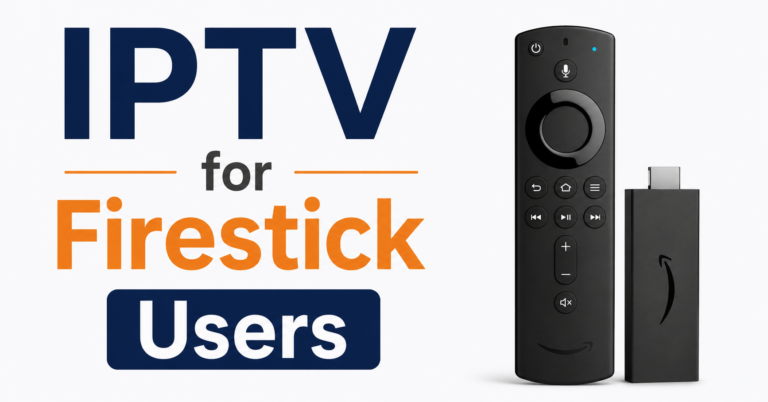
Fire Stick users should ensure Developer Options are enabled and that the app was sideloaded correctly if using TiviMate or a non-Amazon store app. A Fire Stick running out of storage or RAM will stutter on high-bitrate World Cup streams even when the connection is adequate. Clearing cached data on streaming apps before a major event helps more than most people expect.
Samsung Tizen TVs
Samsung Tizen TVs have native HLS support but don’t handle all IPTV credential formats natively. If you’re using an Xtream Codes login, you need an app like Smart IPTV for Tizen or a compatible alternative. Direct M3U import into the built-in TV app works for some stream types but behaves inconsistently with catchup content.
Android TV Boxes
Android TV boxes are the most flexible platform for how to watch World Cup highlights on IPTV because they support the full range of Android apps without the restrictions imposed by closed ecosystems. TiviMate on an Android TV box with a wired ethernet connection is arguably the most reliable combination available for highlight viewing.
iOS Devices
iOS users should consider IPTV Smarters Pro or GSE IPTV. Apple restricts certain sideloading practices, which limits app options, but both of these are available through the App Store and perform well.
Frequently Asked Questions
How to watch World Cup highlights on IPTV without buffering?
The most common causes of buffering on World Cup highlights are an underpowered internet connection, an IPTV service lacking load-balanced infrastructure, or a stale stream cache in the app. Start by clearing the app cache, reconnecting, and running a speed test on the device you’re actually streaming from. If buffering persists, test with a VPN active to determine whether ISP throttling is involved.
Do all IPTV services include World Cup highlights?
Not all IPTV services maintain organised World Cup highlight content. Quality depends on whether the provider runs a curated VOD library alongside catchup functionality. Before subscribing specifically for World Cup coverage, confirm with your IPTV reseller whether highlights are available as separate VOD clips or only through time-shifted live catchup.
How to watch World Cup highlights on IPTV on a Fire Stick?
Install TiviMate or IPTV Smarters Pro via the Fire Stick, enter your Xtream Codes credentials or M3U URL from your provider, and navigate to the VOD or catchup section. Ensure the Fire Stick has adequate storage by clearing unused apps first. A wired ethernet adapter significantly improves stream stability on Fire Sticks during high-demand events.
What is the best IPTV app for watching World Cup highlights?
TiviMate is the strongest Android option for highlight and catchup content. IPTV Smarters Pro works well across Android and iOS. GSE Smart IPTV is preferred for M3U playlist users. The best app is ultimately determined by your device platform and credential format, but TiviMate leads on features and reliability.
As a reseller, how should I prepare for World Cup traffic?
As an IPTV reseller, run a full infrastructure check seven to ten days before tournament start. Verify that your panel provider’s servers are load-balanced on sports channels, that catchup is functioning correctly, and that all active subscribers have current stream URLs. Prepare a proactive communication advising subscribers on app setup and troubleshooting. Anticipate a support ticket surge during knockout rounds.
Can ISP throttling affect how to watch World Cup highlights on IPTV?
Yes. ISPs in several markets apply traffic throttling specifically to IPTV streams during high-demand periods. The symptom looks identical to a server overload. Testing with a VPN active will confirm whether throttling is the cause. Some IPTV providers now include anti-throttling routing as a feature, which routes streams through endpoints that avoid ISP filtering.
Why do World Cup highlights load slowly on catchup but not on live streams?
Catchup content is served from recorded buffers rather than live delivery pipelines, and on some providers this infrastructure is less well-resourced than the live stream delivery. If catchup is consistently slower than live, the provider is likely using a separate and lower-capacity storage server for time-shifted content. A quality provider runs catchup and live from the same high-capacity infrastructure.
How many connections do I need to watch World Cup highlights on IPTV across multiple devices?
Each simultaneous stream requires a separate active connection. If you have two televisions and a tablet running at the same time, that’s three connections. Most IPTV resellers offer packages with one, two, or five connections. For households with multiple viewers during World Cup matches and highlight catchup, a minimum of two connections is recommended.
What This Means in Practice
For subscribers: You don’t need to be technical to get this right. You need a provider with solid infrastructure, the right app for your device, and an internet connection that’s actually reaching your TV rather than just your router.
For IPTV resellers and panel owners: World Cup periods are simultaneously your best acquisition opportunity and your biggest churn risk. The subscribers who discover your service works during the final will stay. The ones who experience two hours of buffering during a knockout match will leave and tell others.
Subscriber Checklist
Run a speed test directly on your streaming device
Clear app cache before major matches
Verify you have the correct stream URL from your provider
Use ethernet over Wi-Fi where your device supports it
Test catchup functionality before the event, not during
If buffering persists, test with a VPN to check for ISP throttling
Confirm your connection count matches the number of simultaneous streams you need
Reseller Checklist
Audit all active connections seven to ten days before tournament start
Confirm panel provider has load balancing active on sports channels
Test VOD and catchup availability with a test account
Send proactive setup guidance to subscribers before the opening match
Prepare standard troubleshooting responses for buffering complaints
Check for subscribers still on deprecated stream URLs
Review connection package upsell options ahead of subscriber demand
Sub-Reseller Checklist
Communicate infrastructure preparation to your main reseller in advance
Verify your credit allocation is sufficient for expected trial conversions during tournament period
Test your own streams on multiple devices and apps
Confirm support escalation path with your reseller panel contact
Review your subscriber list for inactive accounts that may reactivate for the tournament
The honest reality of how to watch World Cup highlights on IPTV is that the technology itself is straightforward. The difficulty is that most problems aren’t technical failures in isolation. They’re the result of infrastructure built for average demand hitting extraordinary demand, on devices that haven’t been maintained, through connections nobody tested. Sort those three things out before the tournament starts and the experience genuinely is as good as traditional broadcast, often better.
For a reliable UK-based IPTV reseller option with stable sports infrastructure, britishseller.co.uk offers panel and subscription options suited to both casual subscribers and operators looking to build a reseller business.
Closing Insight
World Cup periods expose every weakness in an IPTV operation that normal viewing quietly hides. The resellers and panel owners who prepare specifically for peak demand, rather than assuming average performance will hold, are the ones who come out of tournament periods with stronger businesses and more loyal subscribers. Infrastructure investment before a tournament is always cheaper than customer acquisition after a wave of churn.