IPTV for Firestick Users: A Simple 2026 Setup Guide
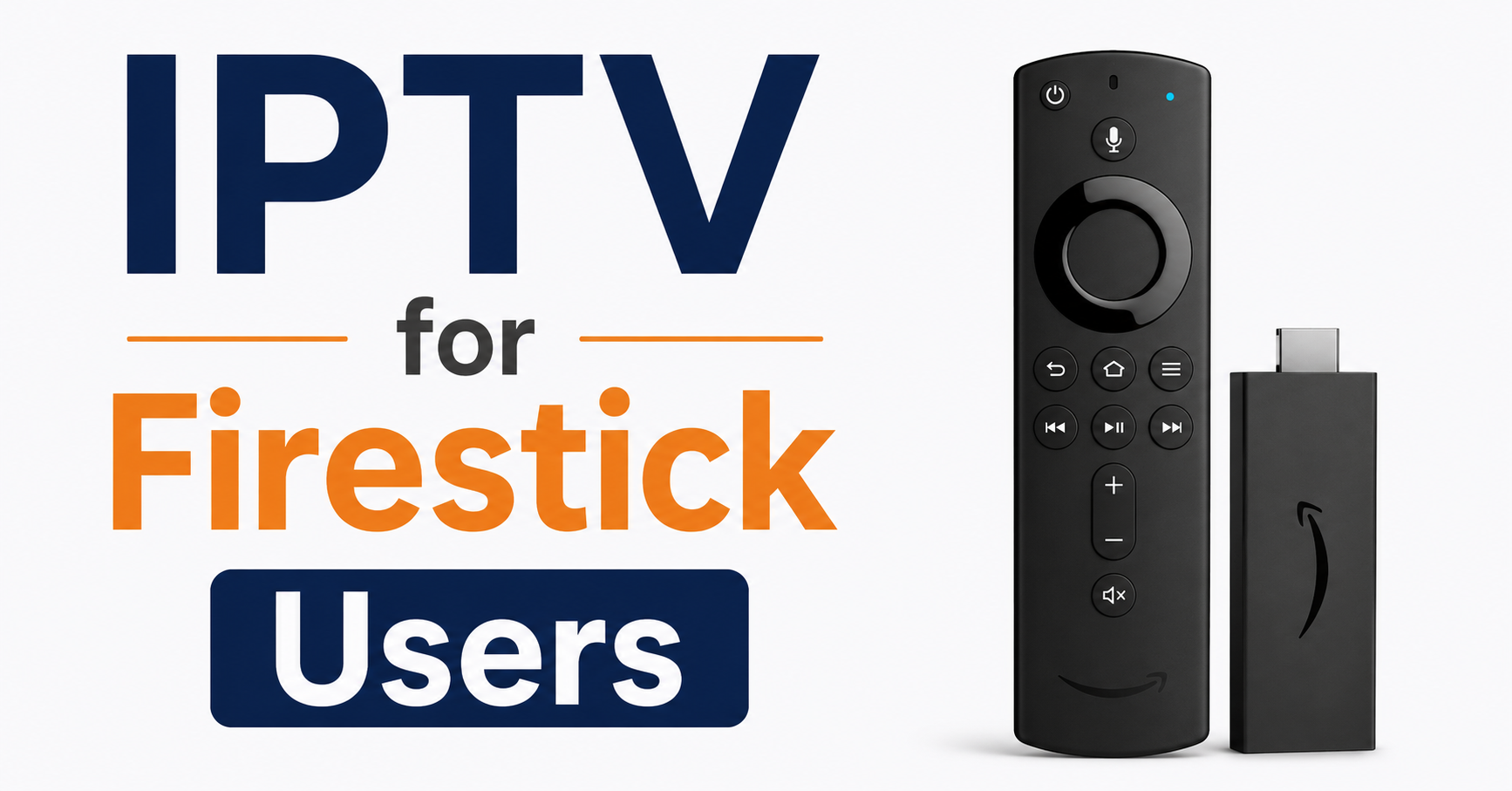
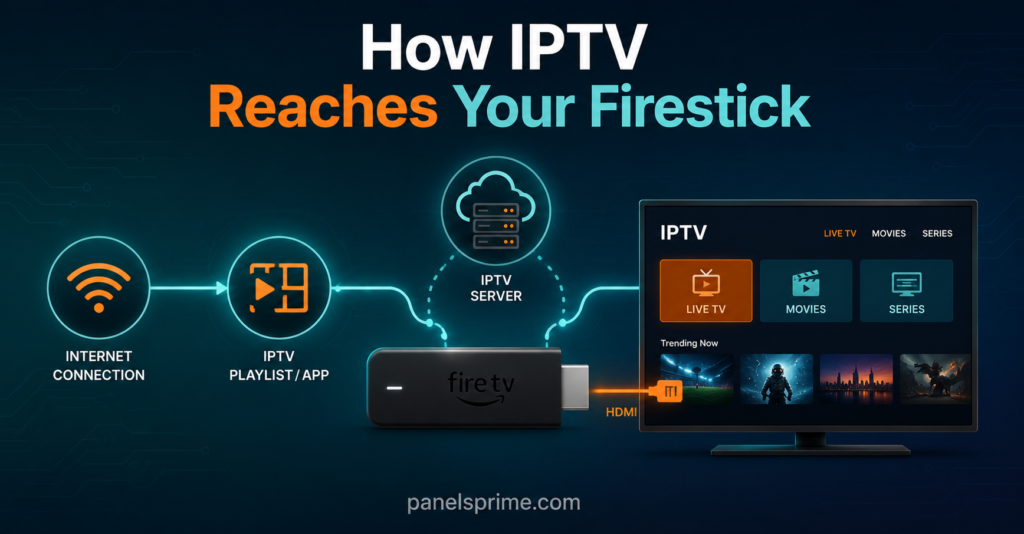
IPTV for Firestick users works by installing a player app on your Amazon Firestick, then loading it with a playlist link or login details from a service that streams TV over the internet instead of through an aerial or satellite dish. That’s the whole idea in one sentence. You plug the stick into your TV’s HDMI port, install an app that can read IPTV playlists, paste in your details, and your channels show up in a grid that looks a lot like a normal TV menu. No dish on the roof, no cable through the wall, just your broadband doing the work.
The reason so many people land on the Firestick for this is simple. It’s cheap, it’s tiny, it plugs straight into the back of nearly any modern telly, and Amazon lets you install third-party apps without too much fuss. That combination makes it the default device for anyone moving from traditional TV to internet streaming. Below, I’ll walk you through how the whole thing actually works, what to set up, what to watch out for, and where the legal lines sit so you’re not caught off guard.
What IPTV for Firestick Users Actually Means
IPTV stands for Internet Protocol Television. Instead of a signal beamed down from a satellite or pushed through a cable, the video travels to you the same way a website or a YouTube clip does, in little data packets over your internet connection. Your Firestick is just the box that receives those packets and turns them back into moving pictures on your screen.
Here’s the part that trips people up. The Firestick itself does not “have” IPTV. It’s an empty device until you put a player app on it. The app is the bit that knows how to read a playlist and display channels. The service you sign up with provides the actual content stream. So three things have to line up: the device (your Firestick), the app (the player), and the source (the IPTV service feeding it). Get those three talking to each other and you have a working setup.
That layered structure is genuinely useful to understand, because when something breaks, it’s almost always one of those three layers causing it, not all of them at once.
Why the Firestick Became the Go-To Device
Walk into any conversation about internet TV and the Firestick comes up within about thirty seconds. There’s a reason for that, and it’s not marketing.
First, the price. A basic Firestick costs less than a single month of traditional cable in a lot of cases. Second, it runs a version of Android underneath, which means it can run apps built for Android devices, and most IPTV player apps are. Third, it’s portable. You can unplug it, drop it in a bag, and plug it into a hotel TV, and your setup travels with you.
The trade-off is that the cheapest Firestick models can feel sluggish if you push them hard. They have limited memory, and IPTV apps with huge channel lists and full programme guides can make a budget stick stutter. If you’re serious about this, the slightly pricier 4K models handle the load far more comfortably. I’ll come back to that under the troubleshooting section, because device strain is behind a surprising number of “my stream keeps freezing” complaints.
Setting Up IPTV for Firestick Users Step by Step
The setup looks intimidating written down, but in practice it takes a few minutes. Here’s the honest walkthrough.
You start by allowing your Firestick to install apps from outside the Amazon store. This lives in the device settings under the developer or “apps from unknown sources” option. You flip it on. Then you install a sideloading tool or use the Amazon Appstore if your chosen player happens to be listed there. Once your player app is installed, you open it and it asks for your details. Depending on the service, that’s either a playlist URL (an M3U link) or a set of login credentials. You enter them, the app pulls in the channel list, and you’re watching.
If you bought access through a proper service, you’ll have received those details by message or email within seconds of signing up. A well-run platform with instant activation and 24/7 support sends your login the moment you pay, so there’s no waiting around. The whole appeal of a managed setup is that someone has already done the hard configuration for you.
Pro Tip: Before you paste in any login, restart your Firestick from the settings menu. A fresh boot clears the memory and stops half-loaded apps from interfering with your new install. It’s a thirty-second habit that prevents a lot of first-time headaches.
What IPTV for Firestick Users Should Check Before Buying
This is where people rush and regret it. Before you hand over any money, there are a few things worth checking, and they’ll save you grief later.
Check whether the service runs a free trial. Any setup worth using will let you test it before you commit, because they’re confident it works. Check what devices they officially support, since a service built around the Firestick will have setup guides written specifically for it. Check how many simultaneous connections you get, because if your household watches on more than one screen, a single-connection plan will lock you out the moment a second device tries to stream.
Below is a quick comparison of what tends to separate a solid service from a flaky one.
| What to Check | Solid Service | Flaky Service |
|---|---|---|
| Free trial available | Yes, full access | None, or heavily limited |
| Activation speed | Instant after payment | Hours of manual waiting |
| Support response | Real person, under an hour | Chatbot or silence |
Notice none of those rows are about channel counts. A service boasting fifty thousand channels means nothing if a third of them are dead feeds. Stability beats quantity every single time, and that’s the thing newcomers learn the hard way.
The Legal Grey Area Nobody Explains Properly
Let’s be straight about this, because glossing over it does nobody any favours. IPTV as a technology is completely legal. It’s just a way of delivering video over the internet, and plenty of fully licensed, above-board services use exactly this method. The technology is not the issue.
The issue is what’s being streamed and whether the service has the rights to stream it. Some IPTV services hold proper licensing agreements for their content. Others don’t, and they offer premium content at prices that should make you raise an eyebrow, because legitimate licensing costs real money. When a service offers everything for a tenner a month, that pricing is usually a signal worth paying attention to.
So where does that leave you as a Firestick user? It leaves you needing to do a bit of homework. A service that’s transparent about who runs it, has a real company behind it, and is clear about what it provides sits in a very different place from an anonymous operation with no fixed address. The grey area is real, and the honest advice is to choose providers who operate openly and to understand that the responsibility for what you stream doesn’t disappear just because the setup is easy.
Buffering, Freezing, and Other IPTV for Firestick Users Headaches
Almost every problem people blame on their IPTV service actually comes from one of three places, and the Firestick itself is often the culprit.
The most common cause is the device running out of breath. A budget Firestick with a long channel list and a full programme guide loaded is doing a lot of work for such a small box. If yours freezes during busy evening hours, the first thing to try is clearing the app’s cache and closing background apps. The second is checking your actual internet speed, not the speed you pay for, the speed you genuinely get, because IPTV needs a steady stream rather than a fast-but-patchy one.
The third cause is the service itself buckling under load. When everyone tries to stream the same big event at once, a service running on weak infrastructure falls over. This is exactly where anti-freeze technology and load-balanced servers earn their keep, because a properly built backend spreads that demand across multiple servers instead of cramming everyone onto one. If you’ve ruled out your device and your connection and it’s still stuttering, the service’s infrastructure is usually what’s letting you down.
Pro Tip: Plug your Firestick directly into power from the wall, not the USB port on the back of your TV. TV USB ports often don’t supply enough juice, and an underpowered Firestick throttles itself, which looks exactly like a buffering stream.
IPTV for Firestick Users Who Want to Resell
Here’s something a lot of regular users discover after a few months. Once you understand how IPTV works on a Firestick, you realise there’s a business sitting on the other side of it.
The people supplying these services run what’s called a IPTV reseller panel. It’s a dashboard where they create accounts, set pricing, manage customers, and track everything in one place. If you’ve got a network of friends, family, or local contacts who keep asking you to set up their devices, becoming a reseller turns that informal help into an actual income stream. You buy access in bulk at wholesale rates and sell it on at your own price.
The economics are genuinely appealing for a small side operation. You can explore how a proper IPTV reseller panel works through providers who lay out their backend openly rather than hiding it behind a signup wall. One example among several in this space is britishseller.co.uk, which positions itself around UK-focused infrastructure. The key thing is picking a panel with stable servers, because as a reseller your reputation lives and dies on whether your customers’ streams stay up. The same legal homework applies here too, arguably more so, since you’re now the one supplying other people.
Keeping Your IPTV for Firestick Users Setup Running Smoothly
Once everything’s working, a little maintenance keeps it that way. This is the part most guides skip, and it’s the part that separates a setup that lasts from one you’re constantly fighting.
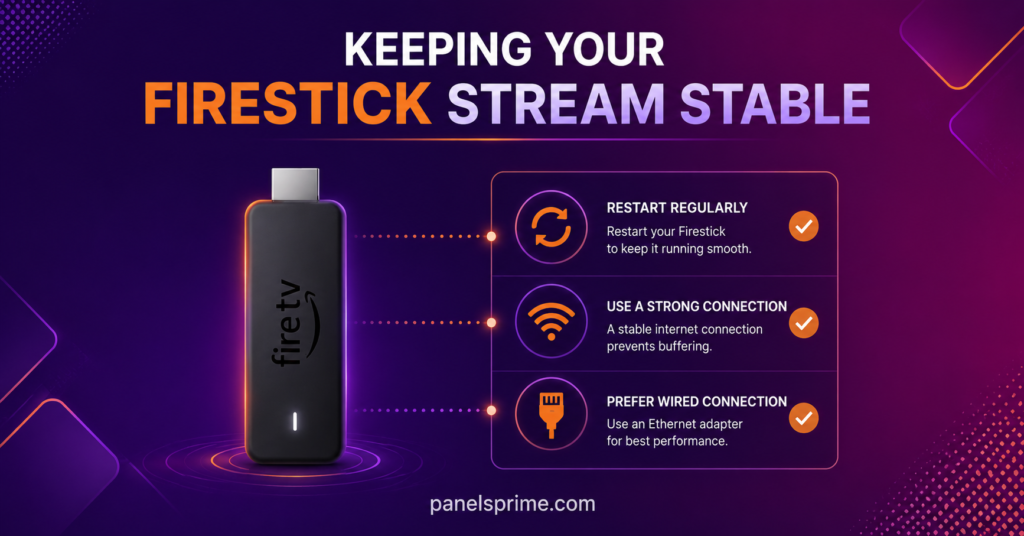
Restart your Firestick once a week. It’s the single most effective habit for keeping streams smooth, because it clears accumulated memory clutter. Keep your player app updated, since updates often fix stability bugs and improve how the app handles big channel lists. And keep an eye on your home network, because IPTV is sensitive to wifi interference. If your Firestick sits far from your router, a stream that’s fine in the evening can fall apart when the network gets busy.
For households running multiple devices, a wired connection through an ethernet adapter transforms reliability. The Firestick supports this through a small adapter that plugs into the power port, and for anyone serious about stable streaming, it’s the upgrade that makes the biggest difference. A service with full EPG integration and multi-device support gives you the polished, set-top-box feel, but your home setup is what determines whether that polish actually holds up night after night.
Conclusion
IPTV for Firestick users really does come down to three things working together: the stick, the player app, and the service feeding it. Get those aligned and you’ve turned a cheap little device into a full TV setup that runs entirely off your broadband. The setup is quick, the device is affordable, and the appeal is obvious once you’ve seen it work.
But the parts that matter most aren’t the flashy ones. They’re the boring ones. A stable service beats a big channel count. A properly powered, well-maintained Firestick beats a fancy one you never restart. And an honest, openly run provider beats a cheap anonymous one every time, especially given that the legal grey area around content is real and doesn’t vanish just because the setup is simple. Treat IPTV for Firestick users as something worth doing properly, and it’ll serve you well for years. Rush it, and you’ll spend those years troubleshooting instead.
Execution Checklists
Subscriber Checklist
If you’re setting this up purely to watch on your own Firestick, run through this:
- Confirm the service offers a free trial and test it before paying
- Allow app installs from unknown sources in your Firestick settings
- Power the Firestick from the wall, not the TV’s USB port
- Restart the device before installing your player app
- Check how many simultaneous connections your plan allows
- Note your real internet speed, not just your advertised speed
- Restart the Firestick weekly and keep the player app updated
Reseller Checklist
If you’re moving from user to supplier, this is your starting list:
- Choose a panel with proven server stability over the biggest channel count
- Confirm the panel offers instant line creation and a real support channel
- Buy credits in volume to lower your per-unit cost and protect your margin
- Set your own retail pricing with a clear margin built in
- Test the backend with trial lines before committing to bulk credits
- Understand the legal responsibilities that come with supplying others
- Pick a provider with UK-focused infrastructure if that’s your market
Sub-Reseller Checklist
If you’re reselling under another UK IPTV reseller rather than buying direct, watch these:
- Confirm your upstream reseller’s servers stay stable during peak hours
- Check what margin is realistically left for you after their markup
- Make sure you get your own dashboard access, not just shared logins
- Clarify who handles support when a customer’s stream fails
- Agree credit top-up terms so you’re never caught short mid-month
- Keep your own customer records separate from your supplier’s system
- Have a backup plan in case your upstream provider disappears
Frequently Asked Questions
Do I need a VPN to use IPTV on my Firestick?
Not necessarily. A VPN isn’t required for IPTV to function on a Firestick, and most setups work fine on a standard broadband connection without one. Some users choose to run a VPN for privacy reasons, and a well-built service won’t block or throttle you for using one. Whether you use a VPN is a personal choice rather than a technical requirement.
Why does my Firestick keep buffering during IPTV streams?
Buffering usually comes from one of three causes: your Firestick running low on memory, your internet connection being unstable rather than slow, or the service’s servers struggling under load. Start by restarting the device and clearing the app cache, then check your real connection speed. If both are fine, the service’s infrastructure is the likely culprit.
Can I use the same IPTV setup on more than one device?
That depends on your plan. Single-connection plans only allow one device to stream at a time, so a second screen will lock you out. Multi-connection plans let several devices in the same household stream simultaneously. Always check the connection limit before buying if more than one person watches at once.
Is IPTV legal to use on a Firestick?
IPTV as a technology is completely legal, and the Firestick is just a device that receives it. The legality depends entirely on whether the service you use holds proper licensing for its content. Choosing providers who operate openly and transparently is the sensible approach, since responsibility for what’s streamed doesn’t disappear with an easy setup.
Which Firestick model is best for IPTV?
The 4K models handle IPTV far better than the cheapest basic stick. IPTV apps with large channel lists and full programme guides demand a fair amount from the device, and budget models can stutter under that load. If you’re setting this up to use regularly, the slightly pricier model is worth it for the smoother performance.