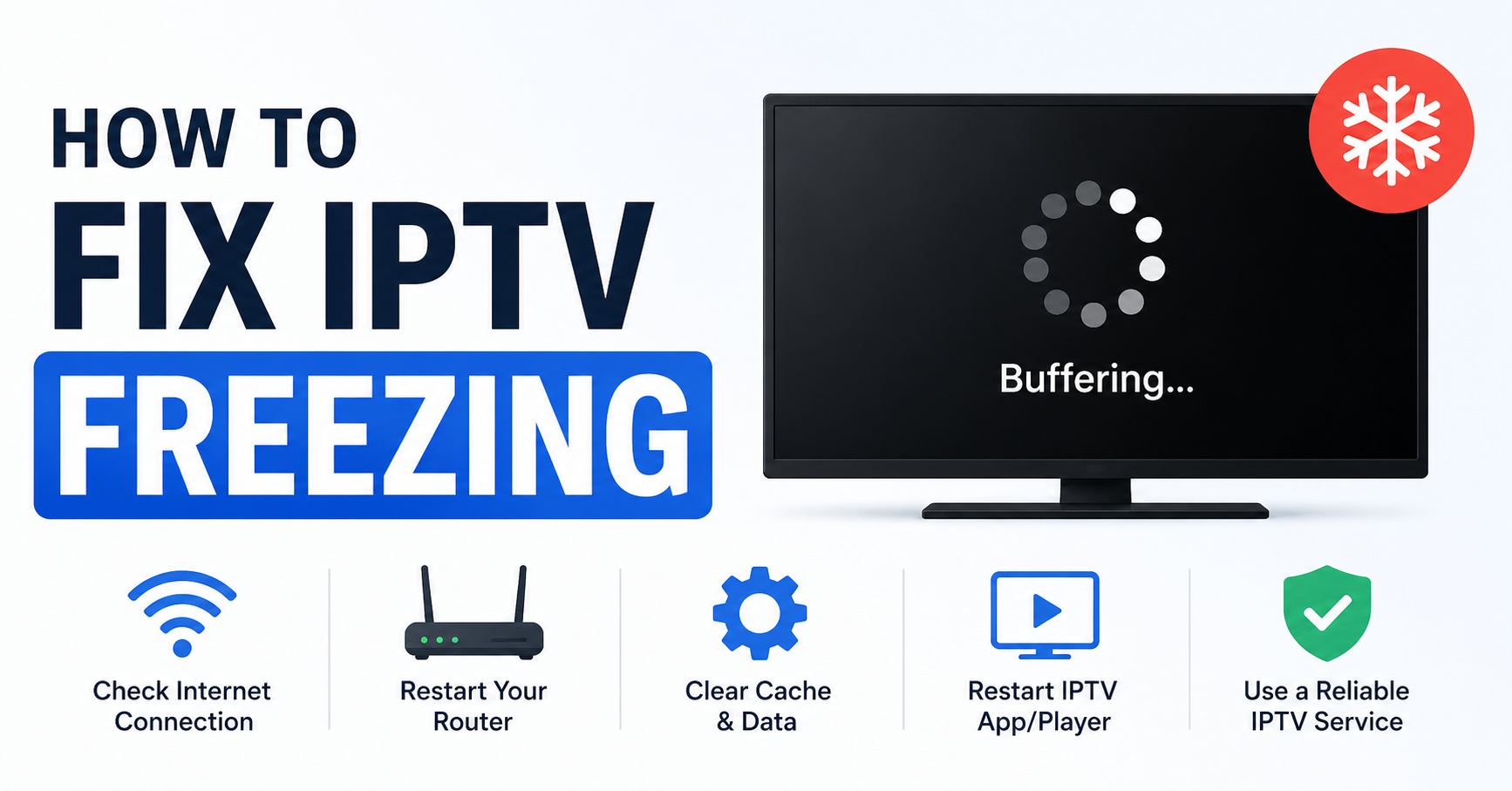
It’s 9 PM on a Saturday. Your subscriber is three minutes into a premium sports stream. The picture locks up. The audio cuts. They open WhatsApp and your notification count starts climbing.
You’ve been here before. Most resellers have. And if you’ve learned anything from running IPTV panels under real pressure, it’s this: IPTV freezing is never a single problem — it’s a signal that something upstream has broken down. The fix depends entirely on where in the chain the failure lives.
This guide covers how to fix IPTV freezing at every layer — from the subscriber’s router to the CDN edge node — with field-tested logic, not textbook theory.
Why IPTV Freezing Is Diagnosed Wrong 80% of the Time
The most common mistake resellers make when figuring out how to fix IPTV freezing is jumping straight to “the server is down.” In reality, server-side failures account for less than a third of all freeze events at the subscriber level. The rest trace back to local network saturation, DNS resolution failures, or ISP-level throttling — none of which your panel dashboard will flag directly.
Before escalating to your upstream provider, run through this first-pass triage:
- Does the freezing affect all streams or only specific channels? Selective freezing usually points to a server-side category failure, not a full outage.
- Does the subscriber have the issue on one device only? A single-device problem is almost always an application or local cache issue.
- Is the subscriber using Wi-Fi or a wired connection? Wi-Fi interference is the single most under-diagnosed cause of IPTV freezing in household environments.
- Is the freeze a buffer spin or a hard cut to black? Buffering indicates a bandwidth problem. A hard cut usually means stream token expiry or an authentication drop.
- What time of day does it happen? Peak-hour freezing points to congestion. Off-peak freezing usually indicates an upstream encoding or sync issue.
Pro Tip: Create a three-question WhatsApp template you send every time a subscriber reports a freeze. “All channels or one?”, “Device and connection type?”, “Time it started?” — this data cuts your diagnostic time in half and stops you chasing phantom server problems.
How to Fix IPTV Freezing Caused by DNS Poisoning and Resolution Delays
DNS is the overlooked killer in IPTV performance. When a subscriber’s ISP runs DNS poisoning or routes DNS queries through a slow resolver, the stream connection either fails silently or introduces a latency spike before each segment loads. The result looks identical to a buffering issue — but no amount of bandwidth will fix it.
Here is what DNS poisoning looks like in practice: the subscriber connects, the stream loads at low resolution for 10–20 seconds, then freezes. They refresh. Same pattern. Their speed test shows 80 Mbps. Everything looks fine on your panel.
The actual fix for this variant of IPTV freezing:
- Instruct subscribers to switch their DNS resolver to a neutral public provider — not the ISP-assigned default.
- For Android and Smart TV users, configure DNS within the network adapter settings directly. App-level settings are frequently overridden by the device OS.
- For resellers using custom M3U or Xtream links, ensure your portal’s domain does not resolve to a known ISP block list entry. Rotate domains quarterly as a minimum.
- Test DNS resolution time using a tool like nslookup or an online DNS checker before concluding the stream server is at fault.
⚠ 2026 ISP Trend: AI-driven traffic classification systems are now identifying IPTV streams based on HLS segment request patterns — not just domain names. Flat DNS fixes alone will not counter this. You need HLS obfuscation at the stream delivery layer, not just DNS redirection.
Server-Side Load Balancing: Why Most IPTV Resellers Fail at Peak Demand
If you’ve ever had a flawless stream the night before a major match and complete chaos during the event itself, you’ve experienced load collapse — and it’s the main reason how to fix IPTV freezing becomes an infrastructure question, not a settings question.
Budget IPTV infrastructure runs single-origin servers. When concurrent connections spike — 500, 2,000, 5,000 — the server’s outbound bandwidth saturates. HLS latency climbs from 2–4 seconds to 15–20 seconds. Segments stop arriving on time. Every connected client freezes simultaneously.
Infrastructure Comparison Table
| Infrastructure Type | Peak Load Behaviour | Freeze Risk | Recovery Time |
|---|---|---|---|
| Single-Origin (Budget) | Server saturates, all clients drop | CRITICAL | 5–15 min |
| Dual-Server + Failover | Traffic shifts to backup; brief stutter | HIGH | 30–90 sec |
| CDN-Backed with Edge Nodes | Edge caches absorb spike; micro-buffering | LOW | Under 10 sec |
| Multi-CDN + Load Balancer | Automatic rerouting; no user-visible drop | MINIMAL | Under 3 sec |
When vetting providers, ask specifically: “How many concurrent streams can your infrastructure handle before HLS latency exceeds 5 seconds?” If they can’t answer with a number, they don’t have a real answer.
How to Fix IPTV Freezing on Subscriber End: Buffer Depth and App Settings
Not every freeze event is a provider problem. Subscriber-side buffer misconfiguration causes a significant percentage of complaints that resellers mistakenly escalate upstream — burning goodwill and provider credits for no reason.
Here’s what to check on the subscriber side when diagnosing how to fix IPTV freezing at the device level:
- Buffer size in IPTV player settings: Apps like TiviMate and Perfect Player have adjustable buffer depths. Default settings (often 0–500ms) are too shallow for congested household networks. Push this to 3,000–5,000ms as a baseline for any subscriber reporting intermittent freezing.
- Stream format selection: Some apps default to MPEG-TS when HLS would perform better on the subscriber’s connection type — or vice versa. Test switching the stream format before making any other changes.
- Device RAM and background processes: Budget Android boxes running multiple background apps will drop frames during peak decode load. Advise subscribers to clear background apps before watching.
- Wi-Fi band selection: Subscribers on 2.4GHz in dense apartment blocks suffer interference-driven micro-drops that look identical to server buffering. Force them onto 5GHz or ethernet.
Pro Tip: Build a one-page PDF setup guide for your subscribers covering recommended buffer settings, DNS configuration, device placement, and Wi-Fi band selection. Send it at signup. You will handle roughly 40% fewer support messages in the first month alone.
Backup Uplink Servers: The Non-Negotiable Failsafe for Serious Resellers
Understanding how to fix IPTV freezing after it happens is reactive. Running backup uplink servers is how serious operators prevent the problem from reaching subscribers in the first place.
A backup uplink is a secondary stream origin — often geographically separated from the primary — that the panel switches to automatically when the primary server suffers downtime or latency spikes above a set threshold. Without it, you’re one datacenter network hiccup away from blanket complaints across your entire subscriber base.
The minimum viable setup for a reseller managing 50 or more active subscribers:
- Primary server: Main stream origin with full channel lineup.
- Backup uplink: Secondary origin running on a different ISP backbone, covering the same channel scope.
- Failover trigger: Automated threshold — if primary latency exceeds 8 seconds or packet loss exceeds 2%, the panel switches automatically.
- Panel credits buffer: Maintain active credits on both lines so a failover event doesn’t expire mid-stream.
⚠ Critical Reseller Reality: Providers who only offer a single server URL — no backup, no failover option — are not suitable for active resale operations. During major live events, single-origin providers routinely collapse under load. Ask your supplier for backup server documentation before committing subscriber accounts to their infrastructure.
ISP Throttling and Deep Packet Inspection: What 2026 Changed for IPTV Operators
Knowing how to fix IPTV freezing has become increasingly intertwined with understanding ISP-level enforcement, and 2026 brought several significant shifts that many operators haven’t fully adjusted to yet.
Major ISPs have deployed AI-assisted deep packet inspection capable of identifying IPTV traffic patterns — specifically the repetitive HLS segment fetch cadence — without needing domain or IP block lists. The old workaround of simply rotating stream server IPs no longer neutralises this threat in isolation.
What actually works in 2026 against ISP throttling-induced freezing:
- VPN tunnelling at the router level: Encrypts all household traffic, eliminating deep packet inspection visibility into stream patterns entirely.
- Encrypted DNS (DoH/DoT): Prevents DNS-level interception by the ISP resolver, stopping domain-based blocking before it starts.
- Stream delivery over port 443 (HTTPS): Wraps HLS traffic in standard web traffic patterns, making it significantly harder to classify and throttle selectively.
- Segment size and timing randomisation: A provider-level fix. Ask your upstream supplier whether their infrastructure has this capability.
Pro Tip: When a subscriber reports that freezing only occurs on certain channel categories — particularly premium sports or HD streams — while standard definition or entertainment channels stream fine, ISP-level quality-of-service throttling is the most likely cause. Standard buffer fixes won’t help here. The traffic is being shaped before it reaches the device.
How to Fix IPTV Freezing Through Panel Management and Credit Expiry Issues
A category of IPTV freezing that rarely gets documented properly: panel-side failures caused by credit exhaustion, line expiry, or max-connection violations.
When a subscriber’s line hits its connection limit — for example, a single-connection line being accessed on two devices simultaneously — the panel doesn’t always terminate the stream cleanly. Instead, it throttles the token, causing the stream to buffer indefinitely rather than returning a clean error. This looks exactly like a server-side freeze event.
Diagnostic steps specific to panel-management-related freezing:
- Log into your reseller panel and check the subscriber’s active connection count in real time.
- Verify the line’s expiry date. Lines expiring mid-stream sometimes produce buffer loops before the final disconnection occurs.
- Check whether the subscriber recently changed devices — old device tokens can hold connections open passively, eating into the connection limit.
- Force-disconnect all active sessions on the line and have the subscriber re-authenticate fresh.
- If the panel shows the line as “connected” but the subscriber reports a freeze, your upstream provider has a ghost connection issue. Escalate with session IDs, not just a general complaint.
⚠ Reseller Warning: Never oversell connection limits as a cost-saving measure. A reseller running 200 subscribers on under-provisioned line packages will see churn spike during every live event — the exact opposite of the growth they were trying to optimise for.
Churn Psychology: How Freezing Events Cost Resellers More Than They Calculate
Most resellers think about how to fix IPTV freezing as a technical problem. The ones who scale think about it as a churn problem.
A subscriber who experiences two unexplained freeze events in a month is four times more likely to seek an alternative provider than one who experienced a freeze but received a proactive explanation and resolution within 30 minutes. The quality of your response to the problem determines retention far more than the raw frequency of the problem itself.
Operators who scale to 500 or more active subscribers without a dedicated support layer use one method consistently: transparent SLA messaging. When a server issue occurs, they message their base before complaints arrive. Something like: “We’re aware of a brief disruption affecting HD streams — backup uplinks are active, full service expected within 20 minutes.” That single proactive message eliminates 70–80% of individual complaints.
The resellers who lose subscribers over freezing are almost never losing them to a competitor with better infrastructure. They’re losing them to a competitor with better communication — one who had the same freeze but handled it differently.
How to Fix IPTV Freezing at Scale: Infrastructure Decisions That Define Your Ceiling
Once you’re managing more than 100 active subscribers, how to fix IPTV freezing becomes a systems question, not a per-customer question. Individual fixes don’t scale. Infrastructure decisions do.
The difference between resellers who plateau at 150 subscribers and those who reach 1,000 or more is almost entirely determined by infrastructure choices made early:
- Choosing providers with documented SLA uptime commitments — not verbal promises made during the sales conversation.
- Diversifying across two or more upstream suppliers — so a single supplier’s downtime doesn’t take down your entire operation simultaneously.
- Maintaining a structured diagnostic workflow — so freeze reports are resolved in minutes, not hours, regardless of who on your team handles them.
- Segmenting subscriber bases by package type — premium subscribers on premium-tier lines, preventing casual-use accounts from congesting connections allocated to high-value customers.
Pro Tip: Treat every freeze incident as a data point, not just an incident to close. Log the time, channel category, subscriber package, and resolution method for every case. After 30 incidents, patterns emerge — usually pointing to one upstream supplier, one channel category, or one recurring time window. That data is more valuable than any single fix.
Frequently Asked Questions
What is the most common reason for IPTV freezing and how do I fix it quickly?
The most common cause of IPTV freezing is insufficient buffer depth combined with network congestion during peak hours. The quickest fix is increasing the buffer size in your IPTV player settings (aim for 3,000–5,000ms), switching to a wired ethernet connection if possible, and changing your DNS resolver away from the ISP default. In most cases, these three changes resolve 60–70% of freeze complaints immediately.
How do I fix IPTV freezing that only happens during live sports events?
Event-specific freezing almost always points to server-side load saturation. During major live events, single-origin IPTV servers frequently hit concurrent connection limits. Contact your provider and ask whether they have backup uplink servers active during peak events. If they don’t, the infrastructure is under-provisioned for event traffic. Consider switching to a provider with CDN-backed delivery for reliable live stream performance.
Can ISP throttling cause IPTV freezing even if my internet speed is fast?
Yes — and this is one of the most misdiagnosed IPTV problems. ISPs can throttle specific traffic types while leaving general browsing and speed test traffic untouched. A 200 Mbps connection can still freeze constantly if the ISP is applying quality-of-service rules to HLS stream traffic. Routing your IPTV traffic through a VPN or using encrypted DNS often resolves this immediately.
As a reseller, how do I know if IPTV freezing is my provider’s fault or my subscriber’s network?
Ask three rapid questions: Does the freeze affect all channels or just specific ones? Does it happen on other devices in the same household? Does a wired connection behave differently from Wi-Fi? If freezing is selective and consistent across devices, it’s provider-side. If it’s all channels on one device only, it’s local. If it’s all channels across all devices, check the subscriber’s ISP and panel line status simultaneously.
What does HLS latency have to do with how to fix IPTV freezing?
HLS latency is the delay between a live event occurring and the video segment arriving at the player. When latency climbs above 8–10 seconds — typically due to server overload — the player’s buffer empties faster than new segments arrive, causing visible freezing. Fixing it requires either better server-side encoding throughput or subscriber-side connection optimisation to reduce re-request delays.
Is it possible to fix IPTV freezing without replacing the whole provider?
Often yes. Start with buffer settings, DNS configuration, and connection type. If those fail, request a test line on a different server from your existing provider — many suppliers run parallel infrastructure. Only consider switching providers after ruling out local network issues, DNS problems, device configuration errors, and panel line status complications.
How does DNS poisoning specifically cause IPTV freezing?
When an ISP’s DNS resolver blocks or misdirects a stream domain, the IPTV player can’t locate the segment delivery server. The player stalls while retrying resolution or connects to a wrong endpoint and receives no data. This appears as a loading spinner or immediate freeze at stream start. Switching to a neutral DNS resolver bypasses the poisoned entries entirely, restoring normal segment delivery.
What should a household of four users consider to prevent IPTV freezing across multiple devices?
Ensure each simultaneous stream has at least 15–25 Mbps of dedicated bandwidth. Most budget home routers struggle to prioritise IPTV traffic fairly under load — enabling QoS settings for your IPTV device’s MAC address helps significantly. Also verify your subscription line supports the number of concurrent connections you’re running, as exceeding that limit causes throttle-induced freezing even with plenty of available bandwidth.
Reseller Execution Checklist: How to Fix IPTV Freezing and Keep Subscribers
- Confirm your provider has documented backup uplink servers — not just verbal assurances
- Test stream delivery on both primary and backup server lines before onboarding new subscribers
- Build a subscriber triage template (3 questions) and use it before every escalation
- Set all subscriber accounts to correct connection limits — never exceed the panel allocation
- Audit panel credit balances weekly — expiring lines cause buffer-loop freezes with no visible error message
- Configure recommended buffer settings (3,000–5,000ms) in setup guides for every device type you support
- Switch DNS recommendations in all subscriber-facing setup guides away from ISP defaults
- Log every freeze incident with: time, channel category, package tier, and resolution outcome
- Review incident logs monthly — if one upstream supplier causes more than 60% of incidents, reduce dependence on them
- Communicate proactively during downtime — one broadcast message eliminates dozens of individual support requests
- For reliable IPTV reseller infrastructure guidance from operators with real scaling experience, visit the British Seller IPTV reseller resource hub