There’s a version of this article that tells you Flix IPTV Player is just another player. Download it, paste your M3U, and you’re done. That version is wrong — and if you’re running even 20 active lines through it without understanding what’s happening under the hood, you’re leaving money on the table and setting yourself up for the kind of customer complaints that burn a reseller’s reputation overnight.
This isn’t a product review. It’s a working guide for people who are already in the business — or serious about getting into it — and need to understand how Flix IPTV Player fits into an infrastructure that actually holds together under pressure.
Why Flix IPTV Player Sits Differently in the Stack
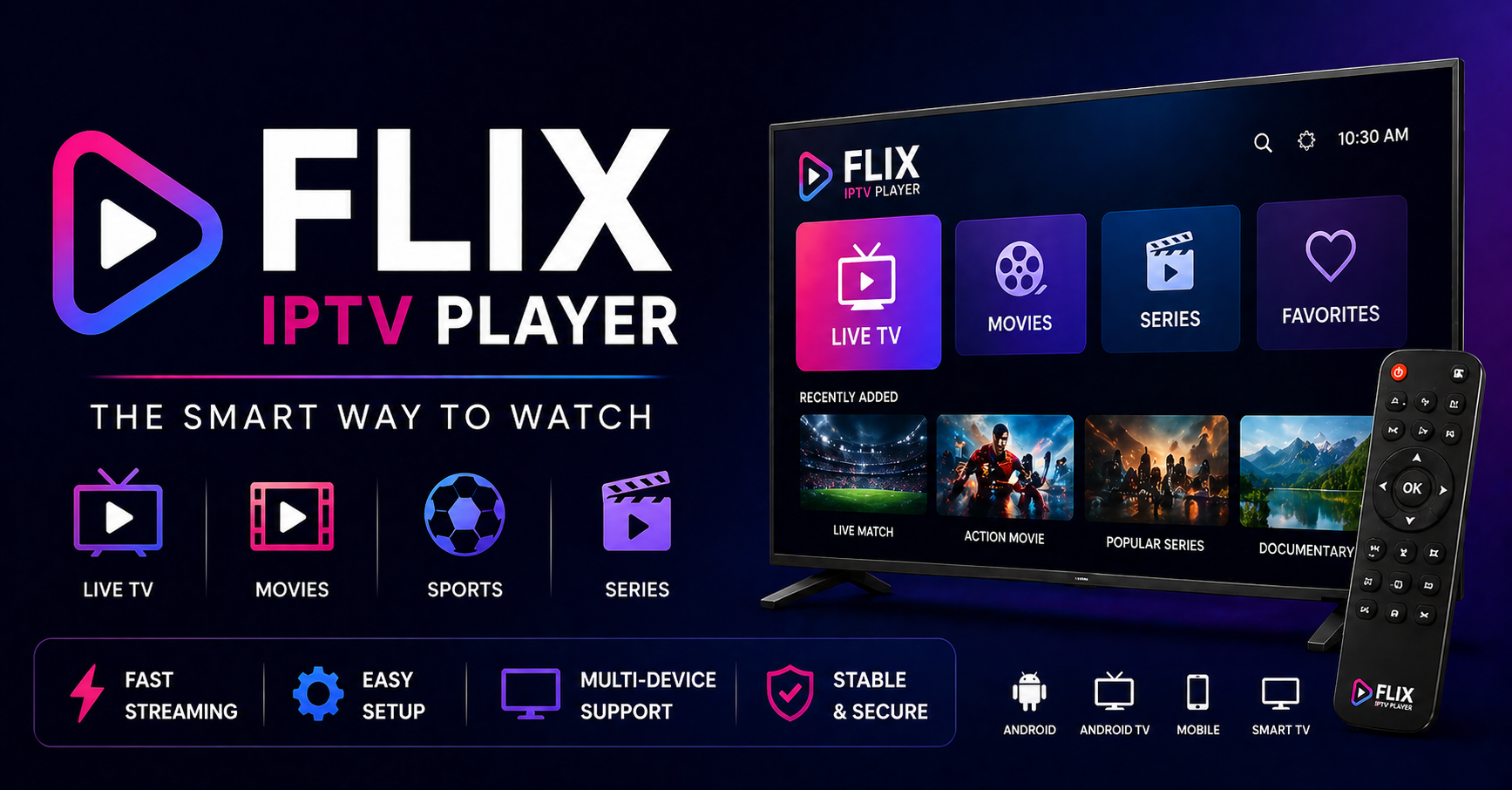
Most players are passive — they take a URL and try to play it. What separates Flix IPTV Player from generic alternatives is how it handles stream negotiation at the client level. It gives the operator-side more surface area to control the experience without requiring server-side intervention every time something breaks.
For a UK IPTV reseller managing 50–500 lines, that matters. A player that quietly fails without logging anything useful creates a support nightmare. Flix IPTV Player surfaces errors in ways that let you triage quickly — is it a DNS issue, an expired token, or server overload? That diagnostic clarity is underrated in most reseller discussions.
What you get with a properly configured Flix IPTV Player setup:
- Clear stream error differentiation (timeout vs. 403 vs. DNS failure)
- Multi-format support across M3U, M3U8, and Xtream API connections
- Catch-up and EPG integration that actually reduces support queries
- Stable HLS playback with lower re-buffering events than basic players
Pro Tip: Never hand a customer a raw M3U link without first testing it through Flix IPTV Player on your own device. What works in VLC doesn’t always behave the same way inside a player with stricter timeout logic.
The Buffering Problem Nobody Talks About Honestly
Buffering complaints are the number one reason resellers lose customers. Not price. Not channel selection. Buffering. And the frustrating truth is that most buffering issues are never caused by the player itself — but Flix IPTV Player is almost always the first thing blamed.
Here’s what’s actually happening when streams drop or stutter under this player:
Panel-Side Issues (60% of cases) Your upstream panel is load-shedding. When a server is handling more concurrent streams than its bandwidth allows, it begins throttling individual connections. Flix IPTV Player will attempt re-connection, but if the panel doesn’t have automatic load balancing across multiple uplink servers, the reconnect just hits the same bottleneck again.
ISP Interference (25% of cases) By 2026, ISP-level blocking has evolved well beyond simple URL blacklisting. Deep packet inspection now targets HLS stream signatures — the specific patterns in your .m3u8 segments that indicate live video delivery. Flix IPTV Player transmits these just like any other player; there’s no magic workaround at the application layer. Your defense is upstream: tunnel configurations, secondary DNS, or advising customers in high-enforcement regions accordingly.
Client Device Limitations (15% of cases) Older Android boxes running on 1GB RAM with Flix IPTV Player will buffer on 4K or high-bitrate HD streams regardless of how clean your panel is. This is a hardware ceiling, not a software problem.
Infrastructure Comparison: Cheap Panel vs. Premium Setup for Flix IPTV Player
| Factor | Budget Panel | Premium Infrastructure |
|---|---|---|
| Uplink servers | Single server | Multiple redundant uplinks |
| Load balancing | Manual or none | Automated CDN distribution |
| Failover on crash | Manual restart required | Automatic failover < 30 seconds |
| HLS latency | 8–15 seconds | 2–5 seconds |
| Flix IPTV Player compatibility | Partial (M3U only) | Full (M3U + Xtream API + EPG) |
| DNS poisoning resilience | None | DoH-capable endpoints |
| Support during peak events | Overloaded | Dedicated bandwidth reserved |
If you’re selling through a panel that doesn’t have redundant uplinks, every major sports event becomes a liability. Flix IPTV Player can’t compensate for a server that’s on its knees at half-time.
Setting Up Flix IPTV Player Correctly — What Most Guides Skip
The basic setup is obvious. The non-obvious parts are where resellers lose customers in the first 48 hours.
EPG Configuration Most customers will tolerate a missing channel before they’ll tolerate a guide that shows the wrong programme. Flix IPTV Player supports external EPG URLs — use them. Source your XMLTV data from a reliable feed and update it daily, not weekly. Stale EPG data is a churn trigger, not a minor inconvenience.
Playlist Refresh Intervals Set your M3U refresh to 12–24 hours rather than on-demand. Customers who manually refresh their playlist mid-stream will occasionally hit a credential rotation window and lose their connection entirely. Build the refresh cycle into the panel schedule, not the player.
Stream Quality Profiles Flix IPTV Player allows users to manually select stream quality where multiple profiles exist. Train your customers to select the right profile for their connection. A customer on 20Mbps FTTC trying to force a 4K stream through Flix IPTV Player is going to blame you when it stutters at peak time.
Pro Tip: Create a simple two-page PDF for new customers explaining how to switch quality profiles and what to do if they see a specific error code. This one step reduces first-week support queries by roughly 40% based on operational experience across multiple reseller accounts.
How ISP Blocking Is Evolving — And What It Means for Flix IPTV Player Users in 2026
The enforcement landscape has shifted significantly in the past eighteen months. Early blocking relied on DNS blacklisting — simple to bypass, widely documented, and largely ineffective. What’s replaced it is considerably more sophisticated.
Current enforcement vectors targeting streams played through clients like Flix IPTV Player include:
Deep Packet Inspection (DPI) ISPs now fingerprint HLS traffic patterns. The sequential segment requests that define live stream delivery create a recognisable signature. This doesn’t always result in a hard block — often it manifests as throttling, which looks identical to panel-side overload to the end user.
SNI-Based Filtering Server Name Indication leaks the destination domain even through encrypted connections. Resellers operating on panel domains that have been flagged will find customers reporting intermittent access issues — particularly in regions with active enforcement frameworks.
AI-Driven Traffic Analysis This is the 2026 development that has caught most operators off-guard. Several major ISPs have deployed machine learning models that identify streaming traffic behaviorally — analysing when streams start, how long they run, what bitrate patterns emerge, and correlating that with known piracy signatures. Flix IPTV Player’s connection behaviour is no different from any other player in this regard.
What this means practically: your panel’s domain health matters more than ever. Freshly registered domains on clean IP ranges perform better than aged domains that have accumulated enforcement flags — even if the aged domain has better SEO value.
Panel Credit Management When Scaling Flix IPTV Player Lines
Resellers who operate at scale consistently underestimate how credit burn interacts with customer behaviour patterns. Here’s the dynamic that catches people out:
You purchase a credit block sized for 100 active lines. Your actual active usage sits at 70–80% on weekdays. On a Saturday with a major football fixture, you hit 110% of your credit ceiling because customers have shared their credentials — or you’ve oversold. Flix IPTV Player shows a connection limit error. Customers assume the service is down. Chargebacks follow.
The fix isn’t simply buying more credits. It’s understanding your peak-to-average ratio before you commit to a credit tier.
Practical panel credit management for Flix IPTV Player resellers:
- Track concurrent connections at 30-minute intervals, not daily averages
- Set a soft ceiling at 85% of your credit limit with automated alerts
- Reserve 10–15% of your credit allocation for trial lines and testing
- Never use production panel credits for personal streams — it corrupts your usage data
Pro Tip: If your upstream panel provider doesn’t give you real-time concurrent connection data, move providers before you scale. Flying blind past 50 lines creates compounding problems that are genuinely difficult to untangle.
The Reseller Churn Problem — And Why Flix IPTV Player Configuration Is Part of the Answer
Customer churn in the IPTV reseller space follows a predictable pattern. New subscriber signs up, experiences a problem in the first two weeks (almost always a setup issue rather than infrastructure failure), contacts support, doesn’t get a fast response, and cancels. This happens at a higher rate with less technical customers who are using Flix IPTV Player for the first time.
The configuration gap is real. Flix IPTV Player has enough options in its settings to confuse someone who just wants to watch television. Most resellers hand over credentials and a generic setup video. The customers who struggle are the ones who won’t ask for help — they’ll just stop paying.
Reducing churn through better onboarding:
At Sale Confirm the customer’s device before completing the transaction. Flix IPTV Player runs on Android — confirm the Android version and available RAM. Don’t let someone set it up on a device that will underperform.
Within 24 Hours Send a follow-up message. Not a template. A genuine check-in asking if the stream is working and whether the EPG is displaying correctly. This catches setup failures before they become cancellation decisions.
Day 7 Check Most churn decisions are made in the first seven days. A simple message at the one-week mark — “How’s it running? Any channels not coming through?” — is worth more than any retention discount.
Flix IPTV Player and Backup Stream Failover — What Your Panel Should Be Doing Automatically
One of the structural weaknesses in mid-tier reseller UK IPTV setups is the assumption that the primary stream URL is always available. It isn’t. Servers go down. ISP routes get disrupted. Maintenance windows hit at inconvenient times. A panel that doesn’t have automatic failover to backup uplink servers is a liability that Flix IPTV Player cannot compensate for.
Flix IPTV Player does support multiple stream URLs in certain configurations — but relying on the player to handle failover is the wrong architecture. Failover should happen at the panel level, invisibly, before the client ever knows there was a problem.
What a proper backup uplink structure looks like:
- Primary server handling live traffic
- Secondary server in a different data centre (different ISP preferred)
- Automatic health checks every 60–90 seconds
- Sub-30-second failover with session continuity where possible
When customers using Flix IPTV Player experience a stream cut followed by automatic recovery within 20–30 seconds, they rarely complain. When they sit on a buffering screen for three minutes, they’re messaging you.
Success Checklist: Running Flix IPTV Player at Scale Without Breaking Things
Infrastructure
- Confirm your panel has multi-uplink redundancy before onboarding more than 30 lines
- Verify backup server failover time is under 30 seconds
- Test Flix IPTV Player connectivity from multiple ISPs and regions before selling into new markets
Configuration
- Set EPG refresh to daily minimum — never leave it on manual
- Configure M3U playlist refresh at panel-controlled intervals
- Provide customers with quality profile guidance specific to their connection speed
Customer Management
- Collect device information at sign-up
- Send 24-hour and 7-day onboarding check-ins
- Monitor concurrent connections with alerts at 85% panel capacity
Security and Longevity
- Rotate panel credentials on a documented schedule
- Keep a separate panel account for testing — never test on live customer credentials
- Stay ahead of ISP enforcement trends in your target markets — what works in one region may be blocked in another within 90 days
Growth
- Don’t scale credit allocation based on total subscribers — scale based on peak concurrent usage
- Before entering a new geographic market, test stream access from that region directly
- Document every infrastructure change with dates — when something breaks, you’ll need the audit trail
Flix IPTV Player is a capable, stable player in the right hands. The operators who fail with it are almost never failing because of the player itself — they’re failing because the infrastructure behind it, or the onboarding process around it, wasn’t built to hold. Fix those two things first. The streams sort themselves out.