Nobody tells you this when you’re starting out: your panel, your credits, your server uptime, none of it matters if your ingest layer is broken. And for most resellers pushing local content or private feeds, the IPTV HDMI encoder is exactly where the chain breaks. Not the middleware. Not the CDN. The encoder.
This guide is built for people who’ve already burned through server costs and still can’t figure out why their premium sports streams buffer at minute 45 of every match. Spoiler: it’s usually the encoder, or the UK IPTV Reseller who skipped it entirely.
What an IPTV HDMI Encoder Actually Does in a Live Reseller Setup
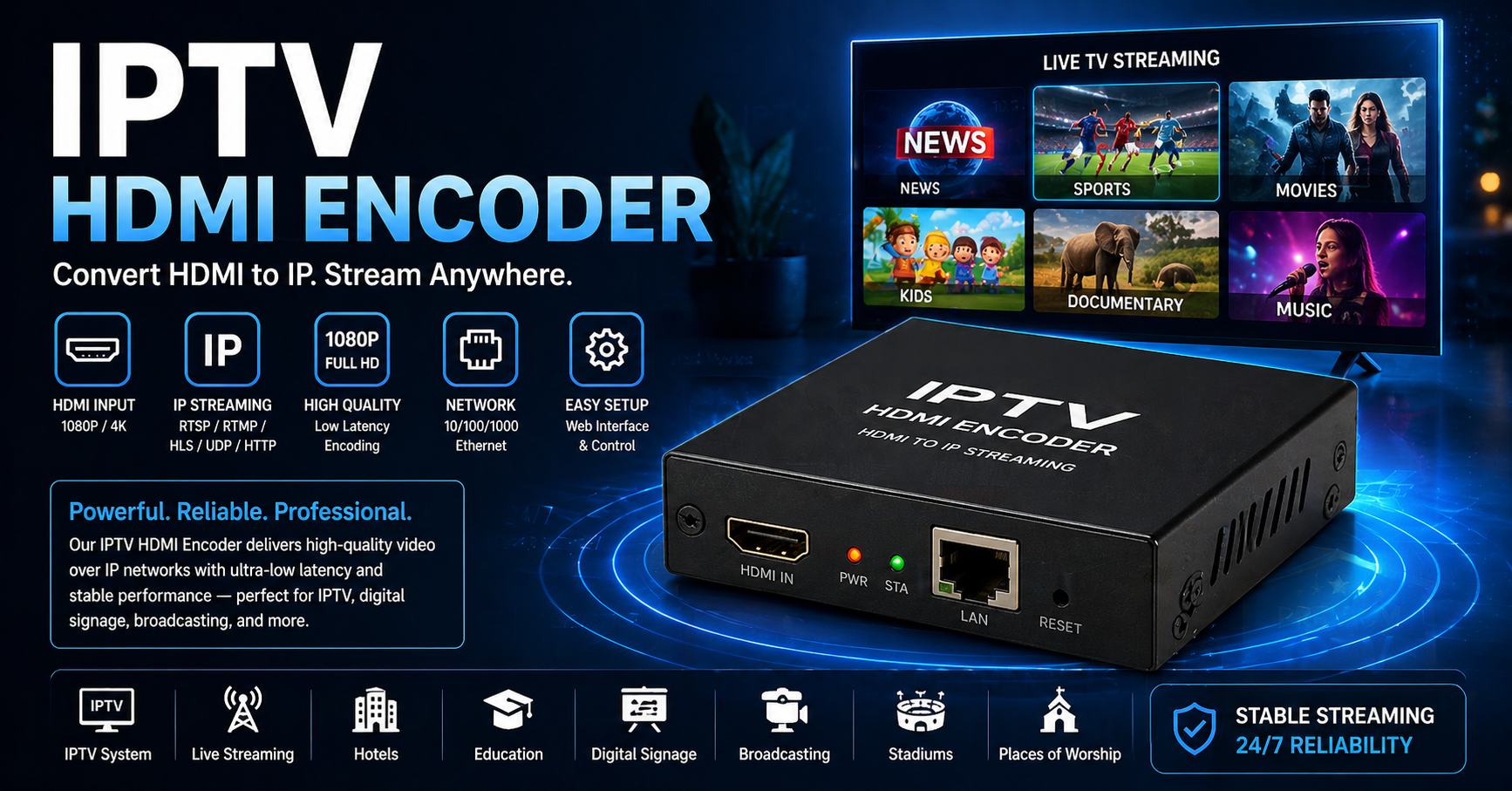
Strip away the marketing and an IPTV HDMI encoder does one thing: it takes an HDMI signal, from a camera, a satellite receiver, a media player, and converts it into an IP-based stream your panel can actually distribute. H.264 or H.265 output, delivered over RTMP, UDP, or HLS, depending on your stack.
Most beginners assume this is only relevant for broadcasters. That’s wrong. Resellers running local language channels, regional sports, or private feeds for hospitality clients use an IPTV HDMI encoder constantly. The moment you’re pulling from a physical source rather than a licensed feed, you need one.
The key specs to care about: bitrate stability under load, so look for CBR output, not VBR. Latency profile, ideally sub-3-second glass-to-glass for live sports. H.265 support if your server infrastructure can handle the decode load. Dual-stream output for redundancy, running main and backup simultaneously.
Hardware-based IPTV HDMI encoders will always outperform software solutions when you’re running 24/7 streams. USB encoder dongles will fail you. They always do.
Pro Tip: Never run a hospitality or commercial IPTV setup with a single-stream encoder output. A two-channel IPTV HDMI encoder feeding both your primary server and a cold backup uplink is the difference between a client who renews and one who calls you at 3am screaming.
Why Encoder Load Doesn’t Scale the Way Resellers Expect
Here’s something that took operators years to learn the hard way: encoding load is not linear. Doubling your subscriber count doesn’t double your encoder stress, it multiplies it, especially during concurrent peak events.
A mid-tier IPTV HDMI encoder running at 70% capacity during normal hours can hit thermal throttling within 12 minutes of a major live event. When that happens, frames drop. When frames drop, your IPTV Panel resellers raise tickets. When tickets pile up, panel credibility dies.
Load management for encoder setups: always benchmark your IPTV HDMI encoder at 90% of rated capacity before going live, since manufacturers’ specs are tested in lab conditions, not during a Champions League final. Deploy a secondary IPTV HDMI encoder as a warm standby, not cold, since switch time under 10 seconds is achievable with proper relay configuration. Monitor CPU/GPU temperature thresholds separately from network latency, since both can cause stream degradation but for entirely different reasons.
Cheap vs. Premium IPTV HDMI Encoder Infrastructure
| Feature | Budget encoder | Premium IPTV HDMI encoder |
|---|---|---|
| Output stability (24/7) | Drops after 6-8 hours | Stable for 30+ days continuous |
| Bitrate control | VBR only | CBR + adaptive |
| Redundancy output | Single stream | Dual simultaneous streams |
| H.265 support | Rarely | Standard |
| Remote management | None / basic | API + web dashboard |
| Failure rate (live events) | High | Low, hardware-grade thermal design |
| Reseller confidence | Low | High, uptime SLA-ready |
Running a £40 USB encoder into a professional reseller panel is like putting bicycle tyres on a delivery van. It’ll move, but it won’t deliver.
ISP Blocking and the IPTV HDMI Encoder’s Role in 2026
AI-driven ISP blocking has changed the threat landscape significantly. Deep packet inspection in 2026 is no longer targeting IP ranges the way it did in 2019, it’s analysing stream behavior, session fingerprints, and packet timing to identify IPTV traffic patterns.
Where does your IPTV HDMI encoder fit into this? More than most resellers realise. The encoder determines how your stream packets are structured at the source. A poorly configured IPTV HDMI encoder producing irregular packet intervals is easier to fingerprint than one outputting clean, consistent CBR streams.
Mitigation tactics worth implementing: configure your IPTV HDMI encoder to output HLS segments rather than raw RTMP where ISP detection is aggressive, since HLS traffic pattern resembles standard video-on-demand. Use backup uplink servers fed directly from the encoder’s secondary output, so if the primary path gets DNS poisoned, the backup keeps the stream alive. Rotate encoder stream endpoints periodically on reseller panels that have shown blocking activity.
Pro Tip: DNS poisoning is increasingly being used to redirect IPTV stream domains rather than block them outright. Your IPTV HDMI encoder’s output should always terminate at IP-addressed endpoints on your backup uplink, not just named domains. If DNS is poisoned, an IP endpoint survives.
The Overlooked Link Between Encoder Quality and Churn
This connection rarely gets discussed, reseller forums obsess over panel features and credit pricing, but almost nobody connects encoder quality to customer retention rates. The logic is direct.
When a customer experiences buffering, they don’t think “the encoder’s CBR output is fluctuating.” They think “this IPTV doesn’t work.” They leave. They churn. You lose the renewal.
A properly configured IPTV HDMI encoder, feeding a clean stream to your load-balanced server infrastructure, removes one of the most common causes of perceived service failure. The stream arrives consistent, the HLS latency stays predictable, and customers stop noticing the technology, which is exactly what you want.
For resellers operating at scale: audit your IPTV HDMI encoder output quality monthly, not just during setup. Track churn spikes against event calendars, since if customers leave after major live events, encoder load failure is a likely cause. Offer sub-resellers encoder-sourced private channels as a differentiation play, since not every UK IPTV reseller panel can provide locally-ingested content.
Moving From a Single Encoder to a Redundant Ingest System
Once you’re running more than 200 concurrent connections on privately ingested content, a single IPTV HDMI encoder is a liability. Not because the hardware can’t handle encoding, but because any single point of failure in a commercial operation is unacceptable.
A multi-node ingest approach works like this: the primary IPTV HDMI encoder handles live ingest and outputs to the main distribution server. A secondary IPTV HDMI encoder runs parallel output to a backup uplink server in a different data centre. The load balancing layer pulls from whichever server is responding fastest, transparent to the end user.
This architecture means a hardware failure, a thermal event, or even a targeted ban on one server doesn’t take down the entire subscriber base. The failover is automatic. The customer never knows it happened.
Scaling costs don’t have to be prohibitive either. A second hardware IPTV HDMI encoder in a different physical location is a one-time capital cost compared to the recurring revenue loss of a major outage during a high-viewership event.
Pro Tip: When sourcing a second IPTV HDMI encoder for redundancy, deliberately choose a different firmware version or manufacturer than your primary. Vendor-specific bugs or vulnerabilities that hit one unit are unlikely to hit both simultaneously.
Reseller Success Checklist: IPTV HDMI Encoder Edition
Before you go live with any encoder-sourced channel on your panel, run through this:
- Hardware encoder confirmed, no USB dongles, no software-only solutions for 24/7 streams
- CBR output configured, not VBR, to reduce ISP fingerprinting exposure
- Dual output active, primary to main server, secondary to backup uplink
- HLS segment delivery tested, especially for regions with aggressive deep packet inspection
- Thermal load tested at 90% capacity for minimum 4 hours before live event deployment
- Encoder stream endpoints set to IP addresses, not domain names, on backup paths
- Churn monitoring linked to encoder event logs, correlate drops with stream quality data
- Sub-reseller differentiation strategy confirmed, private ingest channels as a premium tier
Your IPTV HDMI encoder isn’t a peripheral. In any serious reseller operation, it’s infrastructure. Treat it like one.