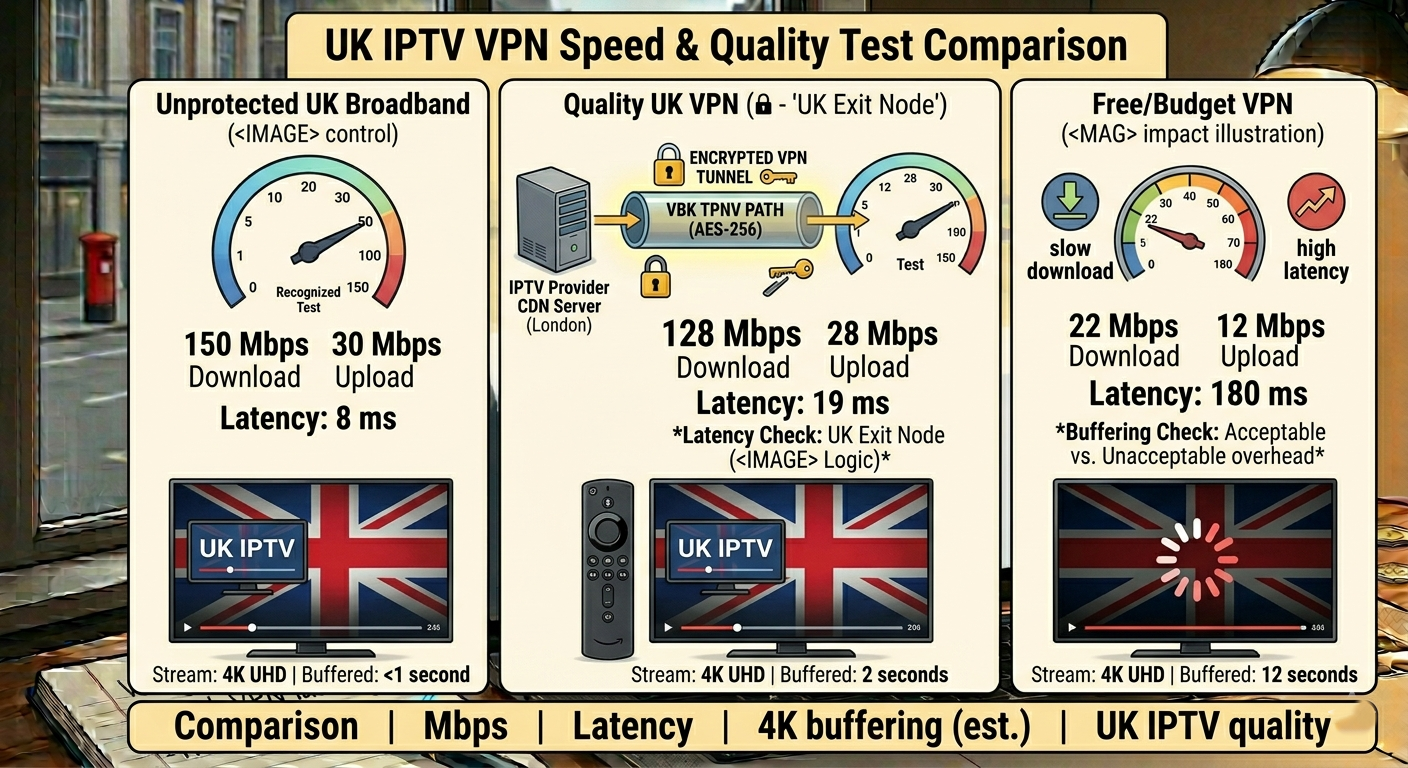
It was a Tuesday. No fixture, no event — just a routine weeknight. Then the support messages started. Buffering. Black screens. Connection refused errors. Within twenty minutes I had confirmed what I suspected: a major UK ISP had pushed a DNS poisoning update that afternoon, and every customer on that network using our standard delivery domain was now hitting a dead endpoint.
The customers who were protected — the ones I’d walked through setting up a reliable VPN for UK IPTV access — experienced nothing. Not a single dropout. The customers who weren’t protected generated forty-three support tickets in two hours. That evening crystallised something I now treat as operational doctrine: a VPN for UK IPTV isn’t a customer add-on. It’s a core component of a resilient delivery stack, and every serious reseller needs to understand exactly how and why it works.
Read More: IPTV Reseller Guide
Why a VPN for UK IPTV Has Become Non-Negotiable in 2026
In VPN for UK IPTV The enforcement landscape for streaming traffic in the UK has shifted dramatically. In 2026, AI-driven ISP traffic classification systems are no longer relying solely on domain blocklists. They are actively analysing packet signatures, connection timing patterns, and HLS stream metadata to identify and throttle non-licensed streaming activity in near real time.
What this means for your customers is simple: even if your panel domain is clean today, the traffic pattern it generates can trigger throttling at the ISP level regardless of whether the domain itself is flagged. This is called behavioural traffic shaping, and it’s the reason why resellers who were unaffected by DNS poisoning two years ago are now seeing buffer-bloat complaints from customers on major UK ISP connections.
A properly configured VPN for UK IPTV solves this by encapsulating the stream traffic inside an encrypted tunnel. From the ISP’s perspective, the connection looks like standard encrypted data transfer — not a streaming session. The AI classification system cannot profile what it cannot read. This is not a permanent arms-race solution, but in 2026 it remains the most practical and accessible protection layer available to retail customers without requiring them to reconfigure their home network at a technical level.
The Three VPN Configurations That Actually Work for UK IPTV Streaming
Pro Tip: Not all VPN protocols perform equally for live stream delivery. OpenVPN is stable but adds latency. WireGuard is the correct choice for IPTV in 2026 — lower overhead, faster handshake, and significantly better performance on FTTP connections where the bottleneck is latency, not bandwidth.
In VPN for UK IPTV There are three practical configurations resellers should be guiding their customers toward, depending on their device and technical comfort level:
- Router-level VPN — Protects every device on the home network simultaneously. Requires a VPN-compatible router (many ASUS and GL.iNet models support this natively). Best for customers with multiple IPTV devices or a MAG box that cannot run a VPN app directly.
- Device-level VPN app — Installed directly on an Android TV box or Fire Stick. Easiest for most customers to set up. Works well with TiviMate and IPTV Smarters Pro without additional configuration.
- STBEmu with VPN passthrough — For customers using STBEmu to emulate MAG box behaviour. The VPN runs on the device layer and the emulator connects through the encrypted tunnel transparently.
Each configuration protects against ISP-level DNS poisoning and behavioural traffic shaping. The router-level option provides the broadest protection but requires the most setup guidance from you as the reseller.
How VPN Selection Directly Impacts UK IPTV Stream Quality
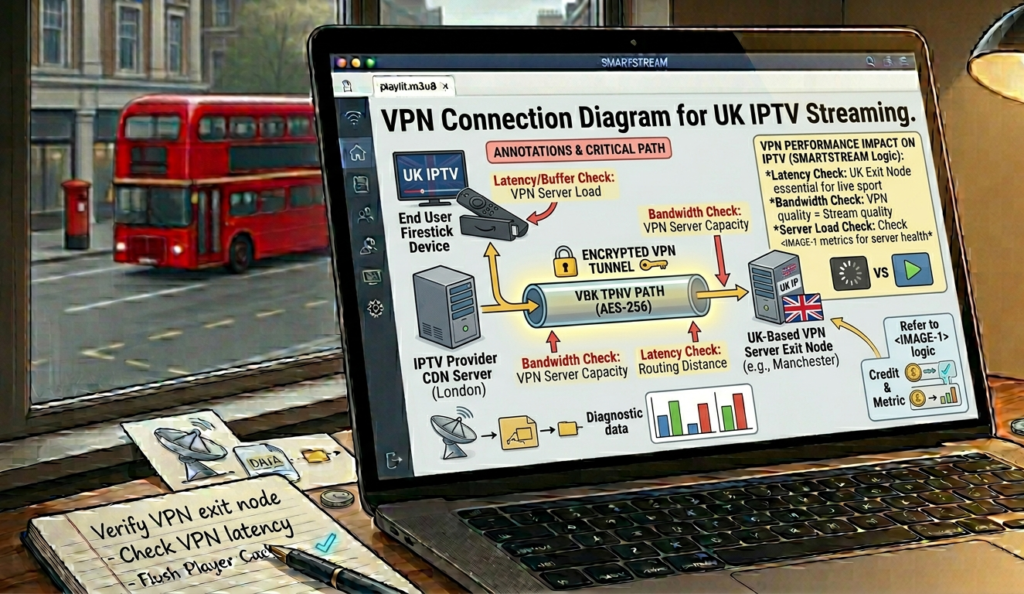
This is where most resellers give dangerously incomplete advice. They tell customers to “just use a VPN” without specifying that a poorly chosen VPN will introduce more buffering than it prevents. The wrong VPN creates a new problem while solving the ISP blocking issue.
VPN Impact on Stream Quality Formula:
EL=BL+VPNoh+RTTEL = BL + VPNoh + RTT
Where:
- EL = Effective Latency experienced by the customer
- BL = Baseline latency from panel to customer (without VPN)
- VPNoh = VPN protocol overhead (WireGuard ≈ 2–5ms, OpenVPN ≈ 15–40ms)
- RTT = Round-trip time to VPN server location
The practical implication: a UK customer connecting through a VPN server located in Germany adds RTT to every packet exchange. For VOD content this is largely invisible. For live HLS streams where segment requests happen every 2–10 seconds, accumulated latency causes visible buffering and segment-fetch failures. Always recommend VPN servers located within the UK for customers primarily watching live content.
Cheap VPN vs Premium VPN for UK IPTV: What the Infrastructure Actually Looks Like
| Feature | Cheap / Free VPN | Premium VPN (UK Server) |
|---|---|---|
| Server Location | Shared, often overseas | UK-based, dedicated capacity |
| Protocol Support | OpenVPN only | WireGuard + OpenVPN + IKEv2 |
| Speed During Peak | Severe throttling | Consistent throughput |
| DNS Leak Protection | Inconsistent | Built-in, verified |
| 4K HEVC Stream Support | Rarely stable | Stable with correct config |
| Kill Switch | Usually absent | Standard feature |
| IPTV Compatibility | Frequently blocked by VPN provider | Confirmed compatible |
In VPN for UK IPTV The kill switch column is worth pausing on. A VPN kill switch cuts the internet connection entirely if the VPN tunnel drops — preventing the customer’s device from falling back to an unprotected ISP connection mid-stream. Without it, a momentary VPN disconnect exposes the raw stream traffic to ISP inspection, which can trigger an immediate throttling response that persists for minutes after the VPN reconnects.
What Resellers Get Wrong About Recommending a VPN for UK IPTV
Pro Tip: Build a single-page VPN setup guide — device-specific, with screenshots — and deliver it automatically to every new subscriber. Resellers who do this report a 40–60% reduction in ISP-related support tickets within the first month. The support time you save pays for the guide creation within the first week.
The most common mistake I see resellers make is treating VPN guidance as optional documentation — something available on request rather than delivered proactively. The operational reality is that customers who struggle with ISP blocking and don’t understand why their stream keeps buffering will churn. They won’t diagnose the ISP throttling issue themselves. They’ll conclude your service doesn’t work.
In VPN for UK IPTV Your job as a reseller isn’t just selling lines. It’s engineering a reliable end-to-end experience for your customer — from the panel credit at your end to the picture quality on their screen. A VPN for UK IPTV is one of the most cost-effective tools available to close the gap between your infrastructure quality and your customer’s actual experience.
Platforms like Panels Prime are built around the understanding that reseller success depends on the entire delivery chain — not just the panel layer. Pairing a robust UK-optimised panel with proper customer-side VPN guidance is what separates operations that scale from operations that churn out.
FTTP Optimisation and VPN Performance: The 2026 Consideration
The mass rollout of FTTP — full fibre to the premises — across the UK has created an interesting dynamic for IPTV resellers. Customers on gigabit symmetrical connections no longer have bandwidth as a constraint. Their 4K HEVC streams are not failing because of download speed. They’re failing because of latency, packet reordering, and ISP-level traffic management — all of which a correctly configured VPN addresses directly.
The FTTP context also means that VPN overhead, which was a genuine concern on ADSL connections where every megabit counted, is now largely irrelevant. A customer on a 900Mbps FTTP line using WireGuard sees negligible throughput reduction. The VPN overhead that once justified avoiding VPN use for IPTV customers is no longer a valid objection in 2026 for the majority of the UK residential broadband market.
VPN for UK IPTV Reseller Success Checklist
Specify WireGuard protocol — when recommending VPN services to customers, always specify WireGuard over OpenVPN for live IPTV to minimise HLS latency impact
UK server location only — never recommend overseas VPN servers for customers primarily watching live UK content; RTT accumulation causes visible buffering
Build a device-specific setup guide — one guide per major device type (Fire Stick, Android Box, MAG/STBEmu) delivered automatically at onboarding
Verify kill switch is enabled — include kill switch confirmation in your onboarding checklist; a VPN without it offers incomplete protection
Test VPN compatibility before recommending — not all VPN providers permit IPTV traffic; confirm before directing customers to a specific service to avoid generating a new category of support tickets
Panels Prime provides reseller panel management software. It does not host, store, or distribute media content. Resellers are solely responsible for ensuring their operations comply with applicable laws and regulations.