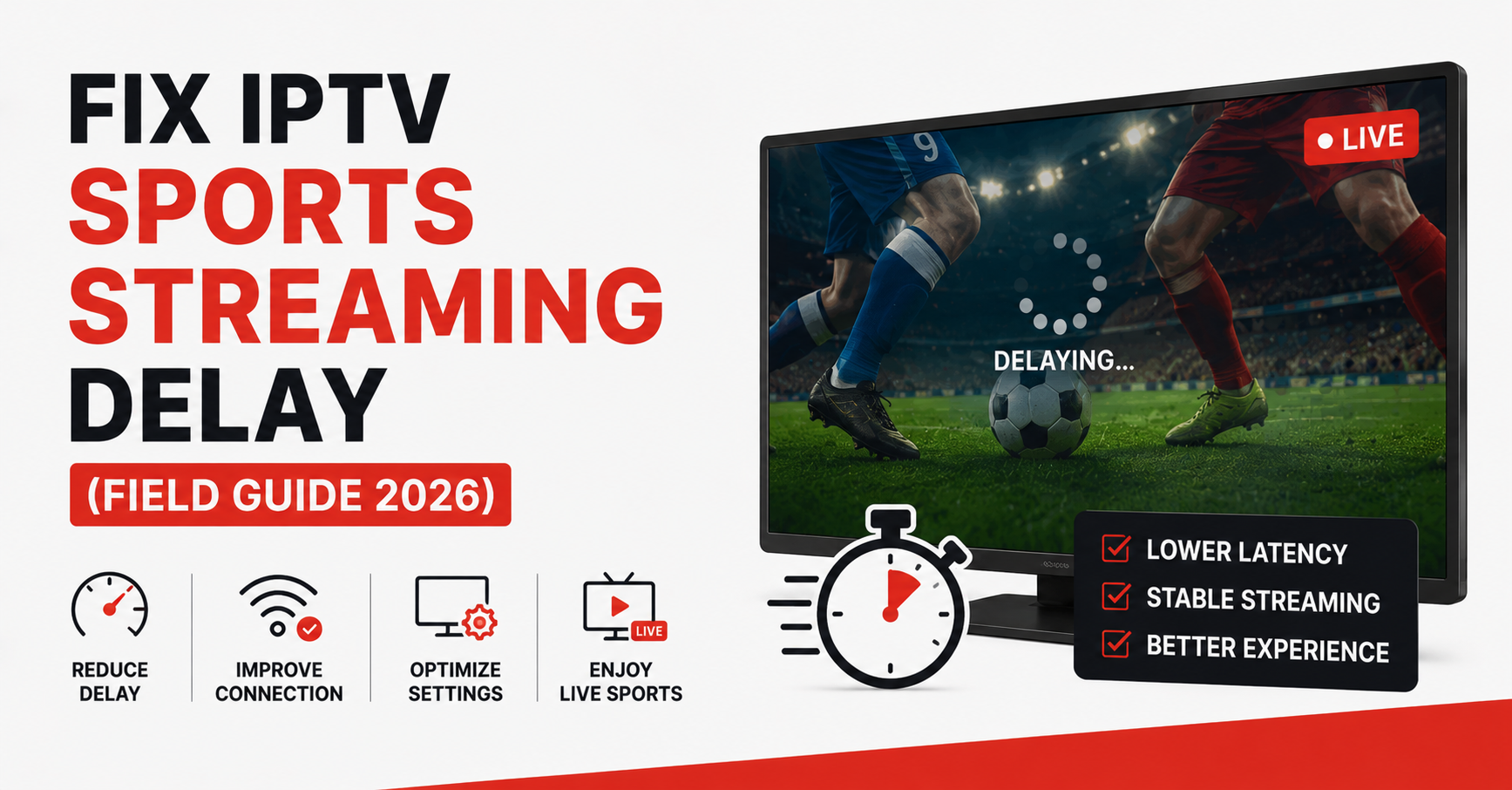
Your neighbour roars at a goal forty seconds before it reaches your screen. That gap is the single fastest way to lose a sports subscriber, and most people blame the wrong thing entirely.
The short version: in roughly eight out of ten cases we’ve diagnosed, the delay isn’t the IPTV source at all. It’s local buffer settings, an overloaded Wi-Fi path, or a player holding too many seconds of video before it plays. The genuine IPTV sports streaming delay fix is usually a three-minute settings change on the device, not a panic call to your provider. When the source is the problem, it shows a recognisable signature, and we’ll get to how you tell them apart.
So before you cancel anything or reflash a box, here’s the order of operations: shrink your player’s buffer, confirm you’re on a wired or 5GHz path, then test whether the lag survives a player swap. If it does, the fault sits upstream with routing or server load. That sequence solves most cases.
The rest of this is the why, the edge cases, and what IPTV resellers specifically need to watch during big matches.
What “Delay” Actually Means (Three Different Problems Wearing One Name)
People say “delay” and mean three unrelated things. Sorting which one you have is half the IPTV sports streaming delay fix.
There’s latency — your stream is clean but running thirty to ninety seconds behind real time. There’s buffering — the picture freezes, spins, then resumes. And there’s stutter — micro-freezes every few seconds even though the stream technically plays. Each has a different root cause, and the cure for one makes another worse if you guess.
| Symptom | What you see | Usual root cause |
|---|---|---|
| Latency | Behind the live score, otherwise smooth | Buffer depth, CDN distance, HLS segment length |
| Buffering | Spinning wheel, then resumes | Bandwidth dip, ISP throttling, weak Wi-Fi |
| Stutter | Repeated micro-freezes | Decoder overload, wrong codec, cheap box CPU |
Pro Tip: If your stream is smooth but late, never raise the buffer to “fix” it — you’ll fall further behind. Latency and buffering pull in opposite directions. Lowering buffer reduces lag but risks freezes on a weak line. You’re always trading one against the other.
The Buffer Setting Almost Nobody Adjusts
Most apps ship with a generous default buffer because it protects against shaky connections. The cost is delay. Every second the player pre-loads is a second you fall behind the actual broadcast.
In TiviMate, Smarters, and most serious players, the relevant control sits under playback or decoder settings, often labelled buffer size or timeshift buffer. Drop it in small steps and watch.
Here’s the field-tested sequence:
- Open playback settings and find buffer length.
- Reduce it by 25% from default.
- Play a live channel for two full minutes.
- If smooth, reduce another 25%; if it stutters, go back up one step.
- Lock in the lowest stable value.
We’ve watched this one adjustment cut perceived delay from forty seconds to under ten on the same connection and same stream. The source never changed. Only the local appetite for pre-loaded video did.
Why Your Wi-Fi Is Probably the Real Culprit
Sports streams are unforgiving because the bitrate spikes hard during fast motion — a packed penalty box generates far more data than a static studio shot. A connection that handles a film fine will choke on that spike.
A mistake we see constantly: someone runs a speed test, sees 80 Mbps, and rules out their network. But speed tests measure peak throughput, not consistency. Sports streaming needs a steady floor, not a high ceiling. A line that dips to 4 Mbps for half a second mid-attack will buffer at the worst possible moment.
Pro Tip: Test during the actual match, not at half-time. The congestion that breaks your stream only exists when everyone in your area is also watching. A 3 p.m. Saturday kickoff is a different network than a Tuesday afternoon, even on the same router.
Wired beats wireless every time for live sports. If you can’t run an Ethernet cable, move to 5GHz, sit closer to the router, and kill background downloads. Those three moves resolve a large share of “the IPTV is broken” complaints that were never about the IPTV.
How to Tell If the Fault Is Actually Upstream
Sometimes you’ve done everything right and the delay persists. Now you isolate the source. The test is simple: change one variable and see if the problem follows.
- Swap players (TiviMate to Smarters, or vice versa). Same delay on both? Not the app.
- Try a different channel from the same provider. One channel lags, others don’t? It’s that channel’s source feed, not you.
- Test on mobile data instead of home Wi-Fi. Delay vanishes? Your network or ISP is throttling.
- Watch at a quiet hour. Fine at midnight, broken at kickoff? Server load or congestion during peak.
If the delay survives a player swap, a channel swap, and a network swap, the problem is genuinely upstream — routing, CDN distance, or an overloaded server. At that point it’s the provider’s job, and a good one will have backup uplinks and failover that a cheap one won’t.
| Cheap IPTV Source | Professional IPTV Source |
|---|---|
| Single ingest point | Multiple geo-distributed sources |
| No failover during spikes | Automatic failover routing |
| Shared overloaded servers | Load-balanced capacity |
| Buffers hard on big matches | Holds steady under peak traffic |
| No monitoring | Active 24/7 monitoring |
What Resellers Get Wrong During Big Matches
This is where the subscriber problem becomes a business problem. An IPTV reseller can do everything right on infrastructure and still get buried in tickets during a Champions League night, because demand doesn’t arrive evenly — it arrives all at once, at kickoff.
After reviewing hundreds of support requests across reseller panels, the pattern is brutally consistent: complaints cluster in a fifteen-minute window around major kickoffs and then evaporate. The reseller panel looks fine an hour later, so the panel owner assumes it was a one-off. It wasn’t. It was a capacity ceiling that only reveals itself under sports-event traffic spikes.
Pro Tip: Don’t judge your IPTV reseller panel’s reliability on a Tuesday. Judge it on a derby weekend. The difference between a serviceable source and a professional one is invisible until ten thousand streams hit it simultaneously.
One reseller we worked with lost a chunk of his customer base over a single weekend because his upstream had no failover. When the primary source choked at kickoff, there was nothing to route to. Every subscriber and sub-reseller under him hit a wall at the same minute. The churn that followed cost him far more than redundant infrastructure ever would have.
What the Smart Reseller Does Instead
The resellers who survive peak traffic plan for it. A credit reseller managing a busy panel treats big-match weekends as load tests, not surprises.
- Confirm your IPTV reseller panel source has documented failover before sports season.
- Send subscribers a buffer-setting guide before the big match, not after the complaints.
- Stagger trial conversions away from major event dates so new users don’t judge you on the worst night.
- Keep a backup line ready to point sub-resellers at if the primary degrades.
A reseller panel that holds firm during a final earns retention that no discount can buy. That’s the whole game for an IPTV business owner — reliability when it’s hardest is what people actually pay for.
The 2026 Wrinkle: Throttling You Can’t See
Here’s something that’s changed. ISPs increasingly use traffic fingerprinting to identify and quietly slow streaming patterns, especially during predictable high-demand windows. It doesn’t show as an outage. It shows as inexplicable buffering that a speed test won’t explain, because the throttling targets the pattern, not your total bandwidth.
The practical IPTV sports streaming delay fix for this is a reputable VPN tested specifically during a live match. If a VPN clears the delay, you’ve confirmed throttling. If it makes no difference, the cause is elsewhere and you can stop wasting time on it. We’ve seen identical streams run flawlessly through a VPN and stutter without one on the same line, same evening — the only variable was whether the ISP could read the traffic.
Pro Tip: A VPN is a diagnostic tool first and a fix second. Use it to confirm throttling before you commit to running one permanently, since a poorly chosen VPN adds its own latency and can make a clean stream worse.
A Quick Word on Devices
Cheap streaming boxes are a hidden delay source nobody mentions. An underpowered CPU can’t decode a high-bitrate sports feed in real time, so it falls behind frame by frame even on a perfect connection. This shows as stutter that no buffer change touches.
If your delay is stutter-type, plays fine on a phone but breaks on the box, and survives every network test, the hardware is the bottleneck. A reasonable mid-range Android box or a recent Fire stick handles modern sports bitrates; a three-year-old bargain box often can’t. For UK IPTV resellers, recommending decent hardware up front quietly removes a whole category of support tickets. A reliable provider like British Reseller pairs stable infrastructure with that kind of practical setup guidance, which is what keeps subscribers from blaming the service for a device problem.
FAQ
What is the fastest IPTV sports streaming delay fix?
Lower your player’s buffer setting in small steps until the stream is stable but no longer lagging behind real time. This single change resolves most latency complaints in minutes, because oversized default buffers are the most common cause of streams running behind the live broadcast.
Why is my IPTV sports stream behind the actual game?
Your player is pre-loading too many seconds of video, or your stream is routing through a distant server. The IPTV sports streaming delay fix is to reduce buffer depth first, then test whether the lag follows you across different players and channels to isolate the true cause.
Does a VPN help with IPTV buffering during matches?
Sometimes. If your ISP throttles streaming during peak hours using traffic fingerprinting, a VPN can restore smooth playback. Test it during a live match: if buffering clears, throttling was the cause. If nothing changes, the problem lies with your device, network, or the stream source instead.
How can an IPTV reseller reduce delay complaints during big games?
Confirm your IPTV reseller panel source has real failover, send subscribers buffer-setting guides before major kickoffs, and treat big-match weekends as capacity tests. Most reseller panel complaints cluster in a short window around kickoff, so a reseller who plans for that spike sees far less churn.
Is the delay my provider’s fault or mine?
Run the isolation test. If the delay survives a player swap, a channel swap, and a network swap, the fault is upstream with the IPTV operator’s routing or server load. If changing any one of those fixes it, the issue is local to your setup.
Why does my IPTV only buffer during peak hours?
Either local network congestion when everyone in your area streams at once, hidden ISP throttling of streaming patterns, or an overloaded source server that can’t handle sports-event traffic spikes. Test on mobile data and at a quiet hour to separate which one applies to you.
Will a better streaming box fix stutter?
If the stutter persists across every network test and clears when you watch on a phone, yes — your box’s CPU likely can’t decode high-bitrate sports feeds in real time. A capable mid-range device handles modern sports streams that a cheap older box drops frame by frame.
Conclusion
The IPTV sports streaming delay fix almost always starts where people least expect it: their own buffer settings and Wi-Fi, not the provider. Sort the three types of delay apart, drop your buffer in measured steps, confirm a stable wired path, then run the isolation test before you blame anyone upstream. When the fault genuinely is the source, you’ll know — and that’s the moment infrastructure quality decides whether you stay or switch.
For resellers, the lesson is sharper. Peak-traffic reliability is the product. An IPTV reseller panel that holds firm during a final is worth more than any feature list, and the IPTV sports streaming delay fix you can hand subscribers before kickoff is one of the cheapest retention tools a credit reseller has.
Subscriber checklist
- Lower player buffer in 25% steps until stable.
- Switch to wired or 5GHz before kickoff.
- Test the stream during the match, not at half-time.
- Run the player/channel/network swap test before reporting a fault.
- Try a VPN to confirm or rule out ISP throttling.
Reseller checklist
- Verify upstream failover before sports season starts.
- Send subscribers a buffer-setting guide ahead of major events.
- Treat big-match weekends as scheduled load tests.
- Keep a backup line ready to redirect sub-resellers.
- Avoid scheduling trial conversions on major event dates.
Sub-reseller checklist
- Confirm which upstream source your credits route through.
- Pre-test your own streams during a peak window weekly.
- Forward buffer-setting guidance to your customers proactively.
- Flag recurring peak-hour complaints to your panel owner with timestamps.
The deepest lesson from years of outages and angry kickoff tickets is this: delay is rarely one big failure and usually a stack of small, fixable ones. Fix them in the right order — local first, source last — and you’ll solve in minutes what others spend whole seasons blaming on the wrong thing.