It was a Saturday afternoon — 2:58pm to be precise — and my phone was already buzzing. Not because clients were happy. Because three of them were getting the spinning buffering wheel instead of the match they’d been waiting all week for. The culprit? A bloated, poorly structured IPTV playlist that buckled the moment concurrent connections spiked. I lost two customers that weekend. Learned an expensive lesson about playlist architecture that I won’t forget.
If you’re running an IPTV reseller operation in the UK and you haven’t thought seriously about how your playlist is built, delivered, and maintained — this article is the one you need right now.
Table of Contents
- What Is an IPTV Playlist and Why Does It Matter to Resellers?
- M3U vs Xtream Codes: Which Format Should You Be Using?
- How a Bad Playlist Structure Destroys Customer Retention
- Technical Essentials: EPG, VOD, and Stream Organisation
- The Playlist Delivery Methods Your Provider Should Offer
- How to Test and Audit Your Playlist Before It Goes Live
- UK-Specific Considerations Every Reseller Must Address
- Choosing a Panel That Handles Playlists Properly
- IPTV Reseller Success Checklist
What Is an IPTV Playlist and Why Does It Matter to Resellers?
An IPTV playlist is the backbone of every subscription you sell. It’s the file or URL that tells your customer’s device — whether that’s a MAG box, Firestick, Android box, or STBEmu — what streams exist, where they live, and how to access them.
In my experience, most new resellers treat the playlist as an afterthought. They get their panel credentials, copy the M3U link, paste it into their customer’s app, and call it a day. That works — until it doesn’t. And when it doesn’t, you’re the one fielding the angry messages at midnight.
The playlist is your product. The streams behind it are the infrastructure. Both have to work in harmony or your churn rate will embarrass you.
Pro Tip: Never hand a raw M3U link directly to customers without testing it yourself first across at least two different devices and apps. What loads fine on IPTV Smarters Pro may behave completely differently on TiviMate.
M3U vs Xtream Codes: Which Format Should You Be Using?
This is the question every UK reseller eventually asks, and the honest answer is: it depends on your setup, but Xtream Codes is almost always the better long-term choice.
M3U playlists are static files (or dynamically generated URLs) that list every stream in plain text. They’re universally compatible — practically every IPTV app supports them. The downside is they can be easily extracted, shared, and abused. One customer shares that URL and suddenly you’ve got ten unauthorised streams running off your credits.
Xtream Codes API ties the playlist to authenticated credentials — a username, password, and server URL. The device must authenticate before accessing any stream. This gives you far greater control, enables concurrent connection limits, and integrates natively with your reseller panel’s User Management system.
Revenue Loss Risk=Shared M3U URLs×Avg Subscribers per LeakTotal Paying Customers×100%\text{Revenue Loss Risk} = \frac{\text{Shared M3U URLs} \times \text{Avg Subscribers per Leak}}{\text{Total Paying Customers}} \times 100\%
I’ve seen resellers lose 30–40% of potential revenue simply because they distributed M3U links without any access controls. If your panel supports Xtream Codes — and any decent one does — use it as your primary delivery method.
How a Bad Playlist Structure Destroys Customer Retention
Here’s something providers don’t advertise: a poorly organised playlist is one of the top three reasons customers cancel within the first month.
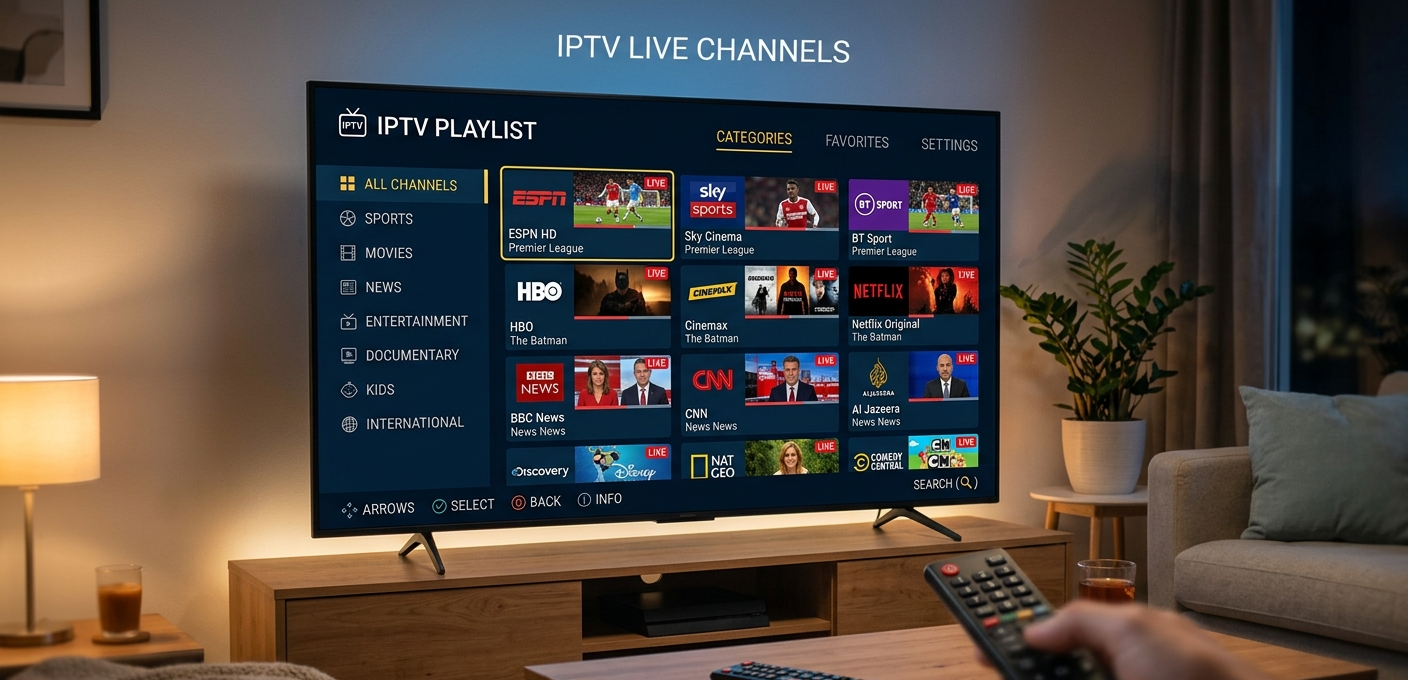
Think about your customer’s experience. They load up TiviMate, open the channel list, and they’re greeted with 20,000 channels dumped in no particular order. No categories. Duplicate entries. Channels labelled in four different languages. EPG data missing for half the UK content.
That’s not a service. That’s a mess.
Good playlist structure means:
- Logical category grouping (Sports, Entertainment, News, International)
- UK-focused content near the top for a UK audience
- Clean, consistent channel naming conventions
- Accurate EPG mapped to every channel where possible
- VOD library organised by genre, not just dumped alphabetically
Pro Tip: Ask your provider for a playlist preview before committing to a package. Load it in TiviMate and scroll through the category structure. If it looks chaotic on your device, it’ll look chaotic for your customers — and they’ll blame you, not the provider.
Technical Essentials: EPG, VOD, and Stream Organisation
EPG — the Electronic Programme Guide — is what separates a professional IPTV service from a pirate stream cobbled together in someone’s basement. For UK customers especially, EPG accuracy matters enormously.
Your playlist needs to reference a reliable EPG source. This is usually delivered via an XMLTV URL that your panel generates or that your provider supplies separately. The EPG data populates the programme guide your customers see in TiviMate or Smarters Pro — showing them what’s on now, what’s coming next, and giving them the ability to set reminders.
VOD organisation follows the same principle. A well-structured VOD library with proper metadata — thumbnail images, descriptions, year of release — dramatically increases the perceived value of your service. Customers who engage with VOD churn at a significantly lower rate than those who only use live TV.
The Playlist Delivery Methods Your Provider Should Offer
A competent provider should offer you at minimum:
1. Xtream Codes API access — for app-based authentication and panel integration.
2. M3U URL with token expiry — for customers on devices that don’t support Xtream Codes, with links that regenerate periodically to prevent sharing.
3. MAG/STBEmu portal URL — for set-top box customers who authenticate via device MAC address rather than username/password.
4. Dedicated EPG URL — separate XMLTV feed that updates at least every 24 hours.
If your current provider can’t offer all four, you’re working with a limited infrastructure that will cost you customers as your reseller base grows.
Pro Tip: Always keep a backup M3U export of your customer’s playlist details in your own records. If your provider goes offline — and eventually, some do — you need to be able to migrate your customers to a new panel quickly without losing their subscription data.
How to Test and Audit Your Playlist Before It Goes Live
This is the step most resellers skip entirely, and it’s the one that causes the most preventable support tickets.
Before you onboard any new customer, run through this checklist on the playlist:
- Load it in at least two apps (TiviMate and IPTV Smarters Pro minimum)
- Confirm EPG is populating correctly
- Test stream stability during a peak period (Saturday afternoon, not Tuesday morning)
- Check concurrent connection behaviour — open the same stream on two devices simultaneously and confirm the second connection either works or gets a clean error, not a crash
- Verify VOD loads and plays without stuttering on a standard UK broadband connection
Buffering Risk Score=Stream Bitrate (Mbps)Available CDN Bandwidth per User×Concurrent Load Factor\text{Buffering Risk Score} = \frac{\text{Stream Bitrate (Mbps)}}{\text{Available CDN Bandwidth per User}} \times \text{Concurrent Load Factor}
If that score is above 0.85 during a peak test, you’ve got buffering problems waiting to happen.
UK-Specific Considerations Every Reseller Must Address
The UK market has quirks that no generic IPTV guide will tell you about.
The 3pm Saturday blackout is the obvious one — certain football fixtures aren’t broadcast live in the UK under established media rights arrangements, and UK-based customers will notice and ask questions if the playlist handles this differently to their expectations.
Premier League match days are your peak stress test. A playlist and server infrastructure that performs flawlessly on a Tuesday evening can fall apart on a Saturday at 12:30pm when every customer is watching simultaneously. Your provider needs genuine UK-optimised CDN nodes with anti-freeze/failover technology to handle this load.
British customers also tend to be more vocal about poor service than customers in other markets. They’ll leave reviews, they’ll ask for refunds, and they’ll tell their mates. One bad match-day experience can cost you five referrals that never happen.
Pro Tip: Ask any provider specifically whether their CDN has UK-based nodes or whether they’re routing UK traffic through European servers. European routing adds latency and increases buffering risk during peak demand. UK-optimised infrastructure isn’t optional for this market — it’s essential.
Choosing a Panel That Handles Playlists Properly
Your reseller panel is where playlist management actually lives. From the User Management tab, you should be able to generate customer credentials, assign connection limits, view active sessions, and — critically — see which streams are being accessed and when.
A panel without proper playlist management tools isn’t a professional operation. You need the ability to reset credentials instantly, adjust bouquets (channel packages) without regenerating the entire playlist, and monitor stream health in real time.
The platform I consistently recommend to UK resellers for this level of control is britishseller.co.uk. In my experience working with various panels, it offers the infrastructure reliability and UK-focused support that actually holds up on a Saturday afternoon when it counts. It’s not a flashy sales pitch — it’s what I’d recommend to a fellow reseller who doesn’t want to spend their weekends firefighting customer complaints.
✅ IPTV Reseller Success Checklist
1. Use Xtream Codes as your primary delivery format — not raw M3U links. Protect your streams and control your concurrent connections properly.
2. Audit every playlist before it reaches a customer — test on multiple apps and devices, verify EPG, check VOD. Five minutes of testing saves hours of support.
3. Confirm UK-based CDN infrastructure with your provider — ask directly. European routing is not good enough for Premier League match days.
4. Keep your playlist organised and customer-facing — clean category structure, accurate channel naming, and mapped EPG are what separate professional resellers from amateurs.
5. Have a migration plan ready — know how to export your customer data and move to a backup provider if your primary goes down. In this industry, it’s not if — it’s when.