Watch Every FIFA World Cup 2026 on IPTV Without Buffering, Blackouts, or Missed Kick-Offs
Let’s get straight to it. The 2026 FIFA World Cup is the biggest sporting event in history by sheer volume of content. 104 matches. Three host countries. Matches running simultaneously across different time zones. And if you want to watch every FIFA World Cup 2026 on IPTV, you are not just dealing with a streaming question. You are dealing with an infrastructure question.
The short answer: yes, IPTV can handle it. The longer answer: only if the service behind it is built to handle simultaneous peak load across dozens of concurrent live streams. Most casual subscribers never think about that until the knockout stage quarterfinals kick off and their screen freezes at minute 90.
Why 104 Matches Changes Everything for IPTV Delivery
The 2026 World Cup runs across 16 cities in the USA, Canada, and Mexico. Group stage matches will overlap. Evening fixtures in one region run against midday games in another. For anyone planning to watch every FIFA World Cup 2026 on IPTV, this creates a real demand problem that most streaming services quietly struggle with.
At peak group stage days, you could have four or five matches running simultaneously across different channels. Every active subscriber is pulling a live HLS stream at the same moment. Servers that cruise through a normal Premier League weekend hit serious strain under that kind of concurrent load.
We have seen IPTV infrastructure that handled 10,000 concurrent connections on a normal day drop to catastrophic failure during the 2018 World Cup final because the operator had not stress tested beyond their average daily peak. The lesson was expensive.
Pro Tip: Before committing to any IPTV service for the World Cup, ask specifically whether their infrastructure has been load tested for concurrent live sports events. A provider who cannot answer that question confidently is one worth avoiding.
The Device Question Nobody Asks Until It Is Too Late
Most people assume their current setup will work fine. Often it does not.
IPTV stream quality during high-demand sports events depends heavily on the device decoding the feed. Here is what actually matters:
Hardware decoder support for H.264 and H.265 streams
Available RAM for buffer management during live sports
Network adapter stability on sustained connections
App-level reconnection logic when streams temporarily drop
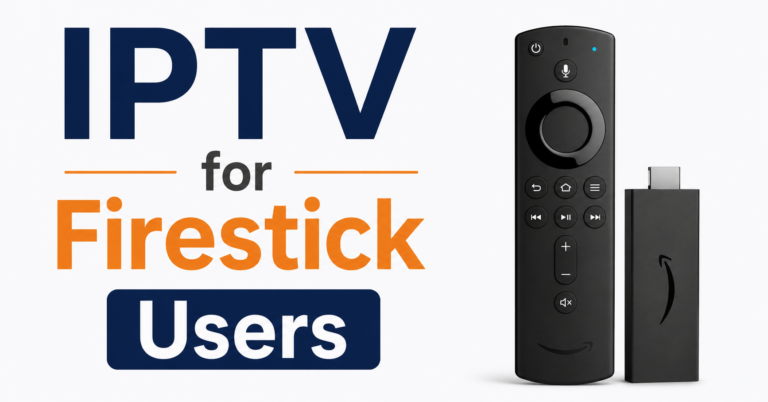
Firestick 4K and Firestick 4K Max handle concurrent HLS streams far better than older Firestick Lite or first-generation models. Android TV boxes with Amlogic S905X4 or S922X chips provide hardware decoding that reduces CPU strain significantly during 60fps sports broadcasts.
If you are planning to watch every FIFA World Cup 2026 on IPTV on an ageing device, that device is probably the weakest link in your setup, not the IPTV service itself.
What ISP Throttling Actually Looks Like During Major Tournaments
This is the part nobody tells subscribers upfront. During previous World Cups, multiple ISPs in the UK, Australia, Canada, and the USA implemented traffic shaping specifically targeting UDP and HLS traffic on ports commonly associated with IPTV delivery. The result for the end user was not a clean outage. It was gradual degradation. Streams would start buffering after 20 to 30 minutes. Picture quality would drop mid-match. Audio would desync.
The subscribers who were unaffected typically had one of two things in place: a quality VPN with split tunneling configured to route IPTV traffic through an alternative path, or an IPTV service using a CDN with adaptive bitrate delivery across multiple geographic nodes.
If you are based in the UK and want to watch every FIFA World Cup 2026 on IPTV without hitting ISP interference, this is not a paranoid concern. It is a practical one. Services like britishseller.co.uk have dealt with ISP-level disruption during major sports events and understand how infrastructure needs to be positioned to stay stable.
| Standard IPTV Delivery | CDN-Backed IPTV Delivery |
|---|---|
| Single origin server | Multiple edge nodes globally |
| Fixed bitrate streams | Adaptive bitrate adjustment |
| No ISP mitigation | Partial traffic obfuscation |
| Degrades under load | Maintains quality under load |
| No geographic failover | Automatic geo-routing |
| Manual channel recovery | Automated stream recovery |
How DNS Poisoning Quietly Kills World Cup Streams
During major football tournaments, DNS-level attacks on IPTV infrastructure spike significantly. This is not speculation. It is an observed pattern going back to the 2018 and 2022 World Cups.
What happens is straightforward. The domain resolving your IPTV panel or EPG gets poisoned, which means the DNS response points your device to a dead or incorrect IP address. Your app opens. It appears connected. But streams fail silently because the channel URLs cannot resolve properly.
The fix is not complicated, but it requires knowing the problem exists. Switching your device DNS to a reliable public resolver like Cloudflare’s 1.1.1.1 or Google’s 8.8.8.8 often resolves the issue instantly. Operators who provide their service through direct IP delivery rather than domain-based resolution are immune to this attack vector entirely.
Pro Tip: If streams fail on matchday but your IPTV app shows connected, check DNS first before assuming the service is down. It takes 30 seconds and resolves a large percentage of reported outage tickets during major events.
The Group Stage Window Most Subscribers Underestimate
Group stage football creates a deceptively dangerous window for IPTV stability. Between June 11 and July 2, there will be days with three or four simultaneous matches. Subscriber demand does not scale evenly across that window either. Opening day fixtures involving the USA, England, and other high-viewing nations generate disproportionate traffic spikes.
If you plan to watch every FIFA World Cup 2026 on IPTV from the group stage through the final, the infrastructure pressure is not just on final day. The sustained daily load across three weeks of overlapping fixtures is what separates reliable IPTV services from the ones that quietly degrade and never recover.
After reviewing patterns from the 2022 World Cup in Qatar, one of the clearest signals of a service about to fail was consistent buffering on any stream after the 15-minute mark of a live match. That specific pattern pointed to insufficient CDN cache replenishment cycles rather than bandwidth caps. A small but telling infrastructure signal.
Reseller Considerations: Managing Subscriber Demand During the Tournament
For anyone operating an IPTV reseller panel through the World Cup cycle, this tournament represents the highest-risk and highest-opportunity window of the year. Panel owners managing active subscriber bases need to approach June and July 2026 with a different operational mindset than normal months.
A reseller panel carrying 200 active subscribers on a normal week might see 70 to 80 percent of those subscribers simultaneously active during a major group stage fixture. That is a different server load profile entirely. IPTV resellers who have not communicated infrastructure capacity to their upstream provider before peak tournament windows have historically been the first to experience degraded service complaints.
The IPTV reseller business during a World Cup also brings a natural spike in trial requests. New subscribers who would not normally consider IPTV find the cost-per-match comparison compelling against pay-per-view alternatives. Resellers who have a streamlined trial-to-subscription conversion process in place capture a significant portion of that seasonal demand. Those who treat trials as an afterthought typically convert fewer than 10 percent of World Cup trial users.
Pro Tip: If you run an IPTV reseller panel, temporarily reduce your trial period during the group stage. Users who sign up purely for free World Cup access rarely convert. A 24-hour trial window captures genuine interest without bleeding panel credits on non-converting users.
Sub-resellers face a compounded version of this challenge. If you are distributing credits from a reseller IPTV panel while managing your own subscriber base, your exposure to upstream infrastructure failures is higher because you have less direct control over the service chain. Maintaining clear communication with your panel provider about expected concurrent usage before peak fixtures is not optional during a tournament of this scale.
What Good World Cup IPTV Coverage Actually Looks Like
Beyond infrastructure stability, the actual channel lineup matters. To properly watch every FIFA World Cup 2026 on IPTV, you need access to the broadcasters that hold rights in your country.
For UK viewers: ITV and BBC hold free-to-air rights for a significant number of matches. A quality IPTV service should carry both in HD.
For USA viewers: Fox Sports and Telemundo hold primary rights. Spanish-language coverage of matches involving Latin American nations attracts enormous concurrent viewership.
For Australian viewers: SBS holds free-to-air rights and has historically broadcast every match.
For Canadian viewers: TSN, CTV, and RDS carry coverage across English and French-language audiences.
An IPTV service claiming to carry all World Cup coverage but missing regional broadcaster feeds is not delivering what it promises. Always confirm specific channel availability before the tournament, not during it.
The Backup Plan Serious Subscribers Use
Even on the best IPTV infrastructure, single points of failure exist. Every experienced subscriber running IPTV through major tournaments should have at least one fallback option configured and tested before the tournament begins.
A secondary IPTV playlist, even from a different provider at a lower price tier, sitting ready in a backup player app has saved countless knockout stage experiences. The time to discover that a backup service does not work is not at minute 88 of a World Cup semifinal.
Keep a tested free-to-air option available too. If you are in the UK, the BBC and ITV apps provide legitimate streaming alternatives. If your IPTV service fails during a match that is broadcast free-to-air in your country, do not struggle with troubleshooting during live action.
Connectivity Checks Before Every Match
Before every significant fixture, run through this sequence:
Run a speed test. Confirm you have at least 25 Mbps available for 1080p sports streams
Restart your router if it has been running for more than 48 hours without a cycle
Close unnecessary apps and background processes on your streaming device
Confirm DNS is set to a reliable resolver on your device or router
Open your IPTV app and manually refresh the EPG or channel list
Test your target channel at least 30 minutes before kick-off
That last point matters more than most subscribers realize. Channels occasionally shift stream URLs between matches during large tournaments. Discovering that issue 30 minutes before kick-off gives you recovery time. Discovering it at kick-off does not.
FAQ
Can I watch every FIFA World Cup 2026 on IPTV in 4K?
Some IPTV providers will offer 4K streams for select high-profile matches, but availability is inconsistent across the industry. Most reliable World Cup coverage is delivered in 1080p HD. Genuine 4K requires both the IPTV service to source a 4K feed and your device and screen to support it. Do not expect 4K as a default. Confirm availability with your provider before the tournament starts.
How many matches are in the FIFA World Cup 2026 and can I watch them all on IPTV?
The 2026 World Cup features 104 matches across the expanded 48-team format. Whether you can watch every FIFA World Cup 2026 on IPTV depends entirely on the channel lineup your service carries and the regional broadcast rights covered. Confirm your provider carries all major rights-holding broadcasters for your country before committing.
Will ISP throttling affect my IPTV during the World Cup?
It is a real risk, particularly during peak simultaneous fixtures. ISPs in several countries have implemented traffic shaping during previous major tournaments. Using a trusted VPN with IPTV-compatible settings can help. Alternatively, IPTV services using CDN delivery with adaptive bitrate are more resistant to throttling than single-origin stream setups.
What device works best to watch every FIFA World Cup 2026 on IPTV?
Firestick 4K Max, Android TV boxes with modern Amlogic chipsets, and Nvidia Shield provide the most stable hardware decoding for live sports streams. Avoid using older budget streaming sticks for simultaneous high-bitrate sport streams. A wired Ethernet connection rather than Wi-Fi will reduce buffering risk significantly during peak match times.
What should an IPTV reseller prepare before the World Cup?
Any IPTV reseller panel owner should confirm their upstream provider’s server capacity for concurrent peak usage, communicate expected subscriber load to their provider in advance, have a support response plan for matchday queries, and avoid over-issuing trial credits during the group stage. The World Cup is a growth window but only if your infrastructure holds and your conversion funnel is ready.
Is there a risk of IPTV services going down during World Cup finals?
Yes. High-profile final matches have historically caused the highest concurrent load events in IPTV infrastructure. Services without multi-server load balancing or geographic failover are genuinely at risk. Research your provider’s reliability record during major live sports events before relying on them for the final.
How does DNS poisoning affect IPTV during the World Cup?
DNS poisoning redirects your device away from the correct server addresses, causing silent stream failures even when your IPTV app appears connected. During major tournaments, DNS attacks on IPTV infrastructure increase significantly. Setting your device DNS to 1.1.1.1 or 8.8.8.8 provides basic protection. Providers using direct IP delivery are inherently more resistant.
Can sub-resellers watch every FIFA World Cup 2026 on IPTV on the same panel they sell from?
Most IPTV reseller panel setups allow panel owners and sub-resellers to use the same service they sell. However, the practical risk is that during peak World Cup load, if your upstream panel experiences instability, your personal viewing is affected alongside your subscribers. Having a secondary subscription from a different provider as a personal backup is standard practice among experienced sub-resellers.
Success Checklist
For Subscribers
Confirm your IPTV service carries all regional broadcasters for your country before the tournament
Test your target channels at least one week before opening day, not on opening day
Set device DNS to 1.1.1.1 or 8.8.8.8
Use a wired Ethernet connection rather than Wi-Fi for match streams
Configure a backup IPTV source or free-to-air app before the group stage begins
Restart your router and streaming device before every significant fixture
Test streams 30 minutes before kick-off, not at kick-off
For Resellers
Contact your upstream IPTV reseller panel provider to confirm server capacity before peak tournament windows
Reduce trial credit allocation during the group stage to avoid non-converting trial drain
Prepare a simple matchday support response template for common subscriber issues
Monitor panel credit consumption during simultaneous fixture days
Avoid signing new sub-resellers immediately before high-load tournament periods without confirming their expected usage volumes
For Sub-Resellers
Communicate your expected concurrent subscriber load to your panel owner before group stage begins
Maintain a secondary IPTV subscription from a separate source as a personal viewing backup
Do not promise subscribers guaranteed uptime during peak World Cup fixtures without upstream confirmation
Keep a matchday troubleshooting checklist ready to reduce support response time during live events
Review your current panel credit balance and replenish before the knockout stage begins
Conclusion
If you are serious about watching every FIFA World Cup 2026 on IPTV across all 104 matches, the preparation you do before opening day matters far more than anything you can troubleshoot during a live match. The tournament exposes infrastructure weaknesses that never surface during regular football weekends. For subscribers, the checklist above is your protection against a ruined knockout stage evening. For IPTV resellers and sub-resellers operating under a reseller panel, the World Cup is simultaneously your biggest growth opportunity and your highest operational risk window.
Reliable IPTV services like britishseller.co.uk understand the infrastructure demands that tournament football places on streaming delivery and are worth considering for subscribers who need consistent coverage across the full tournament cycle.
A Final Thought
The most common mistake made by both subscribers and resellers during a World Cup is assuming the service that worked fine last season will automatically handle this. It may. It may not. The services that hold up in July 2026 will be the ones where someone, somewhere, ran the load tests and asked the hard infrastructure questions back in January. If that conversation has not happened on your end yet, now is the right time to start it.