Smart IPTV Subscribers: Why the Least Technical Customers Are Your Most Valuable Ones
Smart TV subscribers running the Smart IPTV app on Samsung or LG televisions cost more to onboard than tech-savvy customers on Xtream Codes or M3U, but they churn at roughly half the rate and deliver noticeably more lifetime value. The reason is simple: once a Smart IPTV subscription is set up correctly, it’s tied to the TV’s MAC address rather than credentials, which makes it stable, hard to share, and something older, less technical households rarely go looking to replace. The UK IPTV Panel reseller who treats this setup as a support cost skips one of the most reliable, most referral-active segments in the UK market.
The support message arrived at 9:47pm on a Sunday. A subscriber, retired, not particularly technical, watching on a Samsung smart TV, couldn’t get his streams working after a software update had reset his Smart IPTV app settings. He’d tried reinstalling it. He’d tried rebooting the TV. He’d tried calling his son, who told him to “just Google it,” which, predictably, hadn’t helped.
Twenty minutes later, after walking him through the MAC address registration process step by step over WhatsApp, his streams were back. He sent me a voice note of genuine relief. Two days later, he referred his neighbour.
That interaction taught me something that resellers who dismiss smart TV support as a nuisance are missing entirely: the Smart IPTV subscriber demographic, older, less technically confident, genuinely dependent on the service for their daily viewing, is also one of the most loyal and most referral-active subscriber segments in the British market. Serve them well and they stay for years. Let them struggle and they’re gone, and they’ll tell everyone they know why.
Smart IPTV as a platform, a subscriber category, and a reseller opportunity deserves a proper treatment. Here it is.
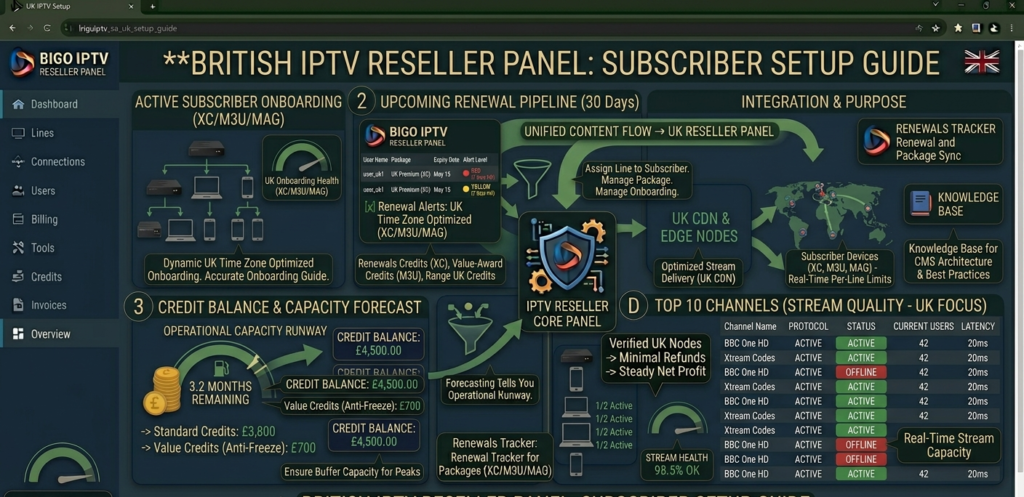
Smart IPTV app interface on Samsung smart TV showing channel list, EPG guide, and VOD library for UK IPTV subscription, reseller setup guide
What Smart IPTV Actually Is, and What It Isn’t
Let me be precise about this because the term gets conflated with several different things in reseller conversations, and the confusion creates real operational problems.
Smart IPTV, capitalised, as a proper noun, is a specific application available on Samsung and LG smart televisions that enables IPTV streaming directly through the TV’s native operating system without any additional hardware. It’s one of several apps in this category, but it’s the one most commonly encountered in UK reseller support conversations, primarily because Samsung televisions dominate the UK smart TV market.
When resellers talk about “smart IPTV” more generally, lowercase, as a concept, they typically mean any IPTV delivery method that works natively on a smart TV without requiring an external device like a Fire TV stick, MAG box, or Android TV box. This broader category includes the Smart IPTV app on Samsung and LG, but also native IPTV apps on other smart TV platforms.
The distinction matters operationally. A subscriber who says “I’ve got a smart TV” might mean a Samsung with the Smart IPTV app, an LG with a different player, an Android TV with TiviMate, or a Fire TV Edition television running an entirely different ecosystem. Each requires a different setup approach and has different troubleshooting paths.
For the purposes of this guide, I’ll primarily address the Smart IPTV application specifically, since that’s what the majority of UK reseller support conversations are about, while keeping the broader smart TV context in view throughout.
The Smart IPTV app works through a MAC address registration system rather than Xtream Codes credentials or M3U playlist URLs. This is the fundamental technical distinction that separates it from most other IPTV delivery methods and creates specific reseller management requirements.
Pro Tip: When a new subscriber tells you they want to use their smart TV, ask immediately which brand and model before assuming they mean the Smart IPTV app. Samsung and LG with Tizen and WebOS operating systems support Smart IPTV. Sony TVs with Google TV, Hisense TVs with VIDAA, and Panasonic sets all require different approaches. Getting the device identification right at the start of onboarding saves everyone time and avoids the frustration of walking a subscriber through a setup process that doesn’t apply to their hardware.
Why Smart TV Subscribers Matter for UK Resellers
The smart TV subscriber demographic is one of the most underserved and undervalued segments in the British IPTV reseller market, and that gap represents genuine opportunity for resellers willing to invest in serving it properly.
British smart TV ownership is substantial and skewed toward the demographic least likely to navigate the Fire TV stick or Android box setup process confidently. Older subscribers, in particular, strongly prefer watching on their main television without additional hardware, and for them, the Smart IPTV app represents the path of least resistance to accessing IPTV content in a way that feels familiar and manageable.
This subscriber profile has characteristics that are commercially very attractive for resellers. Churn rates among smart TV subscribers who’ve been successfully onboarded are significantly lower than among more technically sophisticated subscribers who constantly experiment with new setups and providers. They’re less likely to be comparison shopping on price and more likely to stay with a provider who gave them a good initial setup experience and responsive ongoing support.
They’re also disproportionately active referrers, because their social networks tend to include other people of similar age and technical confidence level who have similar smart TVs and similar viewing preferences. A successfully onboarded smart TV subscriber who watches reliably is a referral engine into a subscriber pool that most resellers aren’t specifically targeting.
The challenge, and the reason this opportunity is underexploited, is that smart TV subscribers require more hands-on initial setup support than subscribers who can configure an app from written instructions. That upfront support investment pays back significantly over a longer subscriber lifetime, but it requires a reseller willing to provide it rather than defaulting to “I’ll send you the M3U link.”
The Technical Reality Behind How Smart IPTV Actually Works
Understanding the technical architecture of Smart IPTV is essential for providing effective support and managing the operational requirements it creates.
Unlike Xtream Codes connections, where a subscriber uses a username, password, and server URL, Smart IPTV operates through MAC address-based activation. Every Samsung or LG smart TV has a unique MAC address assigned to its network interface. The Smart IPTV app reads this MAC address and presents it to the user during the activation process.
The reseller’s workflow is: obtain the subscriber’s MAC address from the Smart IPTV app, register it on their panel system with the appropriate playlist URL or subscription details, and activate the subscription against that MAC. Once activated, the subscriber’s app connects to the registered playlist and streams are available through the familiar smart TV interface.
The registration is device-specific and non-transferable in the traditional sense, the subscription is tied to the physical MAC address rather than credentials that can be used on any device. This creates both advantages and complications for resellers.
The advantages: account sharing is effectively limited by MAC address registration. A subscription registered to one TV’s MAC cannot be used simultaneously on a different device without a separate registration, which protects your credit margins more naturally than connection limit enforcement on credential-based systems.
The complications: when a subscriber replaces their TV, which happens regularly, particularly among the older demographic, the new television has a new MAC address and requires a new registration. This generates a support interaction every time it occurs, and it occurs more often than resellers new to this subscriber segment typically anticipate.
Additionally, Smart IPTV app updates on Samsung and LG platforms occasionally reset settings or require re-registration, generating support contacts that aren’t related to stream quality but require prompt resolution to maintain subscriber satisfaction.
Here’s how the lifetime value math works out: smart TV subscriber lifetime value equals monthly retail price multiplied by average tenure in months, minus onboarding support cost.
At £8 monthly retail, 18-month average tenure for successfully onboarded smart TV subscribers, £15 estimated onboarding support cost: that’s £8 × 18, minus £15, which is £144 minus £15, giving £129 lifetime value per subscriber.
Compare to a more technically confident subscriber with higher churn, 8-month average tenure, £2 onboarding cost: that’s £8 × 8, minus £2, which is £64 minus £2, giving £62 lifetime value per subscriber.
The smart TV subscriber delivers more than double the lifetime value despite the higher onboarding support investment. The maths clearly favour investing in this segment.
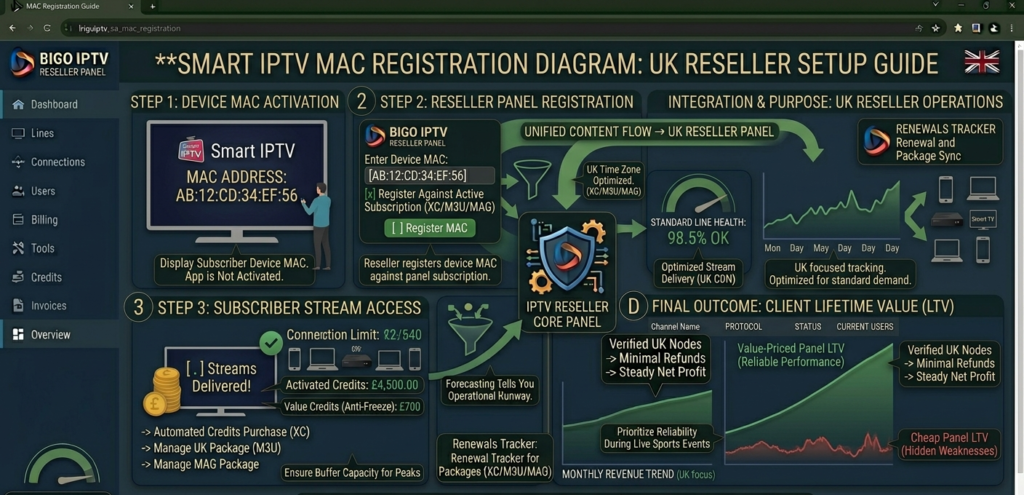
Smart IPTV MAC address registration process diagram showing the three-step workflow from smart TV app activation through reseller panel registration to subscriber stream access, UK reseller setup guide
MAC Address Registration: What Resellers Need to Manage
The MAC address management workflow is the operational core of running a Smart IPTV subscriber base. Getting this right from the start prevents the majority of smart TV subscriber support issues.
Collecting MAC addresses accurately is the first point of failure for many resellers. The Smart IPTV app displays the MAC address on screen during setup, and subscribers need to transcribe or photograph it accurately. MAC addresses contain letters and numbers that are easily confused, particularly I and 1, O and 0. A single character error means the registration fails and the subscriber’s app doesn’t activate.
Build a verification step into your onboarding process. Ask subscribers to send you a photograph of the MAC address screen on their television rather than transcribing it verbally. This eliminates the most common source of registration errors at the onboarding stage.
Maintaining a MAC address registry alongside your standard subscriber records is essential operational hygiene. Every subscriber’s registered MAC address should be recorded in your management system alongside their other account details. When they contact you about a setup issue, app reset, or TV replacement, having this information immediately accessible saves significant troubleshooting time.
TV replacement protocol should be documented and communicated to subscribers in advance. When a subscriber gets a new television, which they will, the new TV has a new MAC address and requires a new registration. If subscribers don’t know this, they’ll contact you confused about why their subscription “stopped working” on their new TV. A brief explanation during onboarding, “if you ever get a new TV, just message me the new MAC address from the app and I’ll update it,” sets the expectation and makes the inevitable transition friction-free.
Pro Tip: Create a standard onboarding message specifically for Smart IPTV subscribers that covers: how to find and send you the MAC address, what the activation process involves and how long it takes, what to do if the app resets after a TV software update, and what to do when they eventually replace their television. Sending this at the start of the relationship prevents the majority of smart TV support contacts before they occur. I use a saved WhatsApp message template for this, takes thirty seconds to send and saves multiple support conversations per subscriber over their lifetime.
Walking Through Setup and Ongoing Support
The setup process for Smart IPTV subscribers requires more initial involvement from the reseller than Xtream Codes or M3U setups, but the process itself is straightforward once you’ve done it a few times.
Step one: App installation. Samsung TVs access Smart IPTV through the Samsung Smart Hub app store. LG TVs have a different installation path through the LG Content Store. The app may not appear in default search results on some TV models and may require searching specifically for “Smart IPTV” with the exact capitalisation.
Step two: MAC address collection. Once the app is installed and opened, it displays the device MAC address on screen. Subscriber sends this to you, ideally as a photograph rather than a transcription.
Step three: Panel registration. You register the MAC address in your panel system, associating it with the subscriber’s playlist URL or subscription credentials. Activation typically takes effect within a few minutes.
Step four: Playlist loading. The subscriber enters the playlist URL in the Smart IPTV app settings, or, on supported configurations, you can push the playlist to their registered MAC address remotely through the Smart IPTV web portal. The remote push option is significantly more subscriber-friendly for less technical users.
Ongoing support considerations:
App resets after TV software updates are the most common recurring support contact for smart TV subscribers. Samsung and LG push firmware updates automatically, and these occasionally clear app settings. When a subscriber contacts you saying “it’s stopped working and I haven’t changed anything,” a Samsung or LG update is the most likely culprit. The fix is re-entering the playlist URL, which you can push remotely if the MAC registration is still active.
EPG loading can be slow on smart TVs with limited processing power compared to dedicated streaming devices. If subscribers report that the programme guide takes a long time to populate, this is typically a device capability issue rather than a panel problem, managing that expectation proactively prevents unnecessary support contacts.
Pricing and Profitability for Smart TV Lines
Smart TV lines are priced identically to other connection types in most reseller operations, the credit cost and retail price structure is the same. The commercial difference lies in the lifetime value calculation rather than the per-month economics.
Given the higher average tenure of successfully onboarded smart TV subscribers, typically 15 to 20 months compared to 8 to 12 months for the general subscriber population in my experience, the argument for prioritising this segment is compelling even accounting for the higher onboarding support time.
At £8 monthly retail with a 65% gross margin target: lifetime gross profit equals monthly gross margin multiplied by average tenure. That’s (£8 × 0.65) × 18, which is £5.20 × 18, giving £93.60 per smart TV subscriber.
Versus the general subscriber population at 10-month average tenure: that’s £5.20 × 10, giving £52.00 per subscriber.
The smart TV subscriber delivers 80% more lifetime gross profit per subscriber acquired, a significant advantage that justifies both the higher onboarding support investment and the ongoing MAC address management overhead.
UK-Specific Smart IPTV Considerations
The British smart TV market has some specific characteristics that affect how resellers should approach this segment.
Samsung dominance: Samsung holds the largest share of the UK smart TV market, which means the Samsung Tizen version of Smart IPTV is the most frequently encountered configuration. LG WebOS is the second most common. Resellers should be specifically familiar with both platforms’ app installation and setup paths.
Older demographic concentration: smart TV IPTV adoption in the UK skews older than the general IPTV subscriber population. This demographic is more likely to watch live terrestrial-style programming, evening news, and scheduled sport, all of which creates predictable peak demand patterns that your panel infrastructure needs to handle reliably.
Premier League Saturday viewing patterns: older smart TV subscribers watching the Premier League are among the most demanding use cases for Saturday afternoon infrastructure. They’re likely watching on their main television, in their living room, often with other household members, making the viewing experience significantly more socially consequential than a solo stream on a mobile device. A buffering incident in this context generates more subscriber dissatisfaction than the same incident in other viewing contexts.
Referral network characteristics: the social networks of older UK subscribers tend to be geographically concentrated and high-trust. A recommendation from a retired subscriber to their neighbour, their sibling, or their social club carries more weight than most online referral mechanisms. Serving this demographic well is simultaneously good subscriber service and good marketing.
Pro Tip: Consider offering a specific “Smart TV setup service” as part of your onboarding, explicitly positioning your support for Samsung and LG smart TV subscribers as a feature of your service rather than an afterthought. In a market where most resellers default to “here’s your M3U link, figure out the rest,” offering explicit smart TV support differentiates your service meaningfully to the demographic most likely to need it and most likely to remain loyal to a provider who helps them with it.
Common Problems and How to Solve Them
App not appearing in Samsung Smart Hub search. Some Samsung TV models require navigating to the app store’s “All Apps” section rather than relying on the search function. Alternatively, Smart IPTV can sometimes be installed directly via the TV’s web browser by navigating to the Smart IPTV website, though this varies by TV model and firmware version.
MAC address registration not activating. First, verify the MAC address is correctly transcribed, character confusion is the most common cause. Second, confirm the panel registration has been completed correctly on your end. Third, check whether the Smart IPTV app requires a paid activation on the device, Smart IPTV charges a one-time device activation fee that some subscribers haven’t completed before contacting their reseller.
Streams loading but EPG not populating. EPG data loads separately from stream content and can take several minutes on older smart TVs. If the EPG remains blank after 10 minutes, the playlist URL may not have EPG metadata included, this is a panel configuration issue rather than a device issue.
App settings resetting after TV update. The playlist URL needs to be re-entered after settings reset. If you have remote playlist push capability through the Smart IPTV web portal, this can be done without subscriber involvement once you confirm the MAC is still registered. Otherwise, walk the subscriber through re-entering the playlist URL, ideally via a step-by-step WhatsApp message with screenshots where possible.
Buffering on smart TV but not on other devices. Smart TVs have more limited processing power and network stack capabilities than dedicated streaming devices. If the same stream plays cleanly on a Fire TV stick but buffers on the smart TV, the issue is typically device-side rather than stream-side. Recommending a wired Ethernet connection instead of WiFi resolves this in many cases on older smart TV models.
Smart IPTV vs. Other Delivery Methods: Honest Comparison
Here’s how the delivery methods actually compare:
| Delivery method | Setup complexity | Subscriber tech requirement | Churn rate | Support overhead | Lifetime value |
|---|---|---|---|---|---|
| Smart IPTV (Samsung/LG) | Moderate | Low | Low | Moderate | High |
| MAG Box | Low-moderate | Low-moderate | Low | Low-moderate | High |
| STBEmu (Android) | Low | Moderate | Moderate | Low | Moderate |
| TiviMate (Fire TV) | Low | Moderate-high | Moderate | Low | Moderate |
| M3U (various) | Very low | High | High | Very low | Low |
The pattern is clear: the delivery methods with lower subscriber technical requirements, Smart IPTV and MAG boxes, produce lower churn and higher lifetime value, with correspondingly higher setup support requirements. The delivery methods that are easiest to set up, M3U links for technically confident subscribers, attract the most price-sensitive, highest-churn subscriber profiles.
Resellers who exclusively serve technically sophisticated subscribers are optimising for setup simplicity at the cost of subscriber lifetime value. Resellers who invest in supporting less technically confident subscribers, smart TV, MAG box, are building a more stable, higher-value subscriber base despite the additional upfront support investment.
How to Build This Subscriber Base on Purpose
Targeting smart TV subscribers specifically requires a slightly different acquisition approach than general IPTV marketing.
The demographic most likely to be using Smart IPTV, older UK households with Samsung or LG televisions, concentrates in specific community contexts: local Facebook groups, community notice boards, sports and social clubs, and word-of-mouth networks among established social circles. These are not channels that respond well to aggressive promotional posting.
What works is positioning yourself as a local, helpful resource. Participating in local community groups, answering questions about television and streaming setup, and occasionally mentioning your IPTV service in contextually appropriate ways builds the kind of familiarity that converts to subscriber enquiries from exactly the demographic most likely to want smart TV delivery.
Explicitly advertising “Smart TV setup included” in your service positioning differentiates you immediately from the majority of resellers who either don’t support smart TVs or support them reluctantly. For a demographic that’s been burned by providers who couldn’t help with their device, this explicit positioning is a significant conversion factor.
For UK IPTV Panel resellers who want a panel that handles the Smart IPTV MAC registration workflow cleanly, with proper playlist management, stable streams for smart TV delivery, and the kind of operational support that doesn’t disappear when you need it most, britishseller.co.uk is the platform worth evaluating. The smart TV subscriber base you build on it will be the most stable and most referral-active segment of your operation.
Smart IPTV UK Reseller Success Checklist
- Build a dedicated smart TV onboarding process before acquiring your first smart TV subscriber: MAC address collection procedure, activation steps, app reset protocol, and TV replacement guidance should all be documented and ready to send as a single onboarding message. The fifteen minutes this takes to prepare prevents hours of reactive support conversations over the subscriber’s lifetime.
- Always collect MAC addresses as photographs, never as verbal transcriptions: a single character error in a MAC address causes complete registration failure and a frustrated subscriber.
- Photographs eliminate the most common source of smart TV onboarding failures before they occur.
- Maintain a separate MAC address registry alongside your standard subscriber records: every smart TV subscriber’s registered MAC address should be instantly accessible when they contact you. Without this, every TV replacement or app reset requires the subscriber to navigate back to the MAC address screen, which creates friction that erodes the relationship.
- Explicitly position smart TV support as a feature of your service: in your subscriber-facing communications, in your acquisition positioning, and in your onboarding process. This differentiates you from most competitors and attracts the high-lifetime-value demographic that other resellers are neglecting.
- Test your panel’s Smart IPTV delivery specifically during Premier League Saturday afternoon: smart TV streams under simultaneous peak load is the critical test for this subscriber segment.
- If streams hold clean on the Samsung or LG app during this window, your infrastructure is genuinely capable. If they buffer while other delivery methods hold steady, the issue may be smart TV-specific CDN optimisation, worth raising with your provider before it affects subscriber retention.