
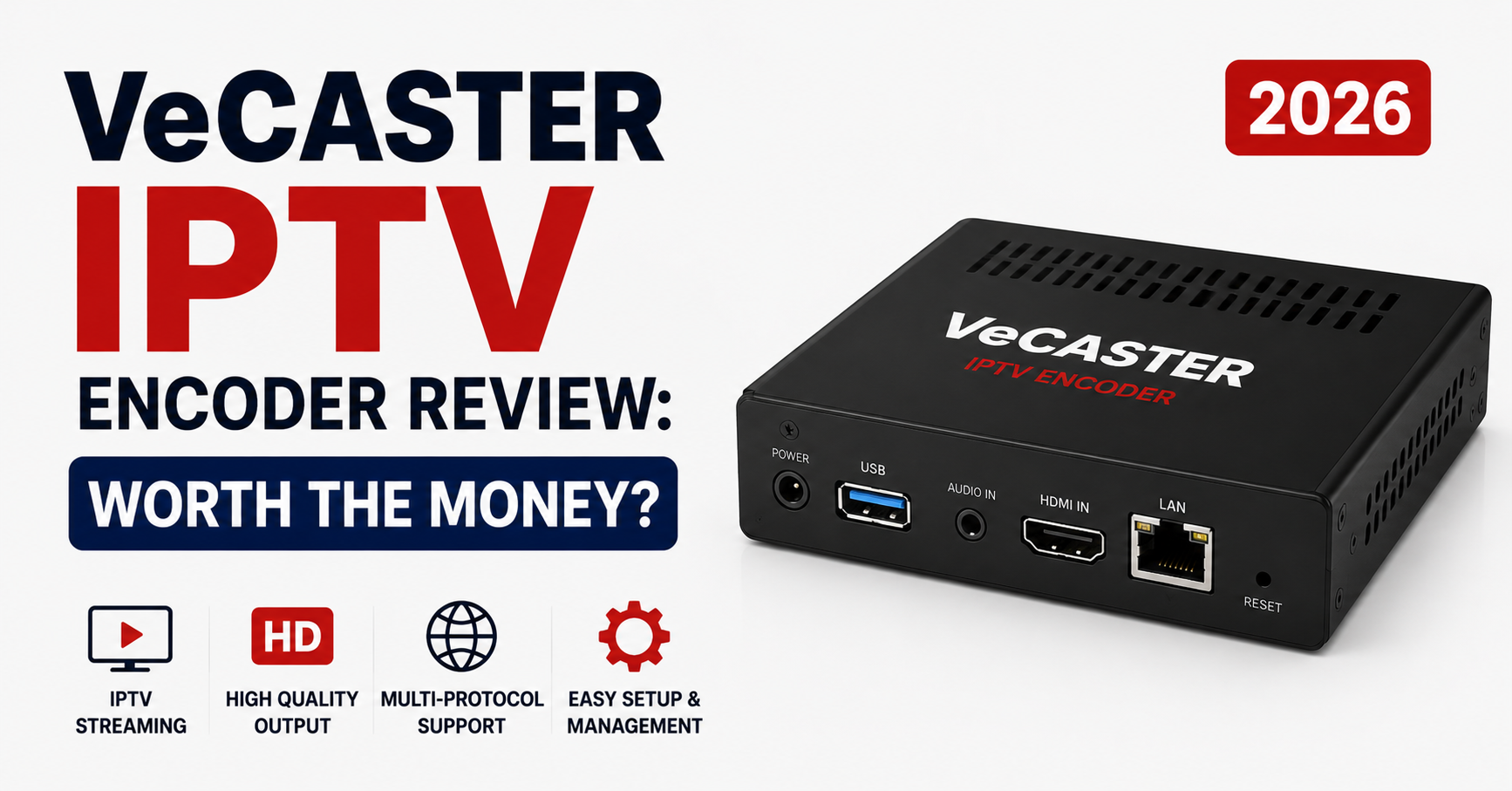
What a Dropped Frame During a Champions League Semi Taught Me About the VeCASTER
The encoder didn’t crash. That’s the part nobody warns you about. It kept running, the dashboard stayed green, and yet roughly four hundred customers watched a frozen frame for eleven seconds during a penalty. No alert fired. No log entry screamed. The VeCASTER IPTV Encoder Review you’re reading exists because of that eleven seconds — and the two weeks I spent afterward learning what this box actually does when the network underneath it misbehaves.
Most encoder reviews are written by people who plugged a unit in, recorded a clean test stream in a quiet room, and called it a day. That’s not a VeCASTER IPTV Encoder Review. That’s an unboxing. What follows is what happened when this hardware met real traffic, real ISPs, and real customers who notice instantly when a goal stutters.
Where the VeCASTER Actually Sits in Your Stack
Before opinions, placement. A lot of UK IPTV resellers misunderstand what an encoder does versus what their panel does, and that confusion leads to buying the wrong thing.
The encoder’s only job is taking a raw input — SDI, HDMI, or an existing stream — and turning it into a delivery-ready format your infrastructure can distribute. It is not a CDN. It is not a load balancer. It does not magically fix a weak uplink. The VeCASTER handles the transcode-and-package stage and hands off to whatever sits downstream.
| Stage | What handles it | Common mistake |
|---|---|---|
| Capture | VeCASTER input ports | Feeding it an unstable source signal |
| Encode/transcode | VeCASTER core | Expecting it to “improve” bad source quality |
| Packaging (HLS/TS) | VeCASTER output | Wrong segment length for live sports |
| Delivery | Your CDN / origin | Blaming the encoder for delivery lag |
| Distribution | Panel / reseller layer | Assuming encoder controls per-user routing |
The single most expensive misunderstanding I see new resellers make: they buy a premium encoder hoping it solves buffering complaints that are actually a downstream CDN routing problem. The box can be flawless and your customers can still freeze.
Build Quality and the Things Spec Sheets Hide
Physically, the unit is unremarkable in the way good infrastructure usually is — quiet, fanless on the models I ran, and it didn’t cook itself in a poorly ventilated rack during a July heatwave. That last point matters more than the marketing copy admits. I’ve watched cheaper encoders thermal-throttle mid-broadcast and silently drop their bitrate, which presents to customers as a sudden quality crash with zero error message.
What the spec sheet won’t tell you:
- Boot recovery behaviour. After a hard power cut, the VeCASTER came back to its last running config without manual intervention. Trivial-sounding until you’ve driven to a datacentre at 2am for a competitor’s box that booted into a blank state.
- Input signal tolerance. It held a stable output when the source HDMI feed flickered briefly during a cable reseat — many encoders panic and require a full restart.
- Config persistence. Profiles survived firmware updates. Not universal in this category.
Pro Tip: Before trusting any encoder in production, deliberately yank its power during a test stream. The recovery behaviour you observe in that ugly moment tells you more than any datasheet. An encoder that needs a human to nurse it back online is a churn machine waiting for your worst night.
Latency: The Number That Actually Loses You Customers
Here’s where a VeCASTER IPTV Encoder Review has to get specific, because “low latency” is a phrase every vendor prints and almost none define.
Latency in this context is the gap between something happening live and your customer seeing it. For movies, nobody cares. For a boxing match where the guy next door on a satellite box shouts “GOAL” before your customer’s screen updates, you lose subscribers — not over quality, but over delay.
The VeCASTER’s latency is governed mostly by segment length in its HLS packaging. Shorter segments cut delay but increase the request rate on your origin and make the stream more fragile on weak connections. This is the trade-off nobody on a sales call mentions.
What I settled on after testing across a mix of customer connection types:
- 2-second segments: lowest delay, but mobile and rural customers saw more rebuffering
- 4-second segments: the sweet spot for mixed audiences — acceptable delay, far fewer freeze complaints
- 6-second segments: rock-solid stability, but the “neighbour shouts first” problem returns
There’s no universally correct setting, and the encoder reviews claiming one are written by people who never read a support queue. Your right answer depends on who your customers are and what they watch.
What Eighteen Months of Support Tickets Revealed
I went back through the ticket history for the period this encoder was live, because customer complaints are the only honest performance metric. The dashboard lies politely; the ticket queue doesn’t.
The pattern was clear. Complaints clustered not around the encoder’s steady-state performance — that was genuinely solid — but around three predictable moments: major sports events, ISP-level evening congestion, and the hours immediately after firmware changes I made carelessly.
Pro Tip: Never update encoder firmware in the 72 hours before a major fixture. I learned this the hard way. A “minor” update reset a packaging parameter to default, and I didn’t catch it until the complaints rolled in mid-match. Schedule changes for your deadest traffic window and always re-verify your live profile afterward.
The encoder itself caused remarkably few of the tickets. That’s the quiet endorsement buried in this VeCASTER IPTV Encoder Review — most of my problems traced to operator error, ISP behaviour, or downstream routing, not the hardware. A stable encoder is one that gets out of the way, and this one mostly did.
The ISP Problem the VeCASTER Can’t Solve (And Why That’s Fine)
During one stretch, a specific UK ISP began throttling sustained video streams in the evening peak. Customers on that ISP froze; everyone else was fine. New resellers in this exact scenario almost always blame their encoder and start shopping for a replacement — wasting money on a problem the encoder was never going to fix.
Throttling lives in the path between your origin and the customer. The encoder produced a perfect stream that the ISP then strangled downstream. The fixes that actually worked were CDN-side: alternate routing, and serving an adaptive bitrate ladder so throttled connections automatically dropped to a lower-bandwidth rendition instead of freezing.
This is precisely why the VeCASTER’s multi-bitrate output capability earns its keep. A single-bitrate stream is fragile — one congested ISP and that customer segment is dead. An adaptive ladder lets the player negotiate downward gracefully. The encoder enabling that ladder cleanly, without choking on the extra encoding load, is one of the more genuinely useful things I can report.
A Real Migration: Moving Off Our Old Encoder
We migrated a live customer base from an ageing encoder to the VeCASTER mid-season, which in hindsight was reckless timing. Here’s the actual sequence that kept downtime near zero:
- Mirror, don’t switch. We ran the VeCASTER in parallel, outputting to a staging origin, while the old encoder kept serving live customers.
- Soak test under real load. We pointed a small internal group at the new output for a full week, including one weekend sports block, before touching production.
- Match the packaging profile exactly. The old and new segment lengths and codec profiles had to align, or players would stutter at the cutover.
- Cut over at the dead hour. 4am local. Lowest concurrent viewers, most margin for error.
- Keep the old box warm for a week. Instant rollback path. We never needed it, but the night I’d have needed it most, I’d have been grateful.
The migration succeeded because of the parallel-run discipline, not because the encoder was forgiving. A reseller who’d cut over cold during peak would have a very different VeCASTER IPTV Encoder Review to write.
Pricing Reality and the Hidden Costs
The sticker price is the smallest part of the total cost, and resellers who budget only for the box get an unpleasant surprise. Factor in the redundancy you’ll want (you do not run a single encoder for a paying audience — a backup unit is non-negotiable insurance), the bandwidth for multi-bitrate output, monitoring tooling, and the time cost of learning the platform properly.
| Cost line | Often forgotten? | Why it bites |
|---|---|---|
| The encoder itself | No | The visible, smallest cost |
| Backup/failover unit | Yes | One encoder = one outage from disaster |
| Multi-bitrate bandwidth | Yes | Adaptive ladders multiply your egress |
| Monitoring/alerting | Yes | Green dashboards hide silent failures |
| Operator learning time | Almost always | Misconfiguration causes most early tickets |
Pro Tip: Budget for two encoders from day one or don’t budget at all. The math is simple — a single major outage during a marquee event costs more in churn and refunds than the second unit. I’ve watched a reseller lose a third of their base in one bad night because they gambled on a single point of failure.
Is the VeCASTER worth it? For an operator with a real paying audience who understands it’s buying a stable transcode stage and not a miracle, yes. For someone hoping it’ll fix delivery problems rooted elsewhere, no encoder on earth is worth it.
Who Should Actually Buy This
The honest segmentation, since a useful VeCASTER IPTV Encoder Review shouldn’t pretend the box fits everyone:
- Established resellers with their own origin/CDN control: strong fit. You can exploit the adaptive output and recovery behaviour.
- New resellers still on a managed panel: probably premature. Master your downstream stack first; you may not even control the encode stage yet.
- Sub-resellers reselling someone else’s service: not your layer at all. You’re buying credits, not encoding hardware.
- Technical operators building bespoke delivery: the recovery and persistence behaviour will matter to you more than the headline specs.
If you’re sourcing reliable reseller infrastructure rather than building your own encode layer from scratch, it’s often more economical to start with an established panel — the team at British Seller’s UK IPTV reseller platform handles the delivery complexity so you can focus on customers before you ever touch dedicated encoding hardware.
The Verdict, Without the Marketing Gloss
After everything — the frozen penalty, the throttling saga, the mid-season migration, eighteen months of tickets — my position is measured. The VeCASTER is a competent, stable encoder that fails quietly less often than its competitors and recovers gracefully when the power or the source signal misbehaves. It is not magic. It will not save you from a bad CDN, a hostile ISP, or your own careless firmware update at the worst possible time.
A good encoder is infrastructure you stop thinking about. By that standard, this one earned a passing grade in my rack — and in this business, “I stopped thinking about it” is high praise.
Frequently Asked Questions
Is the VeCASTER IPTV Encoder Review verdict positive for new resellers?
For genuinely new resellers, this VeCASTER IPTV Encoder Review leans toward “wait.” The hardware is solid, but most newcomers don’t yet control the encode stage and would benefit more from mastering a managed panel first. Buy dedicated encoding hardware once you actually own your delivery layer and understand where your real bottlenecks live.
What latency can I expect from the VeCASTER?
Latency depends almost entirely on your HLS segment length, not a fixed encoder number. Two-second segments minimize delay but increase rebuffering on weak connections; four seconds is the practical sweet spot for mixed audiences. There’s no single “correct” figure — tune it to who your customers are and what they watch most.
Will this encoder stop my customers from buffering?
Not by itself. Buffering usually originates downstream — CDN routing, ISP throttling, or a weak customer connection — not at the encode stage. The VeCASTER’s multi-bitrate output helps by letting players drop to a lower rendition gracefully, but the encoder cannot fix problems that live in the network path beyond it.
How does the VeCASTER IPTV Encoder Review rate its reliability?
Reliability was the strongest area in this VeCASTER IPTV Encoder Review. Over eighteen months it caused very few support tickets, recovered cleanly after power cuts, and tolerated brief source-signal flickers without crashing. Most problems I logged traced to operator error or external ISP behaviour rather than the hardware itself.
Do I need a backup encoder?
Yes, without exception, if you serve paying customers. A single encoder is one outage away from mass refunds and churn during a marquee event. The cost of a second unit is trivial compared to losing a chunk of your subscriber base in one bad night. Treat the backup as insurance, not an optional upgrade.
Can the VeCASTER handle major sports events?
It can, provided your downstream stack is ready. The encoder held steady under peak load in my testing. The failures during big fixtures came from ISP congestion and careless firmware timing, not the encode stage. Never update firmware within 72 hours of a major event, and verify your live profile beforehand.
Is the VeCASTER good value for money?
For operators with a real paying audience who understand they’re buying a stable transcode stage, yes. The sticker price is the smallest cost — budget for a backup unit, multi-bitrate bandwidth, and monitoring. For anyone hoping it fixes delivery problems rooted elsewhere, no encoder represents good value.
Execution Checklist
For subscribers
- Test your service during a live sports event, not a quiet evening, before committing
- If you freeze on one specific provider but friends don’t, the problem may be your ISP — try a different network to confirm
- Ask whether your provider offers adaptive (multi-bitrate) streams if you’re on a weaker connection
For resellers
- Run any new encoder in parallel for a full week, including one sports weekend, before cutover
- Deliberately power-cycle the unit during testing and watch its recovery behaviour
- Configure a multi-bitrate ladder rather than a single-bitrate stream
- Never touch firmware within 72 hours of a major fixture
- Budget for a second encoder before you buy the first
For sub-resellers
- Recognise that encoding sits above your layer — focus your money on a stable upstream provider, not hardware
- Track which upstream events correlate with your own complaint spikes so you can warn customers proactively
- Keep a record of outage timing to hold your provider accountable
That wraps up this VeCASTER IPTV Encoder Review. The short version: a quietly reliable box that earns its place for operators who already understand it solves one stage of the puzzle, not the whole thing. Build the stack around it properly and you’ll mostly forget it’s there — which, for infrastructure, is the highest compliment there is.