The Network Lied to You — And Your Customers Paid for It
Most IPTV streaming tips floating around online were written by people who have never lost a server at 2 AM during a major sports final. They haven’t watched 400 active connections drop because a single uplink failed. They haven’t had to explain buffering to 60 angry customers while simultaneously rebooting a panel from a mobile hotspot.
This isn’t that kind of guide.
Whether you’re a household subscriber trying to get stable streams for the family or a reseller scaling past 500 connections, these IPTV streaming tips come from live operational experience — the kind built through dealing with ISP throttling, DNS poisoning, and infrastructure meltdowns under peak load. In 2026, the enforcement landscape has shifted harder than most operators expected. AI-driven detection systems used by major broadcasters now identify IPTV traffic patterns faster than any manual block list ever could. If you’re still running your operation the way you were two years ago, you’re already exposed.
Why Your Stream Buffers at Peak Times — and It’s Not Your Internet
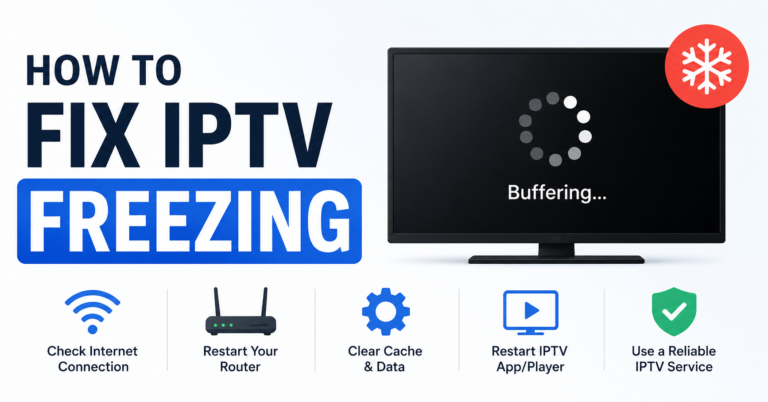
Buffering during prime time is one of the most misunderstood problems in IPTV streaming. Most subscribers blame their own broadband. Most of the time, they’re wrong.
The real culprit is usually upstream congestion on the provider’s transcoding nodes or overloaded HLS delivery paths. When thousands of connections simultaneously hit the same origin server, HLS latency spikes hard. Even a well-specced server struggles when its load balancing isn’t distributing requests across multiple output nodes.
What’s actually happening under the hood:
- The CDN edge node nearest your ISP becomes saturated
- Segment fetch times climb from 200ms to over 2,000ms
- Your player’s buffer empties faster than new segments arrive
- The stream freezes — subscribers call it buffering; operators call it a segment delivery failure
Pro Tip: Test your streams during off-peak hours versus peak hours. If quality drops noticeably at peak times, the issue is server-side, not subscriber-side. Ask your provider about dedicated bandwidth allocation during live event windows. A good provider will give you a straight answer. A bad one will blame your router.
These IPTV streaming tips apply whether you’re a single subscriber or managing hundreds of accounts — understanding the source of the problem is the first step to fixing it.
Picking Infrastructure That Doesn’t Collapse Under Pressure
Choosing the right infrastructure is the single most impactful decision any reseller makes. Cheap panel providers cut corners on server redundancy. When their primary uplink goes down, your entire reseller account goes with it. No warning. No compensation. Just silence and angry customers.
Here’s what separates reliable infrastructure from the kind that fails you on a Saturday evening:
| Feature | Budget Infrastructure | Premium Infrastructure |
|---|---|---|
| Server locations | 1–2 data centres | 5+ geographically distributed nodes |
| Uplink redundancy | Single ISP uplink | Dual or multi-homed uplinks |
| Load balancing | None or basic round-robin | Intelligent real-time traffic routing |
| Failover time | Manual (minutes to hours) | Automated (under 30 seconds) |
| Anti-buffering tech | None | Adaptive bitrate + HLS caching |
| Support during live events | Unavailable | Dedicated on-call engineers |
The difference between these two tiers is not just quality. It’s the difference between retaining your customers and losing them permanently to a competitor who invested properly.
How AI-Driven ISP Blocking Is Reshaping IPTV in 2026
This is one of the IPTV streaming tips that most guides completely ignore — because most guides aren’t written by operators watching the enforcement landscape evolve in real time.
The blocking game has moved well beyond blunt DNS poisoning. Major broadcasters now partner with AI systems that analyse traffic signatures in real time, flagging IPTV streams based on packet timing patterns, segment request cadences, and even player metadata. These systems don’t just block known server IPs — they identify behavioural fingerprints and can block entire subnets before operators finish migrating.
The three primary blocking vectors active in 2026:
- DNS poisoning — redirecting domain lookups to null IPs or enforcement landing pages
- Deep packet inspection (DPI) — analysing traffic content and structure, not just origin
- BGP route manipulation — blocking entire IP ranges at the ISP routing level before traffic even reaches the server
Pro Tip: Any provider running unobfuscated IPv4 addresses with no traffic masking layer is operating with zero protection against AI-driven detection. Before committing credits, ask whether your upstream provider uses protocol obfuscation or tunnel routing on premium sports streams. If they don’t know what you’re asking, that’s your answer.
IPTV Streaming Tips: Building a Backup Uplink Strategy That Actually Works
One of the most consistently ignored IPTV streaming tips among new resellers is this: never operate without a tested failover path. Your primary server going down is not a matter of if — it is a matter of when.
A solid backup strategy is more than having two server addresses written on a sticky note. It requires architecture.
Multi-tier failover structure:
- Primary uplink — main delivery server handling 100% of traffic under normal conditions
- Secondary uplink — hot standby, receives traffic automatically if primary drops
- Cold spare — manually activated regional server outside the primary data centre geography
- DNS TTL management — keep TTL values at 60–120 seconds so failover redirects propagate fast
That last point catches operators out more than any other. Resellers who leave their DNS TTL at the default 86400 (24 hours) discover during an outage that their failover redirect takes a full day to reach all customers. By the time it propagates, the customers have already cancelled.
Panel Credit Management: Where IPTV Resellers Quietly Lose Money
Panel credits are the operational currency of any IPTV reseller business — and mismanaging them is the fastest way to destroy margins without ever realising why. The problem is rarely fraud. It’s almost always operational sloppiness compounding over weeks.
The most common panel credit leaks:
- Trial accounts created but never deleted after expiry
- Cancelled subscriptions whose credits aren’t reclaimed before the panel’s auto-purge cycle
- Over-allocated connection limits per account — giving a 1-screen household 3 connections
- Sub-reseller accounts with no credit cap, where a single compromised login drains your balance overnight
Pro Tip: Run a weekly credit audit. Export your full account list, filter for zero-activity accounts older than 7 days, and bulk-delete before the purge cycle runs. This single habit recovers 5–15% of panel credits for most operators running 100+ accounts. At scale, that’s real money.
These IPTV streaming tips for panel management directly impact profitability — not just service quality.
Understanding Customer Churn Before It Becomes a Cancellation
Customer churn in IPTV almost never happens because of price. It happens because trust erodes. One too many buffering incidents. One unanswered support message. One premium sports stream that died in the 85th minute of a crucial match and never came back.
Understanding churn psychology lets you intervene before the cancellation request lands.
The warning signals most resellers overlook:
- A customer who opens a support ticket but stops responding to solutions is three days from leaving
- A subscriber asking about connection limits is already sharing the account — they’re price-sensitive and one bad outage from switching
- Any customer who asks for a trial to “give a friend” is actively comparison-shopping your competitors in real time
The right response to these signals is not defensive — it’s proactive. Personally message customers after any known outage and acknowledge the disruption before they report it to you. That single action converts potential churners into loyal accounts more reliably than any discount.
IPTV Streaming Tips for Scaling from 50 to 500 Connections
Scaling is not simply adding more accounts to the same panel. Operators who try that approach hit a wall somewhere between 150 and 200 connections. The panel slows, the support queue doubles, and infrastructure that handled 50 connections without complaint buckles under 300.
| Scale | Panel Requirement | Support Load | Infrastructure Tier |
|---|---|---|---|
| 1–50 | Single panel, entry plan | Manageable manually | Shared server acceptable |
| 50–200 | Sub-reseller structure recommended | Part-time support | Dedicated lines needed |
| 200–500 | Multi-panel, load-balanced | Full automation or VA | Enterprise-tier uplinks |
| 500+ | Own middleware consideration | Team required | Redundant multi-CDN |
The transition from 50 to 200 is where most resellers stall permanently. They’ve outgrown manual management but haven’t built systems yet. The operators who scale past 200 are the ones who systematise early — before the problems arrive, not in response to them.
How to Triage Buffering Complaints Without Blaming the Customer
One of the most practical IPTV streaming tips for any reseller is accurate triage. Blaming the customer’s internet is the lazy default. Being accurate is the professional standard.
Buffering triage checklist:
- Ask the customer to run a speed test during the buffering event, not before or after it
- Ask whether buffering occurs on all channels or only specific ones — channel-specific issues point to source stream problems, not subscriber-side
- Ask whether buffering is worse on evenings or weekends — time-correlated issues indicate upstream congestion
- Ask what device and player they’re using — certain IPTV players have poor HLS buffer management and drop streams before the network actually fails
Pro Tip: A customer with 100 Mbps internet who buffers on premium sports streams but not on standard channels is not experiencing a network issue. They’re hitting a high-bitrate source stream delivery problem. The fix lives on the server side, not the customer’s router. Knowing this distinction prevents you from wasting both your time and theirs.
ISP Throttling vs. DNS Poisoning: Diagnosing the Right Problem
Many IPTV streaming tips online treat ISP throttling and DNS poisoning as interchangeable. They’re not. They’re different mechanisms requiring different solutions, and confusing them means fixing the wrong thing every time.
ISP throttling is gradual. The stream starts, plays normally for a few minutes, then degrades. It’s often time-of-day correlated. It disproportionately affects bandwidth-heavy streams. A VPN typically resolves it immediately because the VPN masks the traffic type from the ISP’s detection systems.
DNS poisoning is abrupt. The stream fails to start entirely. Your DNS lookup for the stream server returns a wrong IP — either null-routing your request or redirecting to a block page. Switching to a public DNS resolver (like 1.1.1.1) often restores the connection instantly.
Quick identification test:
- Stream starts and gradually degrades → likely throttling → test with a VPN
- Stream won’t start at all → likely DNS poisoning → test by changing DNS to 1.1.1.1
- Stream starts, freezes mid-playback without network fluctuation → HLS segment delivery failure → server-side issue
These IPTV streaming tips for diagnosis save significant troubleshooting time — both for resellers and the customers they support.
The Live Event Survival Protocol for IPTV Operators
Major live events are simultaneously your highest revenue window and your highest operational risk. Premium sports streams draw maximum traffic and maximum enforcement activity at the same time. Operators who don’t prepare specifically for live events discover exactly how fragile their setup is at the worst possible moment.
48 hours before the event:
- Confirm your provider’s server capacity for the event window in writing
- Verify your backup uplink is live, tested, and pointed at a working stream
- Lower DNS TTL to 60 seconds to enable fast failover if needed
- Pre-notify your active customers with a service confirmation message
- Test the specific channels expected to carry the event — not just any channel
During the event:
- Monitor active connection counts against your panel credit ceiling in real time
- Watch for HLS latency spikes if your panel dashboard exposes those metrics
- Keep your provider’s emergency contact channel open and staffed
- Have your backup M3U or connection credentials ready to redistribute within 60 seconds
Operators who survive live events intact build reputations. Operators who don’t lose customers they’ll never recover.
Frequently Asked Questions
What are the most important IPTV streaming tips for avoiding buffering?
The most impactful IPTV streaming tips for buffering: choose a provider with genuine load balancing across multiple server nodes, set your device’s DNS to a fast public resolver, use a wired ethernet connection over Wi-Fi wherever possible, and test your specific streams before major live events rather than during them. Buffering is almost always an upstream server issue — identifying that early prevents wasted troubleshooting on the subscriber’s end.
How many connections do I actually need as an IPTV reseller starting out?
Start with 10–20 panel credits and validate your provider’s reliability before scaling further. Most new resellers over-purchase credits before confirming infrastructure stability. Test on a small base of trusted customers first, confirm uptime through at least one major live event window, then grow. Running short on credits through organic growth is far less damaging than holding 200 credits on a panel that fails every weekend.
Why do my IPTV streams work fine during the day but buffer every evening?
Evening buffering is almost always upstream congestion, not a subscriber-side problem. Server load peaks between 7 and 10 PM when household usage is highest across all customers. If your provider doesn’t offer dedicated bandwidth or load-balanced nodes, their shared infrastructure cannot handle peak demand. Ask your provider specifically about peak-load capacity and whether premium sports streams are isolated on dedicated lines away from standard channel traffic.
Is it worth using a VPN with IPTV streaming?
A VPN can resolve ISP throttling by masking your traffic signature, but it introduces latency overhead — typically 5–20ms depending on server proximity. Treat a VPN as a diagnostic tool first: if your stream quality improves with a VPN active, your ISP is throttling you. Whether to leave it running permanently depends on your ISP’s behaviour, your region, and the VPN provider’s server capacity near you.
What is HLS latency and why does it matter for IPTV resellers?
HLS latency is the delay between a live event happening and it appearing on screen. For practical IPTV streaming tips purposes, what matters more than raw latency is segment delivery consistency. If fetch times spike — even briefly — the player’s buffer empties and the stream freezes. This is why server-side caching and CDN edge delivery matter more than raw bandwidth numbers. Inconsistent delivery causes buffering far more often than insufficient speed.
Can subscribers run IPTV on multiple devices simultaneously on one subscription?
Most IPTV subscriptions are sold per connection — each active stream consumes one panel credit connection. A single-connection subscription cannot stream on two devices simultaneously. Households wanting multi-device streaming need a plan that explicitly states 2 or more simultaneous connections. Resellers should communicate this clearly during sale to avoid support disputes and refund requests from customers who assumed otherwise.
How do I verify whether a provider genuinely has redundant infrastructure?
Ask directly: how many physical data centres route your streams? What is your automated failover time? Do you have a second uplink provider, or does your backup route through the same ISP? Providers with real redundancy answer these specifically and technically. Providers who respond with vague language like “enterprise-grade” or “99.9% uptime” without specifics are typically running single-point infrastructure dressed up in marketing language.
What should resellers do when their upstream provider goes down during a live event?
Do not contact customers until you have a resolution, not just an acknowledgement — a “we’re aware” message without a timeline accelerates churn. Immediately check your backup server address and redistribute it to active customers. If you don’t have a tested backup, contact your provider’s emergency channel directly, not the standard ticket queue. After the event, critically evaluate any provider that couldn’t restore service within 15 minutes of a critical live window.
Reseller Success Checklist
These IPTV streaming tips mean nothing without execution. Use this as your operational baseline:
- Confirm your provider has multi-node load balancing — not just a second server address
- Set and verify a tested backup uplink before you have 50 active customers
- Lower DNS TTL to 60–120 seconds so failover propagates fast during outages
- Run a weekly panel credit audit and delete zero-activity accounts before purge cycles
- Cap sub-reseller credit allocation — no uncapped accounts on your panel
- Build a live event prep routine: test channels 48 hours before, monitor in real time during
- Triage all buffering complaints with a structured checklist before blaming the customer
- Learn to distinguish ISP throttling from DNS poisoning — they require different fixes
- Pre-communicate with customers after known outages before they file a ticket
- Scale infrastructure tier before you hit 200 connections, not after problems appear
For a reliable UK-based IPTV reseller resource to benchmark your own operation against, visit British Seller — one of the more transparent operators in the UK reseller space.