Four minutes into extra time. A penalty shootout that had half of England either standing on their sofa or hiding behind a cushion. And right at that moment, that specific, unrepeatable, emotionally charged moment, the stream froze.
Not buffered. Not dropped to lower quality. Froze. Black screen. Spinning circle. Then nothing.
I had nineteen clients on that panel that night. Fourteen of them messaged me within three minutes. Two demanded refunds before the match had even resumed. One, a particularly expressive gentleman from Sheffield, left me a voice note I genuinely cannot repeat here.
The provider? They were unreachable until morning. Their response, when it eventually arrived, was a single line: “Server issue. Now fixed.” No explanation, no credits, no acknowledgement that this had happened at the single worst possible moment for a UK-facing IPTV reseller operation.
Table of Contents
ToggleThat was the last month I used that panel. And everything I know about IPTV stream infrastructure, I know partly because of nights like that one.
Understanding What an IPTV Stream Actually Is
Most resellers sell streams without fully understanding what one actually is. That’s not a criticism, I didn’t either, initially. But understanding the mechanics changes how you troubleshoot, how you vet providers, and how you explain issues to clients without sounding like you’re guessing.
An IPTV stream is a continuous data packet delivery, video and audio encoded at a specific bitrate, chopped into small segments, delivered over the internet, and reassembled by the player app in real time. The encoding format is typically H.264 or H.265. The delivery method is usually HLS (HTTP Live Streaming) or RTMP, depending on the panel infrastructure.
Every point in that chain is a potential failure point. The source encoder, the transcoding server, the content delivery network, the reseller panel layer, the internet connection at the client’s end, and the app doing the decoding, any one of these can introduce problems that look, from the client’s perspective, like “the IPTV isn’t working.”
When a client tells you their stream is buffering, they’ve told you almost nothing diagnostically useful. The question is where in that chain the problem lives.
Pro Tip: Build a simple three-question triage into your support process: what device, what app, what time did the issue start? Those three answers eliminate roughly half the possible causes immediately and make the remaining diagnosis much faster.
Why Streams Fail: The Real Causes Most Resellers Misdiagnose
Here’s where I’ve seen resellers, including me in the early days, consistently get it wrong. The instinct when a stream fails is to look at the client’s end first. Router, internet speed, device, app version. And sometimes that’s right. But in my experience, when multiple clients report issues simultaneously, the problem is almost never on their end. It’s upstream.
Server overload is the most common cause of stream failure at scale. A provider who has oversold their capacity will deliver perfectly acceptable performance for a single test stream and fall apart when actual concurrent load hits. This is why testing during off-peak hours gives you a false sense of security.
CDN routing failures happen when providers use content delivery networks to distribute load across multiple server nodes. When a node fails and failover doesn’t work properly, streams on that node drop without warning. A well-architected CDN has automatic rerouting. A cheap one doesn’t.
Transcoding bottlenecks occur because live streams require real-time transcoding, particularly for resolution variants. When a transcoding server is under-resourced and demand spikes, say, during a simultaneous high-audience event, it introduces latency and eventually drops streams entirely.
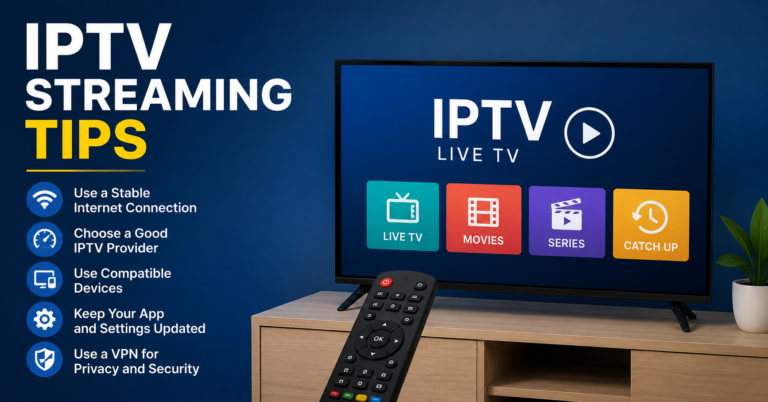
The client’s broadband matters too. A household on a congested shared connection, running multiple streams, on Wi-Fi through two walls, will have issues that have nothing to do with your panel. Minimum recommended speeds for stable HD IPTV streaming sit around 10-15 Mbps. For 4K, you’re looking at 25 Mbps minimum with low jitter.
Peak Load and the Premier League Problem
There is no more honest test of an IPTV stream infrastructure than a Saturday afternoon in the Premier League season. Specifically the 12:30 kick-off and the 17:30 kick-off, the two fixtures that bookend a day when a significant portion of your UK subscriber base is actively watching something.
The 3pm blackout is a peculiar quirk of UK broadcasting rights that actually helps panel operators, since there are no live domestic fixtures during that window, which reduces concurrent load meaningfully. But the periods either side of it are brutal in infrastructure terms.
A panel serving 500 active UK subscribers during a high-profile 17:30 fixture is potentially handling 300-400 concurrent streams at that single moment. The difference between a panel that handles this gracefully and one that doesn’t isn’t marketing, it’s server architecture, CDN capacity, and the provider’s willingness to invest in infrastructure rather than maximise short-term margin by overselling.
I’ve run the same stream on three different panels simultaneously during a match day. The results were not close. One held perfect quality throughout. One dropped to a lower bitrate around the 60-minute mark. One froze entirely in the second half and didn’t recover. Same content, same client device, same broadband connection. Pure infrastructure difference.
Pro Tip: If you’re evaluating a new panel provider, run your trial specifically across two consecutive Saturday afternoons during the football season. If streams hold quality across both, you have meaningful evidence. If they degrade on either, you’ve learned something important before committing a large credit purchase.
Anti-Freeze, Explained Properly
Anti-freeze is probably the most misunderstood feature in the UK IPTV reseller space. Providers mention it constantly in their marketing. Most clients have no idea what it means. And a fair number of resellers are only vaguely clearer.
Anti-freeze is a buffer management and stream recovery system. When a stream experiences packet loss or a brief delivery interruption, which happens constantly, even on good connections, anti-freeze manages how the player responds. A stream without it freezes visibly at the point of interruption and requires manual intervention to resume. A stream with properly implemented anti-freeze recovers seamlessly, often without the viewer noticing anything happened.
What it is not: a substitute for server capacity. Anti-freeze can smooth over brief network fluctuations. It cannot compensate for a fundamentally overloaded server delivering corrupted or delayed packets. Providers who market anti-freeze as a solution to buffering on an undersized infrastructure are using it as a distraction from the actual problem.
The combination that actually delivers stable streams is adequate server capacity plus proper anti-freeze implementation plus a CDN with real failover capability. All three. Remove any one of them and you’ll feel it during a high-demand event.
Bitrate, Resolution, and the Quality Conversation With Clients
Different clients have different setups and different expectations, and calibrating this is part of providing a professional service.
Standard definition streams typically run at 1-3 Mbps. HD at 5-8 Mbps. Full HD at 8-12 Mbps. 4K content, where available, starts at around 15-25 Mbps and can go considerably higher depending on the encoding efficiency.
The practical implication: a client on a 30 Mbps broadband connection watching a single HD stream has ample capacity. A client on the same connection with three streams running simultaneously, say, different rooms, may start experiencing quality issues that have nothing to do with the panel and everything to do with their available bandwidth.
This is worth explaining proactively. Clients who understand the relationship between their broadband speed and stream quality are less likely to blame you for something outside your control, and more likely to take the right corrective action themselves.
The Bandwidth Arithmetic Behind Stream Stability
From a panel provider’s perspective, serving a reseller base involves some straightforward but consequential arithmetic: total bandwidth required equals concurrent streams multiplied by the average bitrate per stream.
A provider serving 1,000 concurrent HD streams at an average bitrate of 8 Mbps needs a minimum of 8 Gbps of dedicated bandwidth, before any overhead for control traffic, failover capacity, or quality headroom. Providers who are cutting costs by running closer to theoretical maximum capacity than is prudent are creating the conditions for exactly the kind of failures that cost resellers clients and credibility.
When you’re vetting a panel provider, it’s a legitimate question to ask about their bandwidth infrastructure relative to their subscriber base. A provider who can’t or won’t answer that question specifically is a provider who doesn’t want you to know the answer.
Pro Tip: Check whether your panel provider offers connection logs with stream quality metrics, not just connected/disconnected status. Providers with robust infrastructure tend to offer more detailed logging because they’re confident in what it shows. Providers running thin on capacity tend to offer minimal visibility for the same reason.
Choosing a Panel Built for Stream Stability
After years of testing panels and dealing with the fallout when they fail, the factors I weight most heavily are peak-hour performance history, server location relative to UK client base, anti-freeze implementation quality, and the provider’s transparency about their infrastructure.
britishseller.co.uk ticks those boxes in practice, not in marketing copy. The streams hold during the moments that actually test them, the panel gives UK IPTV resellers proper visibility into their lines and connections, and the credit structure makes the economics work without requiring compromise on stream quality. That combination is less common than it should be.
5 Stream Quality Standards Every Reseller Should Enforce
Test during peak hours, always. Saturday afternoon tells you more about a panel than a week of off-peak testing, so schedule your evaluations accordingly.
Know the difference between a panel problem and a client-side problem. Build a triage process. Two clients reporting issues simultaneously points upstream. One client with persistent issues points local.
Understand what anti-freeze actually does. When a provider leads with anti-freeze as their primary quality claim, ask what it sits on top of. The infrastructure underneath matters more.
Set realistic expectations about broadband requirements. Put minimum speed recommendations in your onboarding materials. It prevents complaints that have nothing to do with your panel.
Demand panel-level stream metrics, not just uptime claims. Logging that shows you actual stream quality data is the difference between knowing there’s a problem and guessing there might be one.