The Best VPN for IPTV Isn’t the Fastest One
It was a Sunday. Eleven o’clock kickoff, big fixture, and my support group lit up like a Christmas tree. Message after message: freezing, buffering, black screen. I panicked. Checked the panel, servers healthy, uptime green across the board. Ran a stream myself on my home connection, perfect. So what was going on?
Took me the better part of that morning to realise the problem wasn’t my panel at all. Three of my largest customers were all on the same ISP, and that ISP had quietly started throttling IPTV-related UDP traffic overnight. Not blocking, throttling. Subtle enough that a speed test would look fine. Devastating enough that a live stream was unwatchable.
That day taught me more about the best VPN for IPTV than any review site ever could. Because the question isn’t which VPN is “fastest.” It’s which VPN actually holds up when your customers need it most.
Table of Contents
ToggleWhy ISP Throttling Is Now the Biggest Threat to UK IPTV Customers
Forget piracy warnings and legal letters for a moment, the immediate operational threat facing UK IPTV resellers in 2026 is traffic shaping. Major broadband providers have become significantly more aggressive about identifying and deprioritising streaming traffic that doesn’t originate from licensed CDN infrastructure.
The insidious part is how invisible it is. A customer runs a speed test: 150Mbps, no problem. They open their IPTV app: constant buffering. They ring you. You check your panel: everything’s healthy. And then begins the back-and-forth that eats your evenings and chips away at your reputation, not because your service is bad, but because their ISP is quietly strangling the connection at the protocol level.
Deep packet inspection, DPI, is what makes this possible. ISPs don’t need to know what you’re streaming to throttle it. They just identify the traffic pattern. IPTV over UDP has a recognisable fingerprint. Once they spot it, the traffic gets deprioritised.
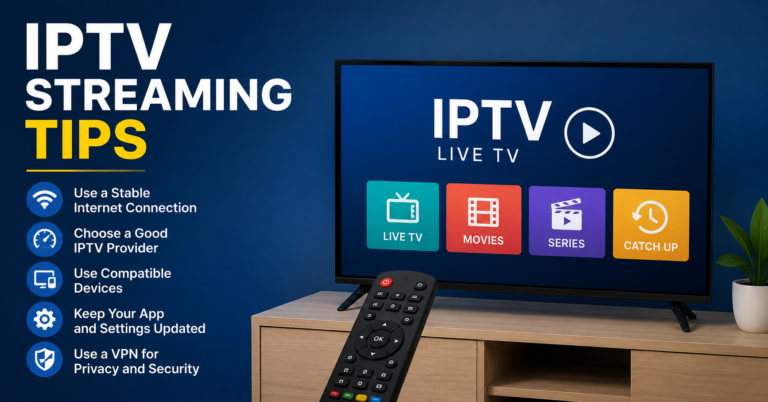
A quality VPN wraps that traffic in encrypted tunnels the ISP can’t meaningfully inspect. The throttling stops because the fingerprint disappears.
Pro Tip: When a customer complains about buffering, before you start questioning your panel, ask them two things: which ISP they’re on, and whether they’re using a VPN. In my experience, the answer to both questions usually tells you everything. Certain ISPs account for a wildly disproportionate share of buffering complaints.
What Makes a Best VPN for IPTV (It’s Not What You Think)
Speed. That’s what every comparison article will tell you matters. Raw download speed, megabits per second, benchmark tests conducted in lab conditions that bear no resemblance to a Saturday afternoon during a top-flight fixture.
Here’s what actually matters, ranked by how much it’ll affect your customers’ experience:
Latency consistency over raw speed. A VPN that delivers 80Mbps with rock-steady latency is infinitely more useful for live streaming than one that peaks at 200Mbps but spikes unpredictably. Live IPTV is unforgiving of latency variance. A buffering event during a goal isn’t just annoying, it’s a churn risk.
Server load transparency. Some providers give you real-time server load data. Others auto-connect you to whatever’s theoretically closest, which during peak hours is often the worst possible choice. You want control, or at minimum, a provider whose infrastructure is robust enough that load is never the limiting factor.
Split tunnelling. Non-negotiable. Customers who route all traffic through a VPN will notice slowdowns on everything else and blame the VPN, or blame you. Split tunnelling lets the IPTV app use the VPN while everything else runs normally. Clean, invisible, effective.
Kill switch reliability. If the VPN connection drops mid-stream, what happens? On a bad implementation, the traffic reverts to the unencrypted connection and the throttling resumes. A reliable kill switch cuts the connection entirely until the VPN reconnects. Some customers will find this frustrating; it’s still the right behaviour.
Protocol Wars: Why WireGuard Has Won
OpenVPN had a good run. It’s been the backbone of consumer VPN products for over a decade, and it’s not bad, but for IPTV specifically, it’s showing its age. The handshake overhead, the CPU demands on lower-end streaming devices, the latency introduced by its architecture, none of this is acceptable when you’re trying to deliver live sport without a single dropped frame.
WireGuard is what you should be looking for in 2026. It’s leaner, faster to establish connections, cryptographically modern, and significantly less demanding on the hardware running it. On a Firestick 4K, which isn’t exactly a powerhouse, the difference between running a WireGuard-based VPN and an OpenVPN one is tangible. Streams that buffer on OpenVPN often run clean on WireGuard.
Some providers have built their own protocol variants on top of WireGuard, Lightway (ExpressVPN) and NordLynx (NordVPN) are both WireGuard derivatives. They’re generally fine, though they do create a layer of opacity that purists dislike.
If a VPN doesn’t offer WireGuard or a credible WireGuard derivative, it’s not worth recommending to IPTV customers. Full stop.
Pro Tip: Test WireGuard vs OpenVPN on the same server yourself, streaming the same content, at the same time of day. The latency difference during a live stream is often 30–50ms, which doesn’t sound like much until that latency variance causes your buffer to stutter exactly when it matters most. Run the test. Trust the data.
The Real Contenders in 2026
I’ll be brief here because the honest answer is that the gap between the top four or five providers is narrower than the marketing budgets suggest. What separates them for IPTV use is infrastructure depth and protocol quality, not brand.
Mullvad remains the technically cleanest option. No accounts, no logs in any meaningful sense, WireGuard as standard, and a level of infrastructure transparency that puts most competitors to shame. Not beginner-friendly, which matters when you’re recommending it to a customer who struggles with sideloading apps.
ExpressVPN with Lightway is the easiest recommendation for non-technical customers. The app experience is genuinely good, setup is straightforward across all major devices, and Lightway performs solidly for IPTV. The price is high but the support overhead on your end drops substantially when customers can actually configure it themselves.
NordVPN has the largest server network and NordLynx performs well. The main concern is that their IP ranges are among the most widely recognised as VPN exit nodes, which matters if your panel provider blocks known VPN IPs. Worth testing before recommending widely.
Proton VPN deserves mention for budget-conscious customers. The paid plan is competitively priced, the privacy credentials are legitimate, and performance has improved substantially. The free tier is not suitable for IPTV, the speed limitations will cause more problems than they solve.
Device Reality: Firestick, MAG, STBEmu, and the Router Conversation
This is where most VPN guides fail resellers entirely. They assume everyone is watching on a laptop. Your customers are on Firesticks, Android boxes, MAG devices, and STBEmu setups, and VPN compatibility looks very different across each of these.
Firestick: straightforward. Most major VPNs have native Fire TV apps in the Amazon store. If not, they can be sideloaded. This is the easiest demographic to support.
Android boxes: equally straightforward. Any Android VPN app works. The only nuance is ensuring split tunnelling is correctly configured in the app.
STBEmu: runs on Android, so same as above. But worth noting that STBEmu users tend to be more technical, which means they’ll likely configure their own VPN without needing your help. The customers who need guidance are almost never on STBEmu.
MAG boxes: this is where it gets complicated. MAG devices run a stripped-back Linux environment with no native VPN app support. The only realistic solution is configuring VPN at the router level. That’s a different conversation, it requires the customer to have a compatible router, and it requires you to either support that setup or signpost them to a guide. For customers on MAG who are experiencing serious throttling, a VPN-capable router with WireGuard support at the firmware level is the cleanest long-term answer.
The Numbers Behind Recommending a VPN to Customers
Let’s make this concrete. A UK IPTV reseller with 40 active subscriptions at £15/month is pulling £600/month in revenue. If 15% of those customers churn annually due to stream quality complaints, complaints that a VPN would largely resolve, that’s six customers lost.
The maths is simple: multiply the monthly subscription by the number of churned customers, then by 12 months. At £15 a month and six customers lost, that comes to £1,080 a year.
Over a thousand pounds a year in preventable revenue loss. A quality VPN subscription costs a customer £4–8/month on an annual plan. Frame it that way. You’re not upselling them, you’re protecting the value of what they’re already paying for.
Build VPN onboarding into your standard activation process. A single PDF with setup steps for the three most common devices your customers use will pay for itself the first time it prevents a churn conversation.
Pro Tip: Partner informally with one VPN recommendation. Not an affiliate arrangement if that creates complications, just a consistent recommendation you can point customers to. Consistency in your advice builds trust faster than hedging with “here are six options, you decide.” Be the person who knows. They’ll remember you for it.
Panel Compatibility: The Part Everyone Skips
Some panel providers block connections from known VPN exit IP ranges. It’s not universal, but it’s common enough that you need to test for it before recommending any VPN to your customer base.
The test takes ten minutes. Connect to your panel streams through your recommended VPN on a fresh server. If streams load and play without authentication issues, you’re clear. If you hit errors or the stream refuses to authenticate, you either need to find a VPN provider with less-flagged IP ranges, or have a conversation with your panel supplier.
Resellers working through britishseller.co.uk tend to encounter fewer of these compatibility issues in practice, the infrastructure there is built with UK IPTV reseller operational realities in mind rather than being optimised purely for the provider’s own convenience.
IPTV Reseller Success Checklist
- Diagnose before you recommend, confirm the customer’s ISP and run a stream yourself through the VPN before pointing them at it. Never recommend blind.
- WireGuard or nothing, any VPN suggestion you make in 2026 should be WireGuard-based. OpenVPN is legacy technology for this use case.
- Test panel compatibility first, connect through your recommended VPN to your own panel. If it works cleanly, you’re good. If not, resolve it before your customers hit it.
- Build VPN setup into onboarding, don’t wait for a buffering complaint. Include a simple setup guide at the point of activation for the three devices your customers most commonly use.
- Know your devices, Firestick and Android box customers can self-serve with a native app. MAG customers need a router-level solution. The recommendation is different depending on their
- setup, and giving the wrong advice creates more problems than saying nothing.